One resident record. One care team. Every funding dollar earned, and care minutes met.
- Nothing typed twice. The enquiry, admission, daily care, reports and the monthly claim share one record.
- Fuller beds, sooner. Every enquiry and referral lands in one inbox, so a slow week doesn’t lose a placement.
- No Provider Digital Access logins. Set up once, then HealthOS deals with Services Australia for you.
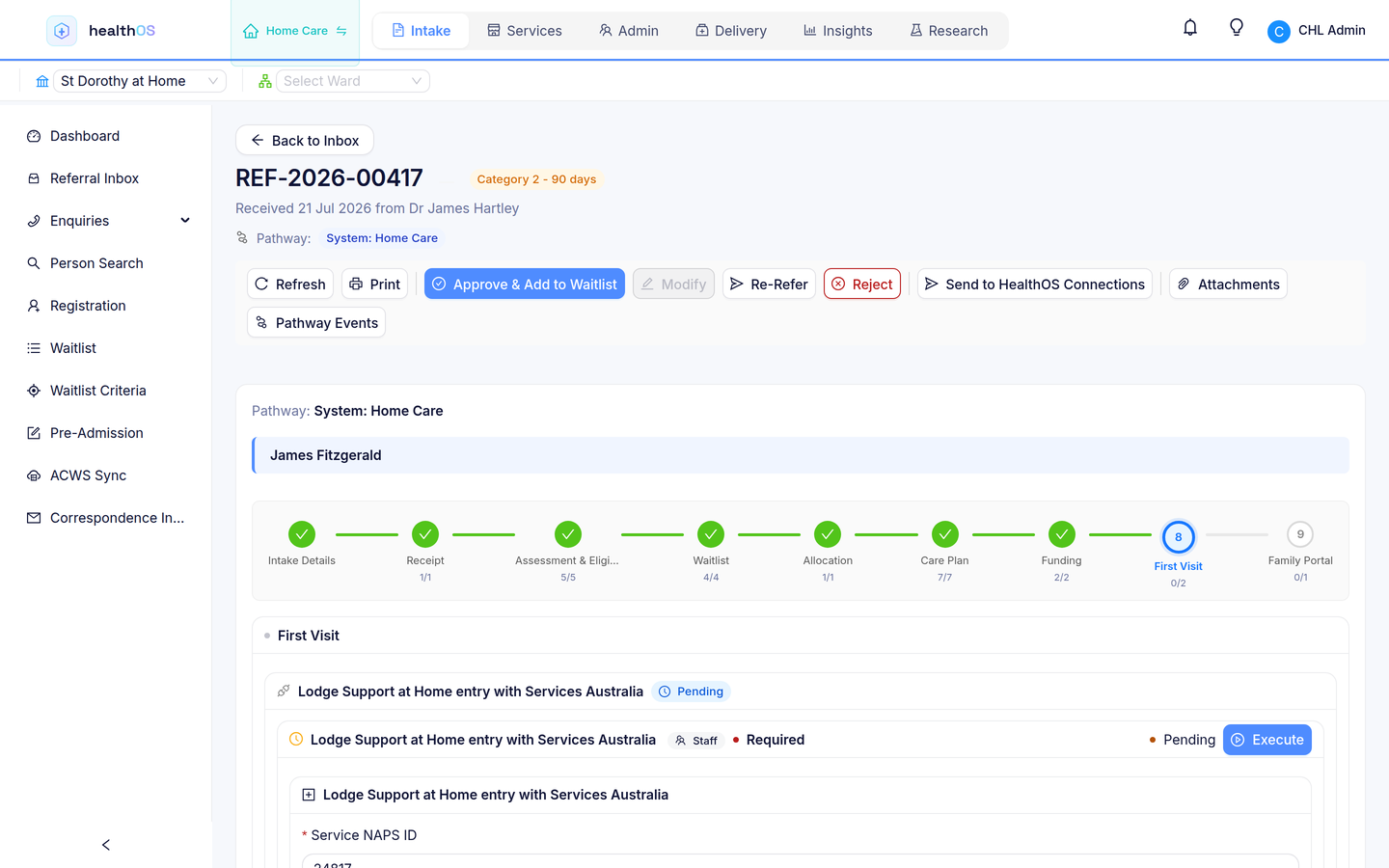
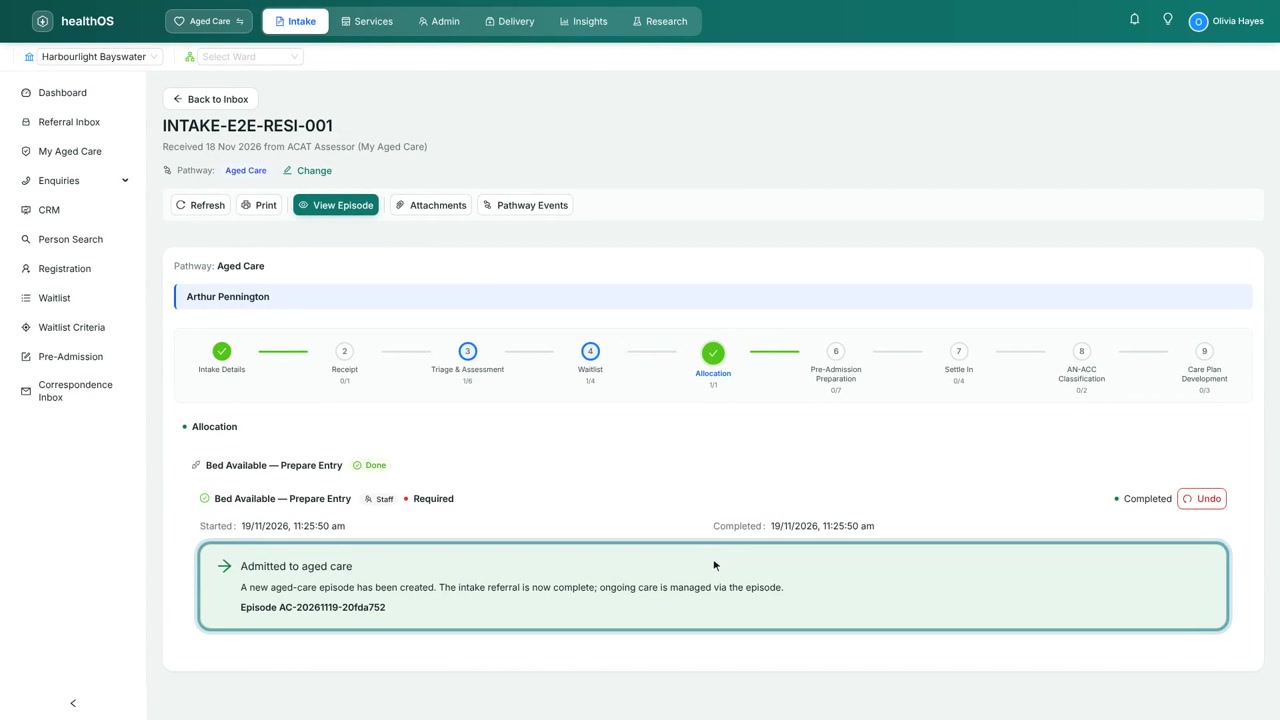
Follow one resident into a home, from the family's first enquiry to the month-end claim. Each step is a page: who takes part, what happens and what it hands to the next.
Nothing typed twice, from the first enquiry to the monthly claim
In many homes, intake sits in a spreadsheet, care plans in one system and billing in another. HealthOS brings them onto one resident record across every facility, so every step starts from the one before it.
- In separate systemsEnquiries and referrals tracked in a spreadsheetOn one resident recordEvery enquiry and referral tracked in one inbox
- In separate systemsA resident’s class and fees looked up, then typed inOn one resident recordfunding classes and means-tested fees arrive from Services Australia
- In separate systemsHours keyed in to work out care minutesOn one resident recordCare minutes recalculate as timecards are approved
- In separate systemsReports built from a manual extract before each deadlineOn one resident recordQuality Indicator and 24/7 registered nurse reports lodge from the care record
- In separate systemsThe month-end claim built from figures pulled by handOn one resident recordThe month-end claim builds from each resident’s class and days
Following care into the home under Support at Home? The same record goes with it. See home care →
Admissions, nurses and families see the same resident
Families want updates and staff want to give them. On one record, admissions, the nurse on shift and the family each see their part, so nobody chases anyone for what is already known.
Faster admissions and fuller beds
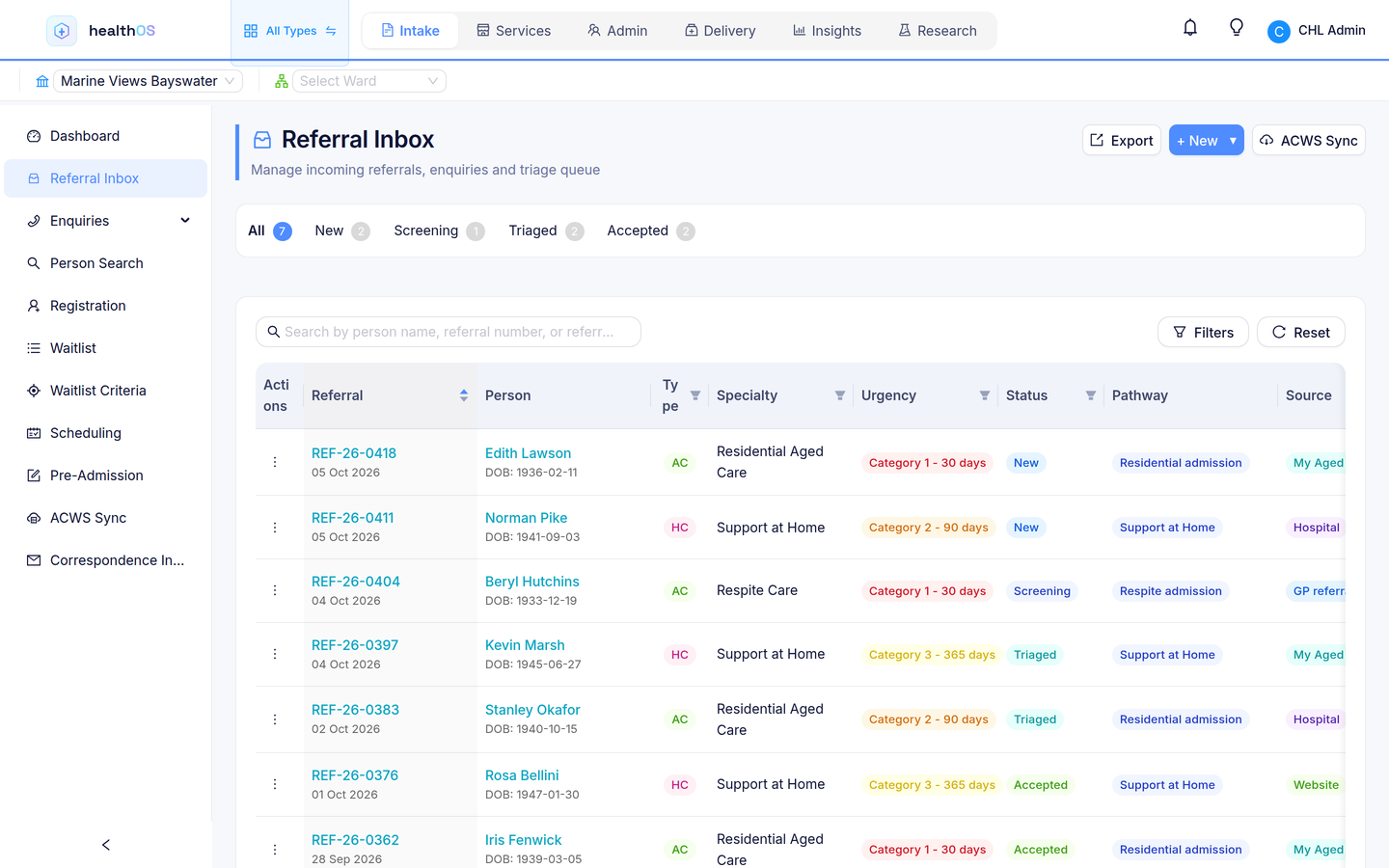
Referrals from My Aged Care, hospitals, families and GPs land in a single inbox, and family enquiries are tracked from the moment they arrive, so a slow week doesn’t lose a placement. Your team triages, assesses and waitlists without re-keying.
- My Aged Care referral handling
- Hospital discharge coordination
- Family enquiry tracking
- Automated waitlist management
Deterioration seen early
The nurse on shift sees the whole resident, because fifteen clinical modules share one record. Chronic condition pathways build prevention screening into every touchpoint, and remote monitoring picks up deterioration between visits, before it becomes a transfer to hospital.
- Chronic condition care pathways (cardiovascular disease, diabetes, chronic kidney disease, chronic obstructive pulmonary disease)
- Auto-syncing connected devices, no phone setup required
- Prevention screening at pathway entry and scheduled intervals
- HealthOS Connections for families and substitute decision-makers
Families who trust you
HealthOS Connections gives families a window into their person’s week: visits, activity stories, photos and messages. It starts from a single emailed link, with no password to set up. Fewer calls to the nurses’ station, and more trust in the home. See the family portal.
Funding you’ve earned, without the hours spent proving it
The new Aged Care Act reset the rules, and whatever gets missed is funding you don’t receive. Funding, care minutes and the 24/7 registered nurse supplement build from the care your team already records, so less is missed and the admin behind them shrinks to a review.
Every funding class claimed from day one
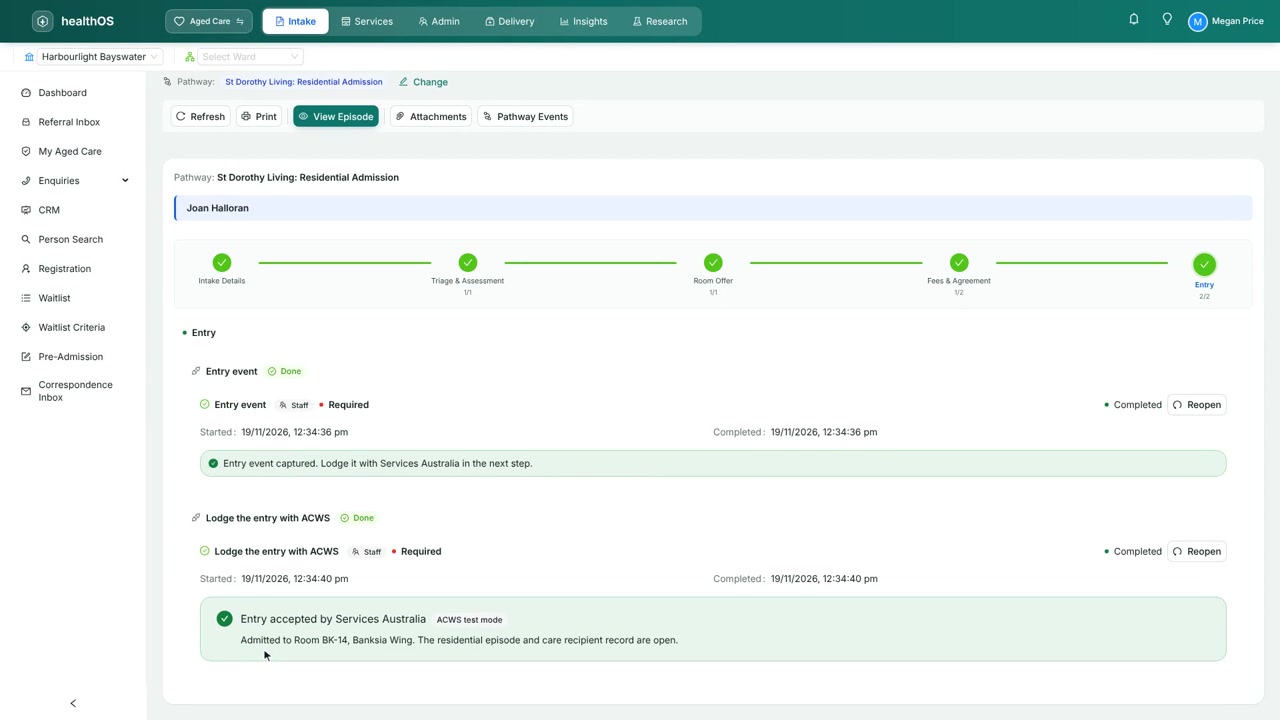
The month-end claim is built from each resident’s funding class and their days, so every class is claimed from the day it took effect. Claiming to Services Australia through Aged Care Web Services is built in.
What Services Australia already knows arrives through Aged Care Web Services, with no Provider Digital Access logins, so nobody types it in and nothing waits on a lookup. A resident’s care recipient record and approval come back from the My Aged Care lookup, their funding class is pulled after the independent assessment, and their means-tested care fee arrives from their means assessment, labelled with where it came from and when.
- Entry and departure events lodged with Aged Care Web Services, with the deposit attached
- Funding classes refreshed daily, with the date each took effect
- Means-tested care fee from the Care Recipient Fee Summary, filled into the agreement
- Your own room prices stay yours: the refundable accommodation deposit and daily accommodation payment come from your published prices
- One month-end claim for the whole facility, reconciled resident by resident against the payment statement
Bill every premium service residents order
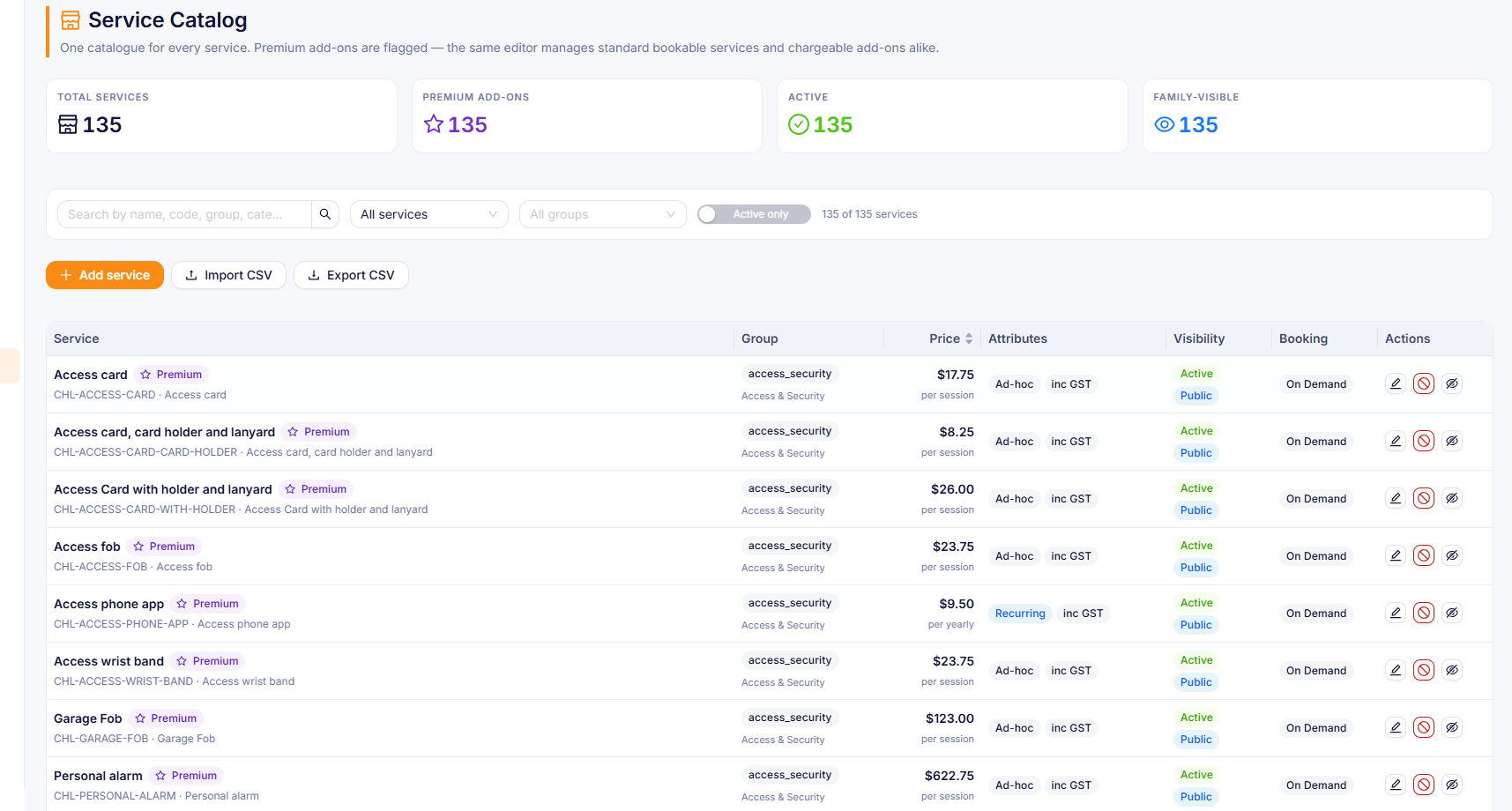
Nothing a resident ordered goes unbilled, and nobody keys it in from paper. Residents sign a services agreement, then browse and order from a personalised catalogue. Their orders flow straight through to your finance system, so finance sees the revenue as it moves.
Meet care minutes without over-rostering
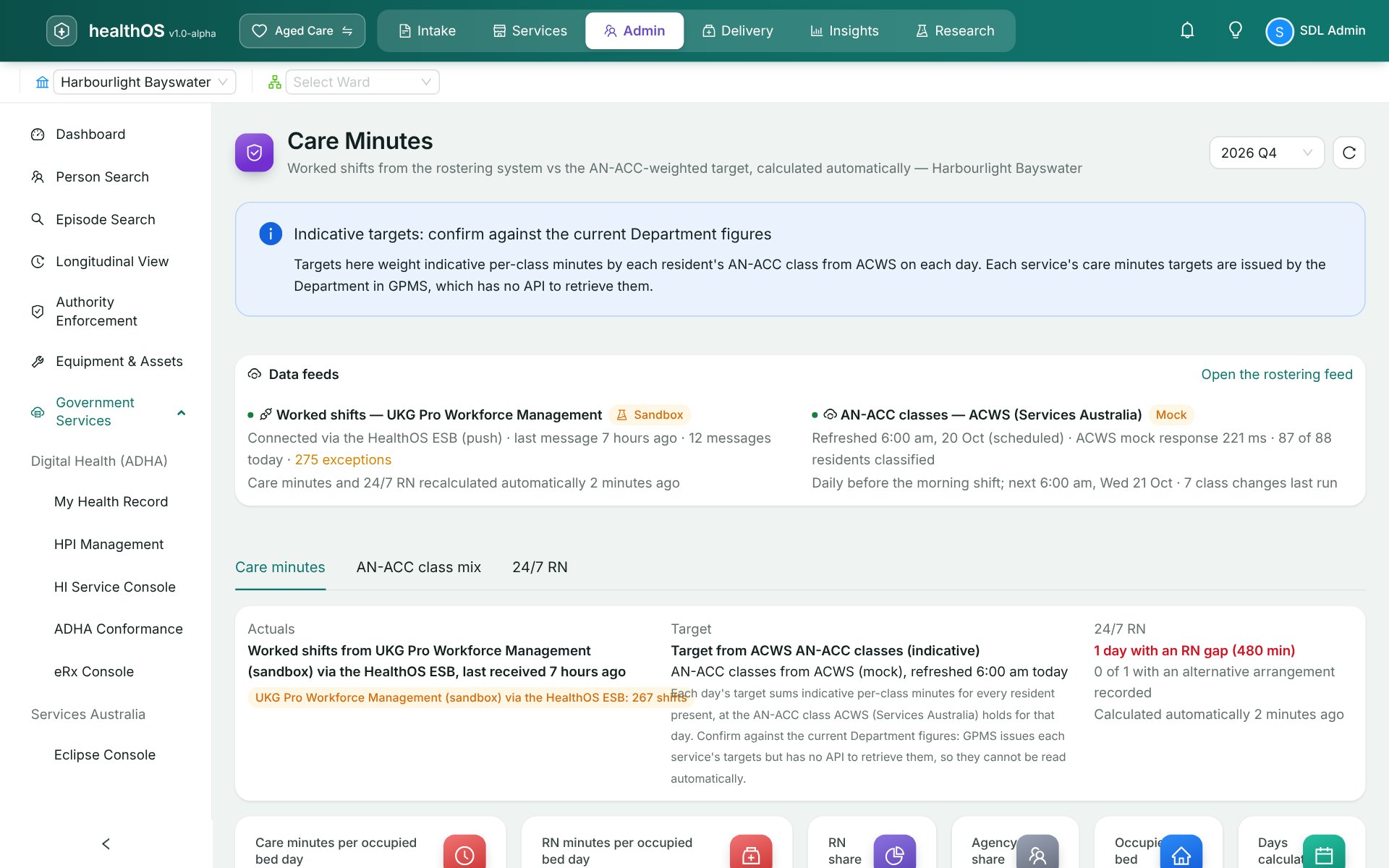
See a shortfall coming while there is still time to roster for it, and stop paying for shifts you didn’t need. Registered nurse gaps are flagged night by night, so a gap that puts your 24/7 registered nurse supplement at risk is seen while it can still be covered or explained.
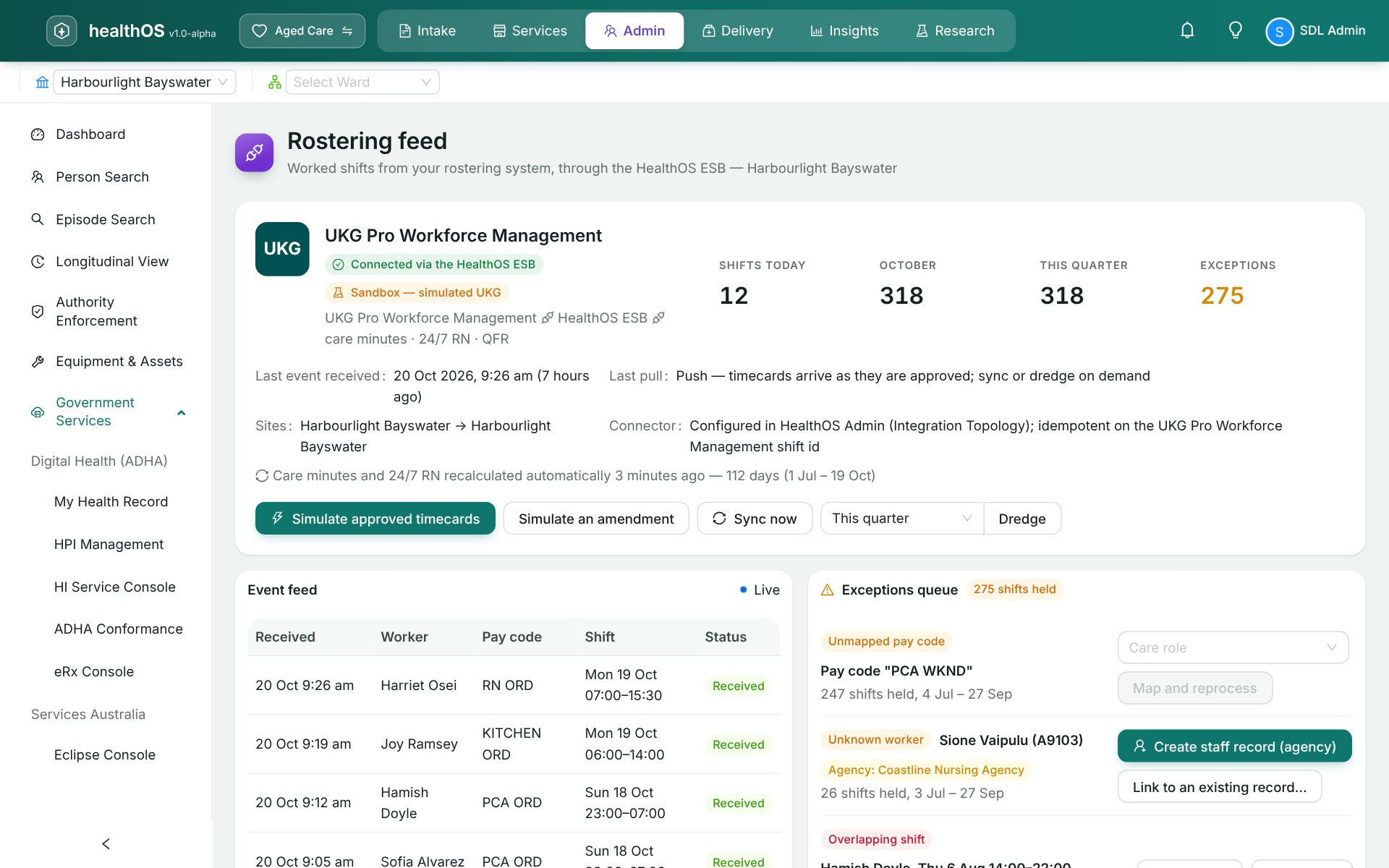
Nobody keys in hours. Worked shifts arrive from your rostering system as timecards are approved, and funding classes refresh from Services Australia every morning. Care minutes and registered nurse cover recalculate on their own against targets worked out from each resident’s class.
- Live connectors for rostering and workforce management systems, pushed or pulled
- Amended and cancelled shifts update in place, and nothing is counted twice
- Shifts it can't match, such as a new employee, wait in an exceptions queue and reprocess once fixed
- Every figure traces back to its timecard and the class from Aged Care Web Services behind the target
- 24/7 registered nurse gaps flagged by night, ready to explain before the monthly report
There is no government system connection for care minutes, so HealthOS prepares the figures for the government's provider system portal. Targets use indicative minutes per funding class; the Department issues each service’s targets in the government's provider system.
Mandatory reports ready before the deadline
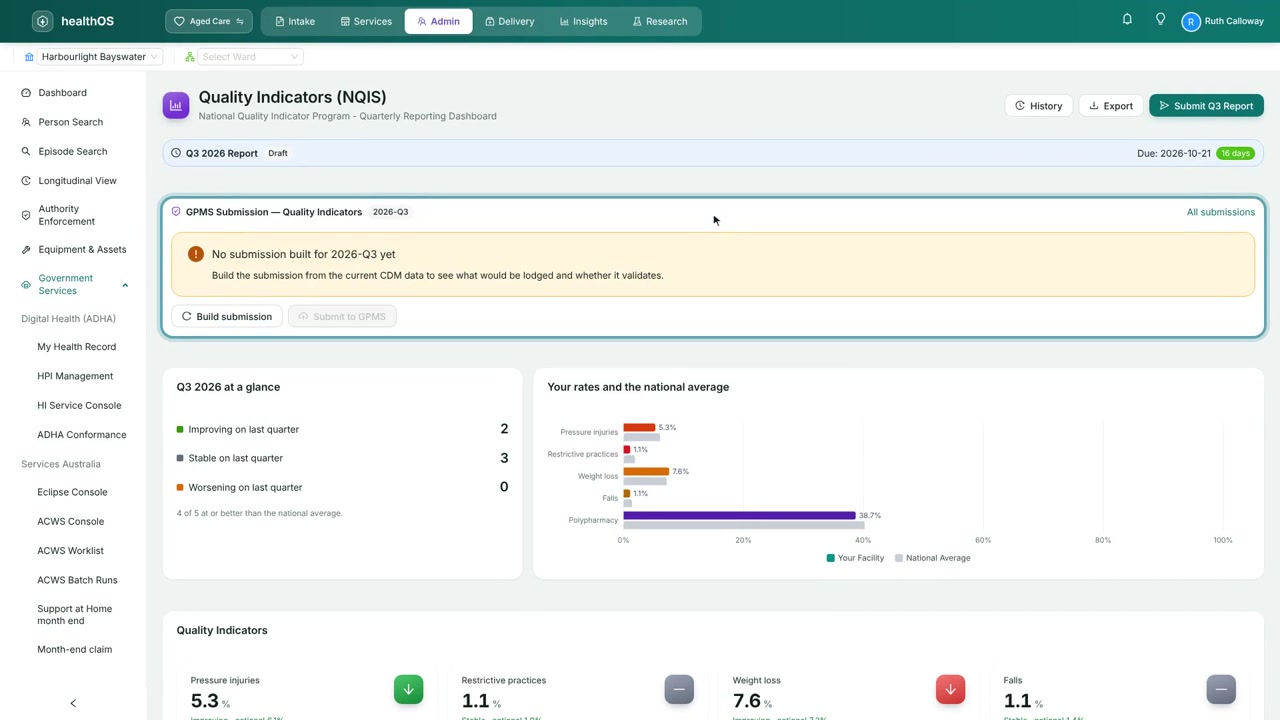
The Quality Indicator and 24/7 Registered Nurse reports lodge to the Department of Health from the same record the care team keeps, instead of a manual extract the night before a deadline.
- Quality Indicator and 24/7 nurse reporting to the government gateway (the government's provider system), straight from the care record
- The data behind your Star Ratings, kept current as care is delivered
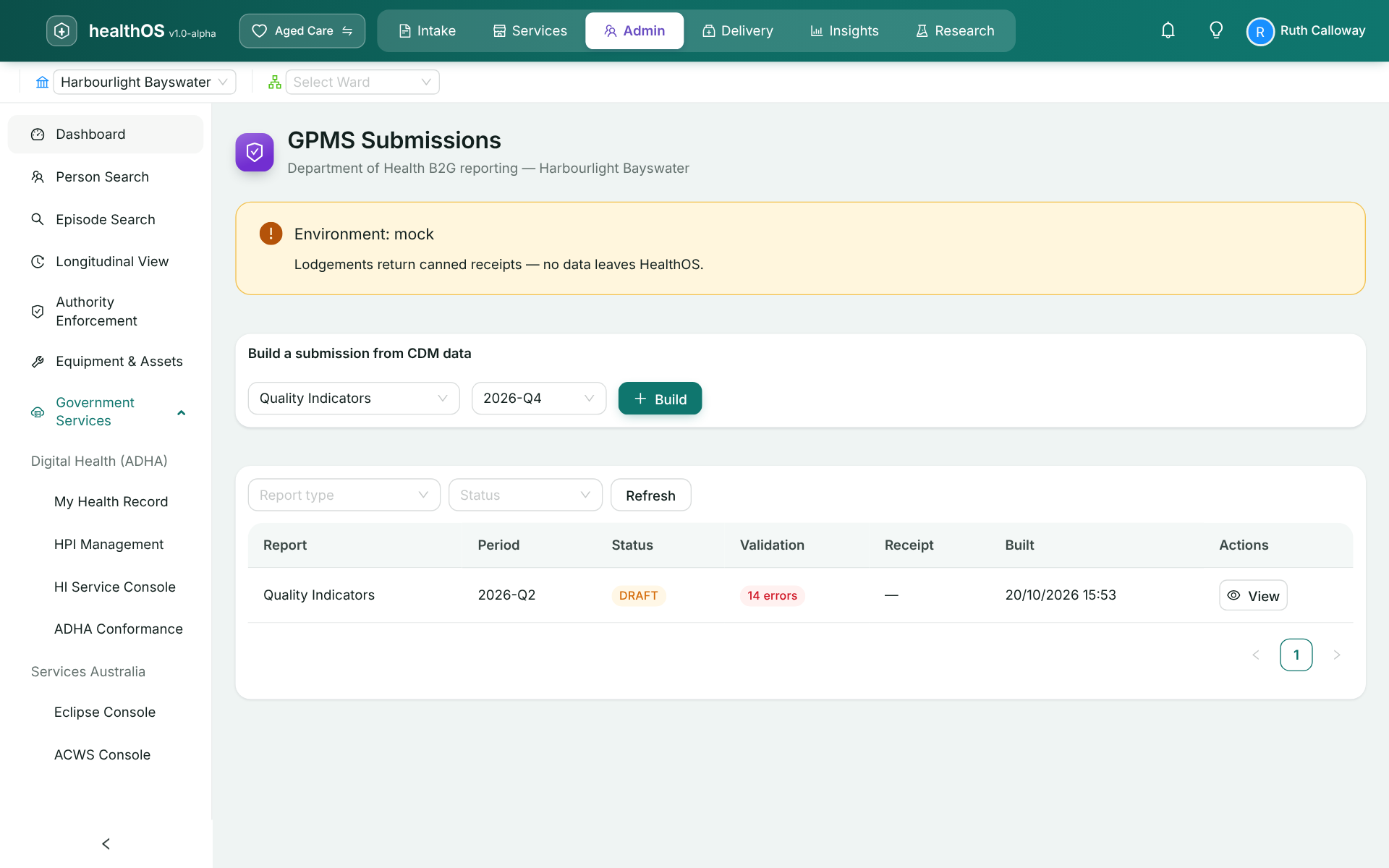
Know which way quality is moving
All fourteen mandatory Quality Indicators are on one page, each read the right way round: a falling pressure injury rate is good news, a falling quality of life score is bad news. They are tracked from care as it is recorded, so the report is ready to review when it is due, and the quarter is built and lodged to the government's provider system from the same page.
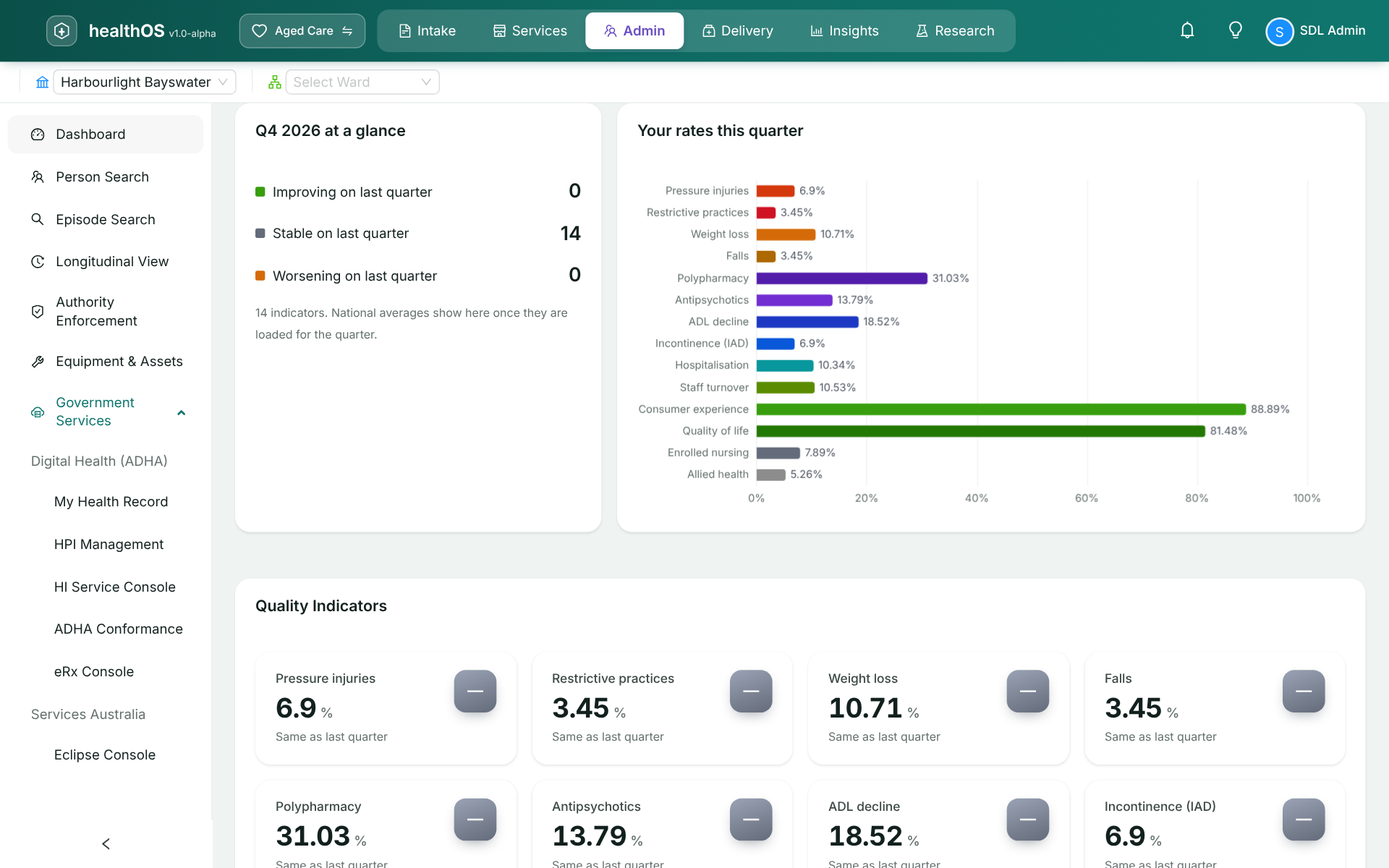
Keep the systems you’ve already paid for
HealthOS works with Aged Care Web Services, Government Provider Management System, your rostering system, your finance system, the Healthcare Identifiers Service and your clinical terminology server, so what you run stays. See government services, connectors and how it connects.
See it in action
Related
See what changes for your homes
We will walk you through it on real data. Bring the hardest thing your current platform can't do.