
Notifications that follow your org chart
The right person hears about it the moment it happens. One notification engine is built into the whole platform and routes by organisational hierarchy, role and occupant, so there is no separate notification product to procure or maintain.
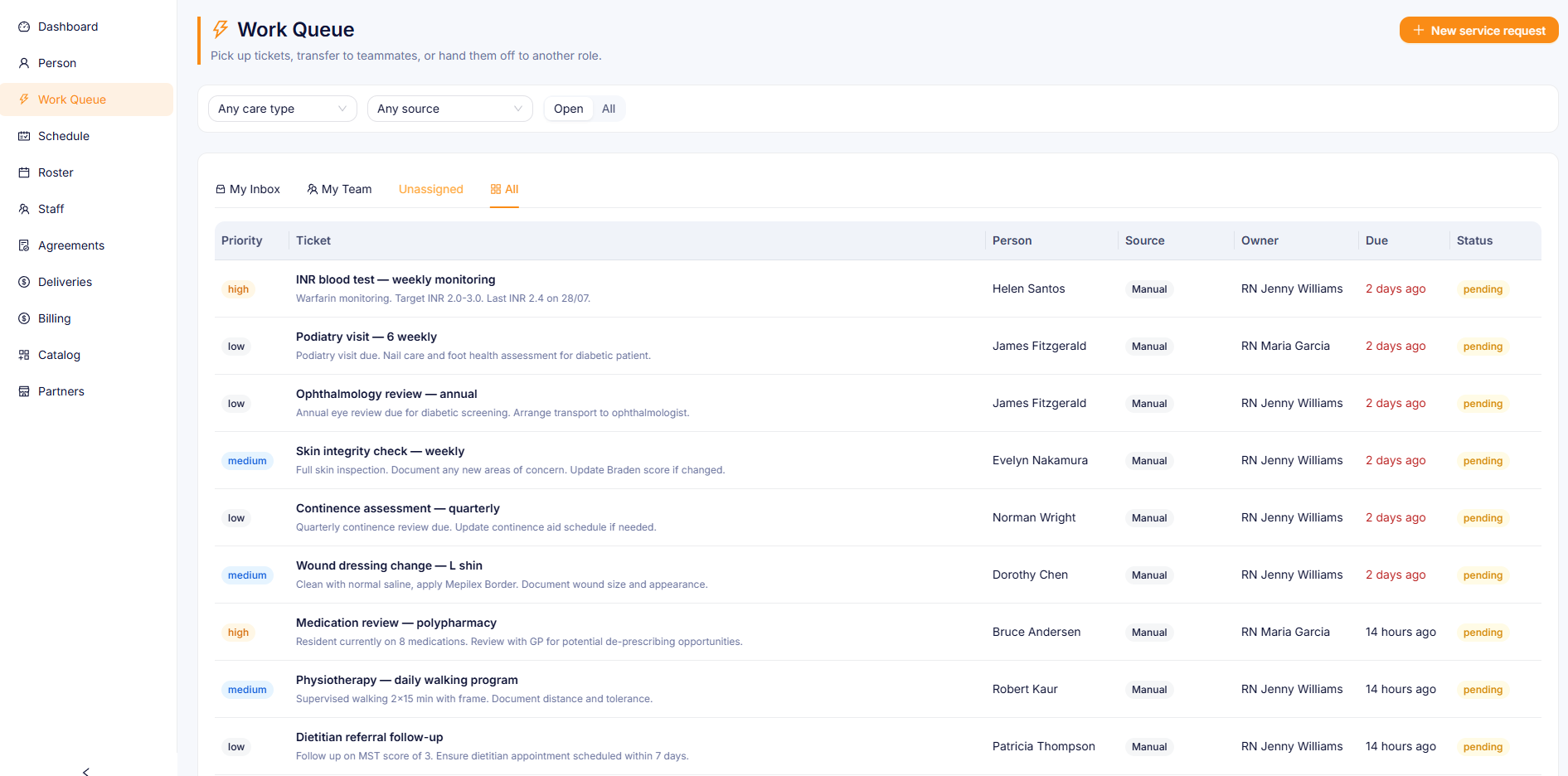
Real-time WebSocket push with a live unread count, and a polling fallback.
Templated HTML emails through integrated transactional email, configurable per event type.
Available where configured. Used today for family messaging.
Built into the platform from the start
Route to the role and find the person at delivery
Traditional notification systems route to named users. When staff rotate through agency shifts, weekend handover or leave cover, notifications go to the wrong person or to nobody at all. HealthOS routes to a role, such as registered nurse, nurse unit manager, allied health or GP, and works out who holds that role at the moment of delivery. When staff change, routing follows by itself.
- Routing rules target role codes: registered_nurse, nurse_unit_manager, allied_health, general_practitioner
- Occupant resolution happens at delivery time, when the notification goes out, instead of when the rule was created
- Roster changes, leave cover and agency staff need zero notification configuration changes
- Explicit user targeting is still there for edge cases, such as a named GP for a specific person
- Recipient deduplication: a user who holds several roles gets one notification
Facility overrides tenant, and tenant overrides system
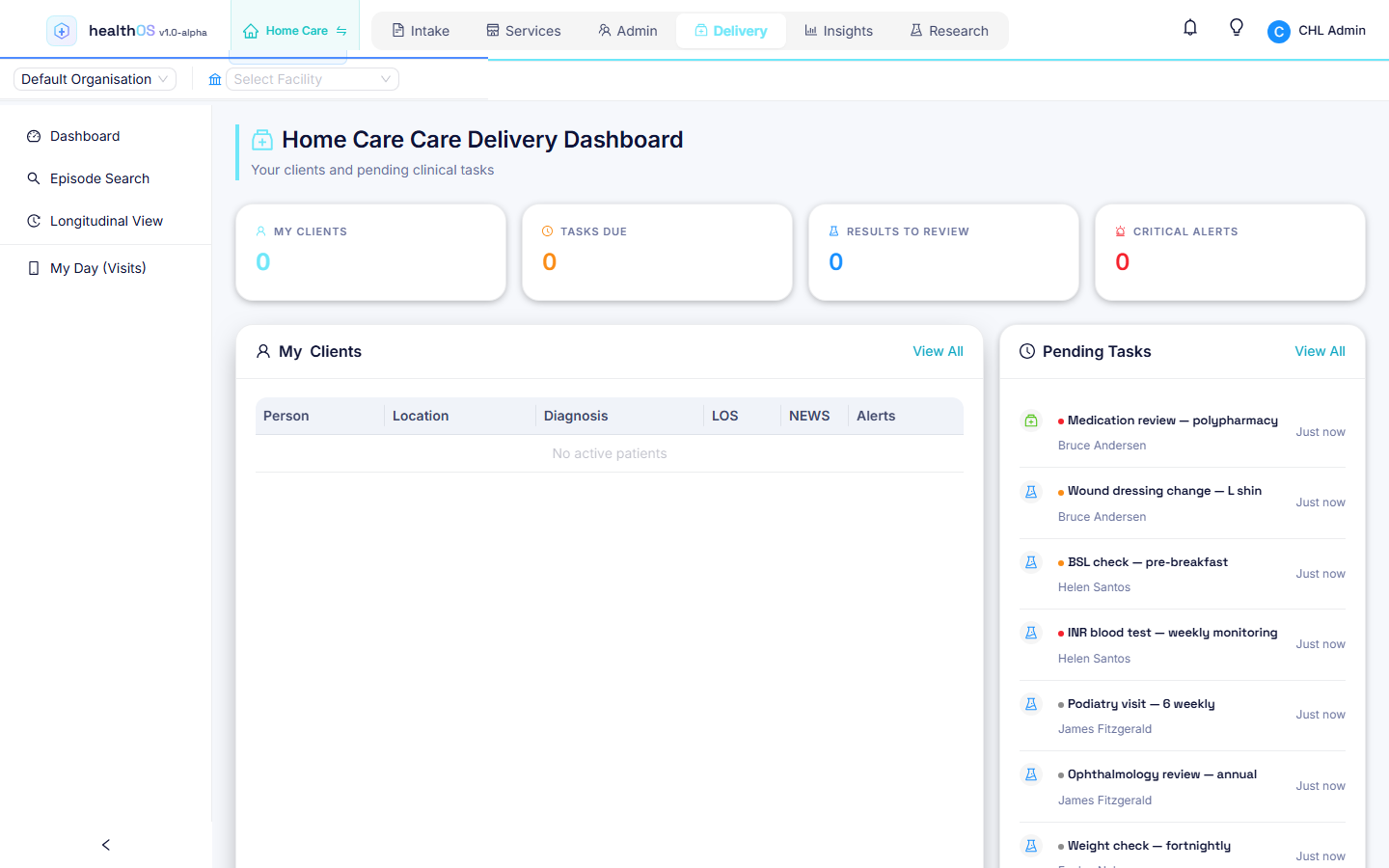
Rules resolve at facility, tenant then system scope, and the most specific match wins. A multi-site organisation can give each site its own behaviour. The ICU might want urgent deterioration alerts by SMS, email and in-app, while the community wing only needs in-app. System defaults cover everything else. It is all admin configuration, with no code changes.
- System defaults seeded at deployment give every organisation a sensible baseline
- Tenant-level rules override system defaults across all sites
- Facility-level rules override tenant rules for that one site only
- First match wins: the most specific scope takes precedence
Every clinical event has a notification type
Task assignment, co-sign requests, critical results, medication updates, deterioration warnings and coding queries are all wired in. The Deterioration Engine feeds urgent notifications through this routing from its nine detection rules, and Care Delivery events such as co-sign requests, critical results and medication updates trigger notifications too.
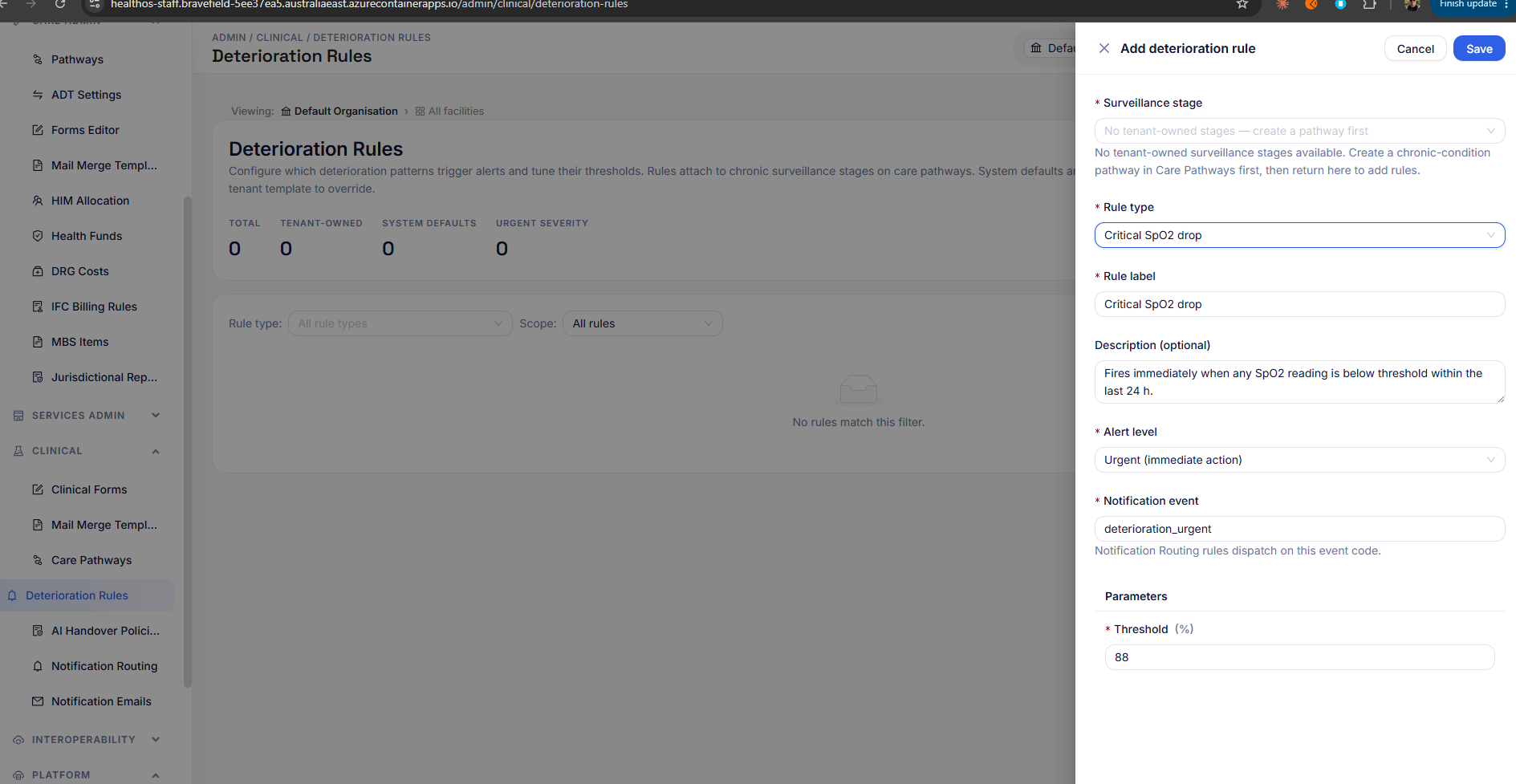
One in-basket for every notification
Every notification type surfaces in one in-basket: tasks, alerts, co-sign requests and medication updates. Filter, mark read, action or dismiss, with a real-time unread count. Urgent events reach both the in-basket and email.
Admins tune it without code
Organisation admins override routing rules per site or per event type. System defaults remain as the fallback and tenants tune on top.
- The admin portal shows the effective rules for each site, with scope attribution
- Every rule change is audited: who modified it and when
No separate product and no integration tax
Most care platforms bolt on a third-party notification service, a separate SMS gateway, a separate email service and a custom WebSocket layer for real-time. Each needs its own configuration, its own user mapping and its own failure monitoring. HealthOS owns the routing, templating, deduplication and audit itself, and drives the delivery channels from one place.
- In-app: WebSocket push with a real-time unread count, with a polling fallback
- Email: integrated transactional email, through an email delivery service or your organisation's own email tenancy, with templated HTML emails
- SMS: available where configured, and used today for family messaging
- One configuration surface for all channels: the admin routing rules page
- Delivery failures logged per channel for audit, so no notification is lost silently
Muting by category
Each user's notification preferences are stored today. Muting non-urgent notifications by category is planned and not built yet.
Related
See notification routing in action
A 45-minute walkthrough showing how clinical events resolve to the right person at the right site in real time.