
Care that reaches people at home, on the same record
Readings arrive from the devices people already use. Pathway rules notice when something changes, the care team reaches out in the app, and a nurse practitioner reviews by video and prescribes electronically. Every step lands in one record.
Heart failure, diabetes and COPD watched between visits, with rules per pathway.
Support at Home clients reviewed by video without waiting for the next visit.
Virtual ward patients monitored, messaged and reviewed from one place.
From a reading at home to a change in treatment
Readings from home, in the clinical record
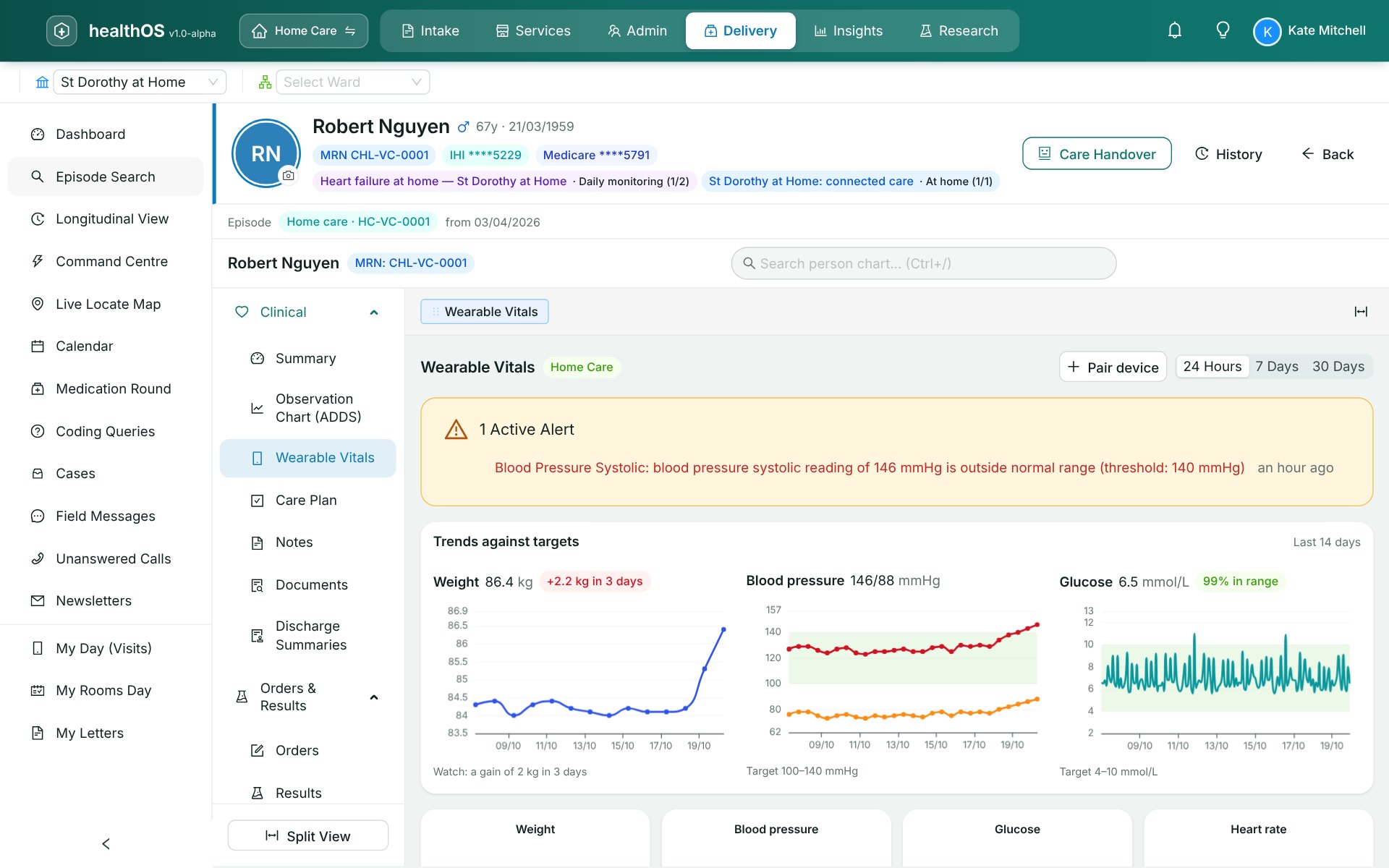
A client pairs their scale, cuff or glucose sensor once with the manufacturer. From then on, readings arrive through the HealthOS wearable connector and appear on the chart under Wearable Vitals, each drawn against its target and labelled with the device it came from.
- Smart scales, blood pressure cuffs and continuous glucose monitors, through the manufacturers' clouds
- Every reading stored as a FHIR R4 Observation with its device
- Time in range for glucose, daily weight and blood pressure against target
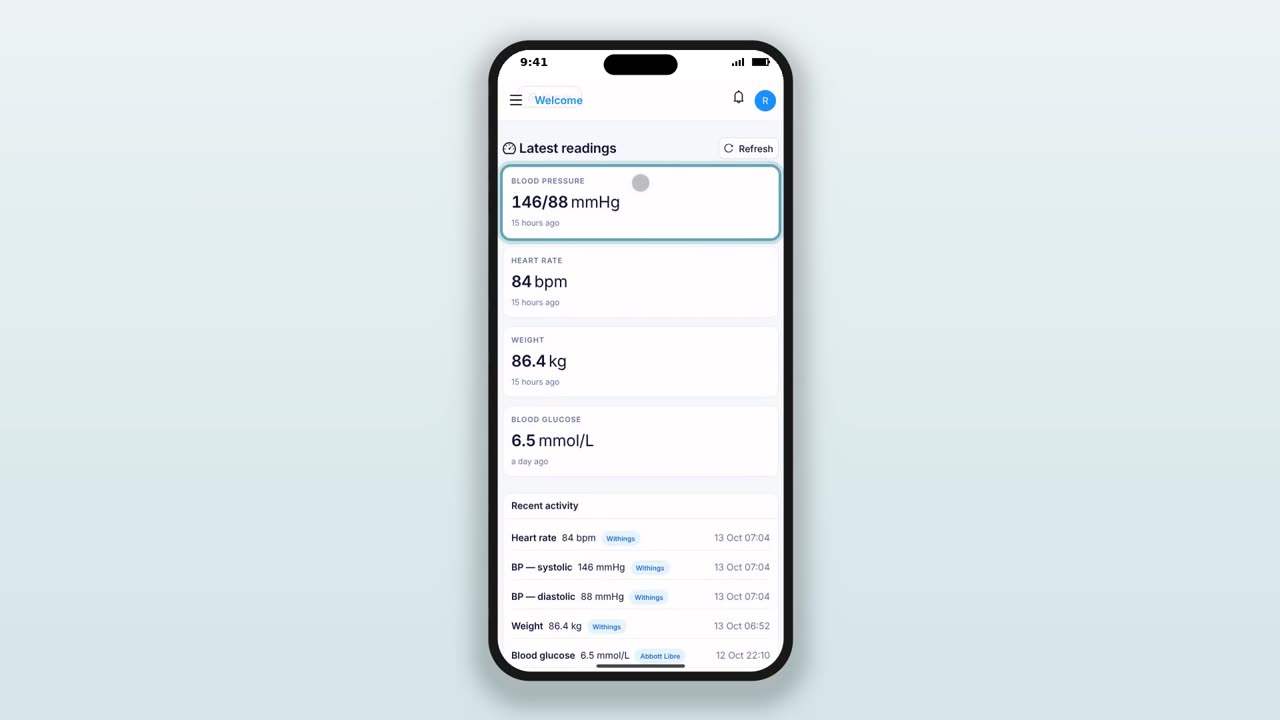
- The client sees the same readings on their phone in HealthOS Connections
- Cellular devices for people without a smartphone, see wellness and monitoring
Rules that notice, and people who are told
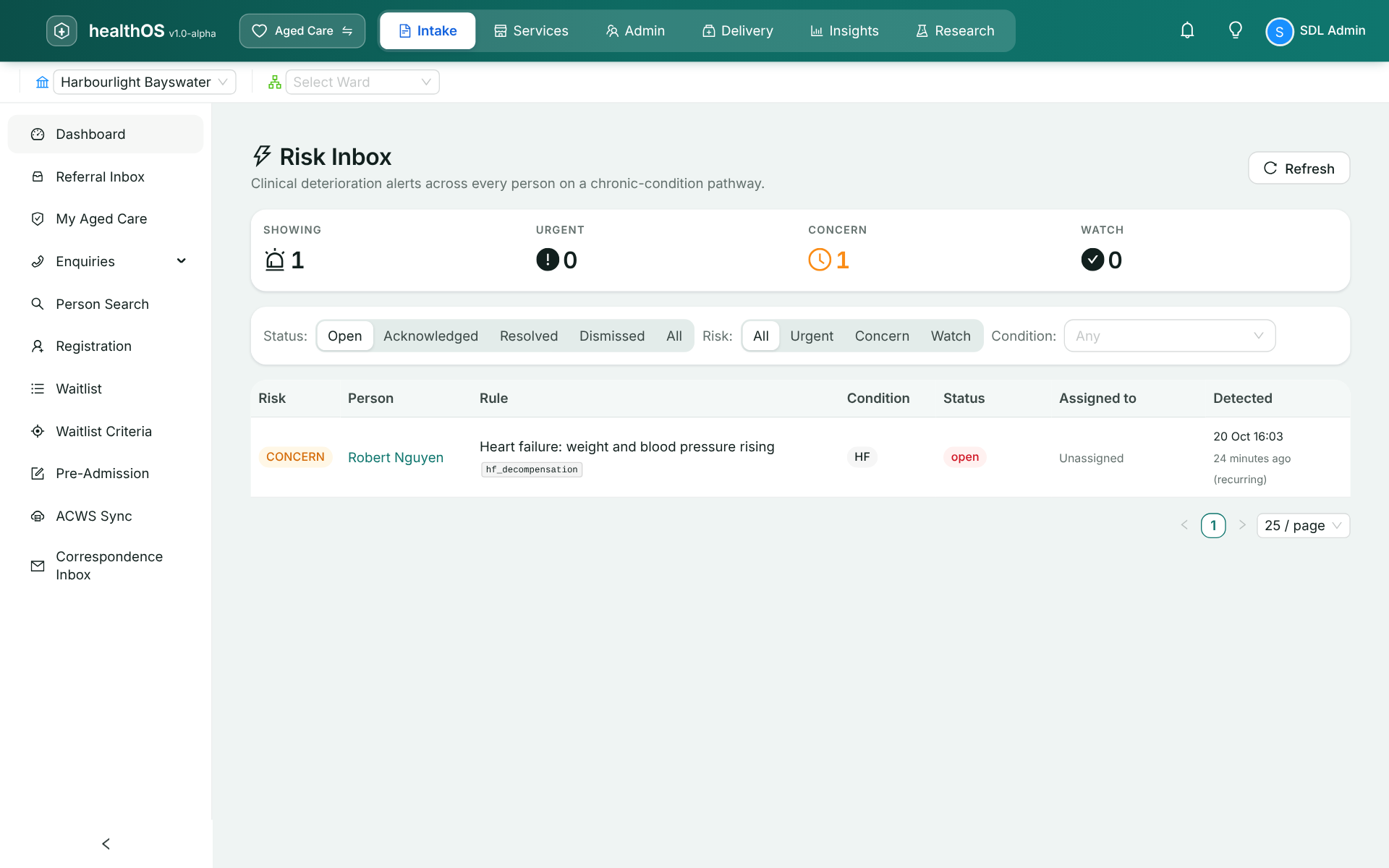
Each time readings land, the rules on the person's care pathway run. A heart failure rule watches for weight up more than two kilos in three days with blood pressure climbing. When it fires, the alert goes to the risk inbox with the readings behind it, the care team is notified, and the person appears on the Command Centre watch list with the reason beside their name.
- Rules attached to the pathway, so each condition watches for its own pattern
- The evidence travels with the alert: the rule, why it fired and the readings
- Assign to the nurse who knows the person, from the alert
Message, call, review
The nurse writes to the client in HealthOS Connections from the alert, because clinical content stays out of email. The client can reply, or tap through to a Microsoft Teams video call. A telehealth review is booked on the clinician's day list with its Teams meeting created and the join link on the session.
- Secure messaging in the client's app, on the care record
- Telehealth sessions with Microsoft Teams meetings created for them
- A telehealth record per session: consent, where the client was, where the clinician was, and video or phone
- Billing follows the record, so a video consult is claimed under the video item, never the in-person one
Electronic prescribing in the review
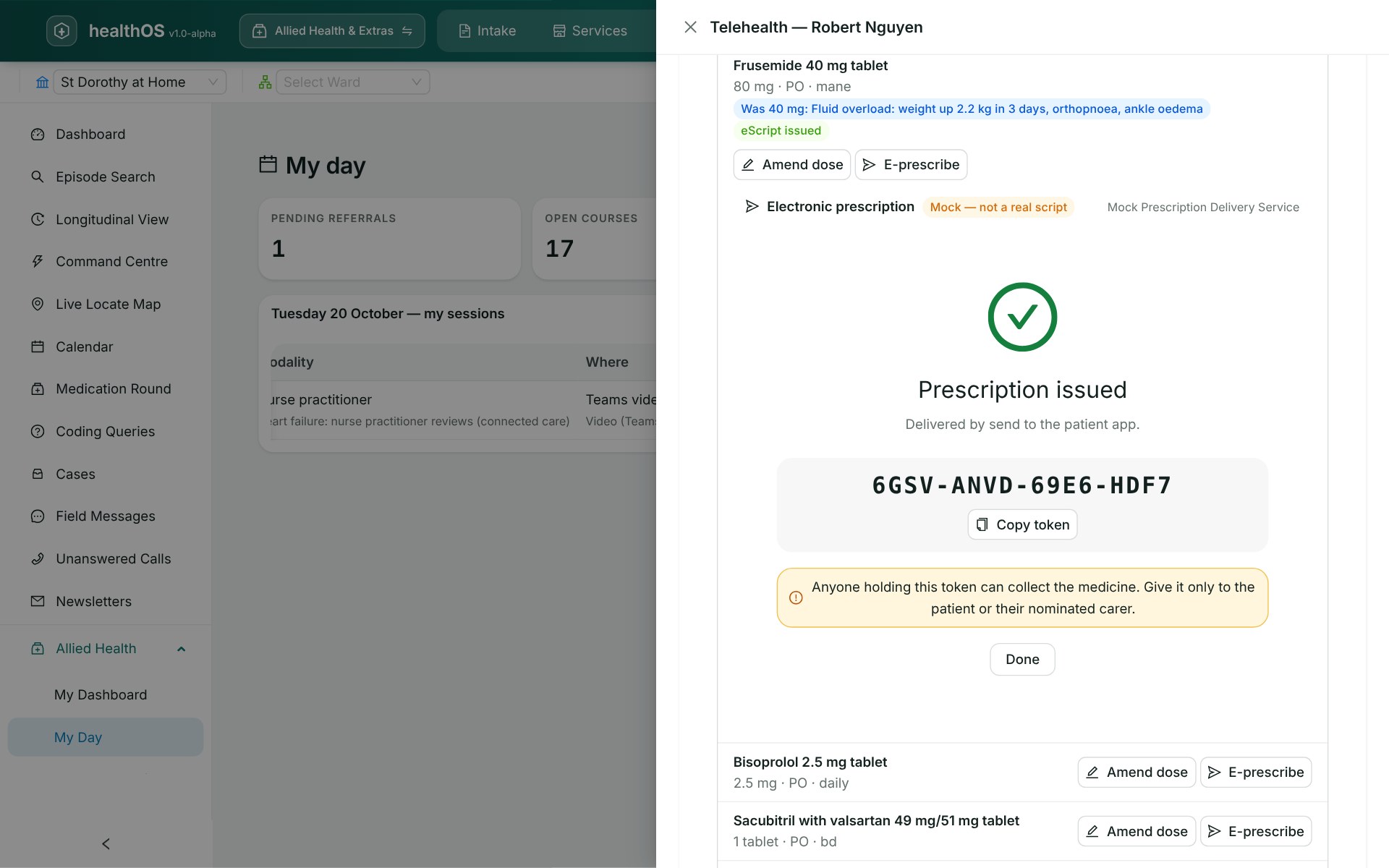
Changing a medicine and prescribing it happen in the same step of the review. Before anything is sent, HealthOS checks what an electronic prescription needs: the client's IHI validated with the HI Service, the prescriber's HPI-I and prescriber number, the organisation's HPI-O, and allergies and current medicines. The token goes to the client's app, and the prescription is listed on the chart where it can be re-sent or cancelled with a reason.
- Dose changes recorded with their reason against the consultation
- Prescriptions listed on the chart: awaiting collection, sent, cancelled
- The eScript in the client's app, ready for the pharmacy to scan
HealthOS electronic prescribing has not yet been conformance assessed by the Australian Digital Health Agency, and its connection to a national Prescription Delivery Service is not built yet.
See it in action
Related
See connected care in action
A walkthrough from a reading at home to a prescription in the client's app.