
HealthOS Coder: clinical coding and DRG grouping, in your browser
The coding screen from HealthOS, on its own. Search the index, verify in the tables and watch the DRG move with every code you take. An AI autocoder proposes codes it can trace back to the sentence they came from, and you decide which ones stay. No implementation project, no integration: sign in and code.
Australian diagnosis and procedure coding, with the coding standards a code cites beside it. Opens with AR-DRG certification.
Grouping to the official IHACPA specifications. Certification is in its final step.
Live today for coding in the United States books.
Every code it proposes traced to its source, and accepted by you.
Code faster, and prove every code
Walk the classification, the way the standards say
Type a term and the Code Navigator opens the alphabetic index, with lead terms, modifiers and cross-references as they appear in print. Follow a reference into the tabular list, drill to the character the code needs, and read its inclusions, exclusions and notes before you take it. A code is only ever assigned from the tabular list, because that is where the exclusions live. A code you type straight into the worksheet goes through the same check.
- Diagnoses and procedures in the same worksheet
- Condition onset flags and, from the Thirteenth Edition, the diagnosis cluster on every row
- Every assignment timestamped and attributed
See the DRG move as you code
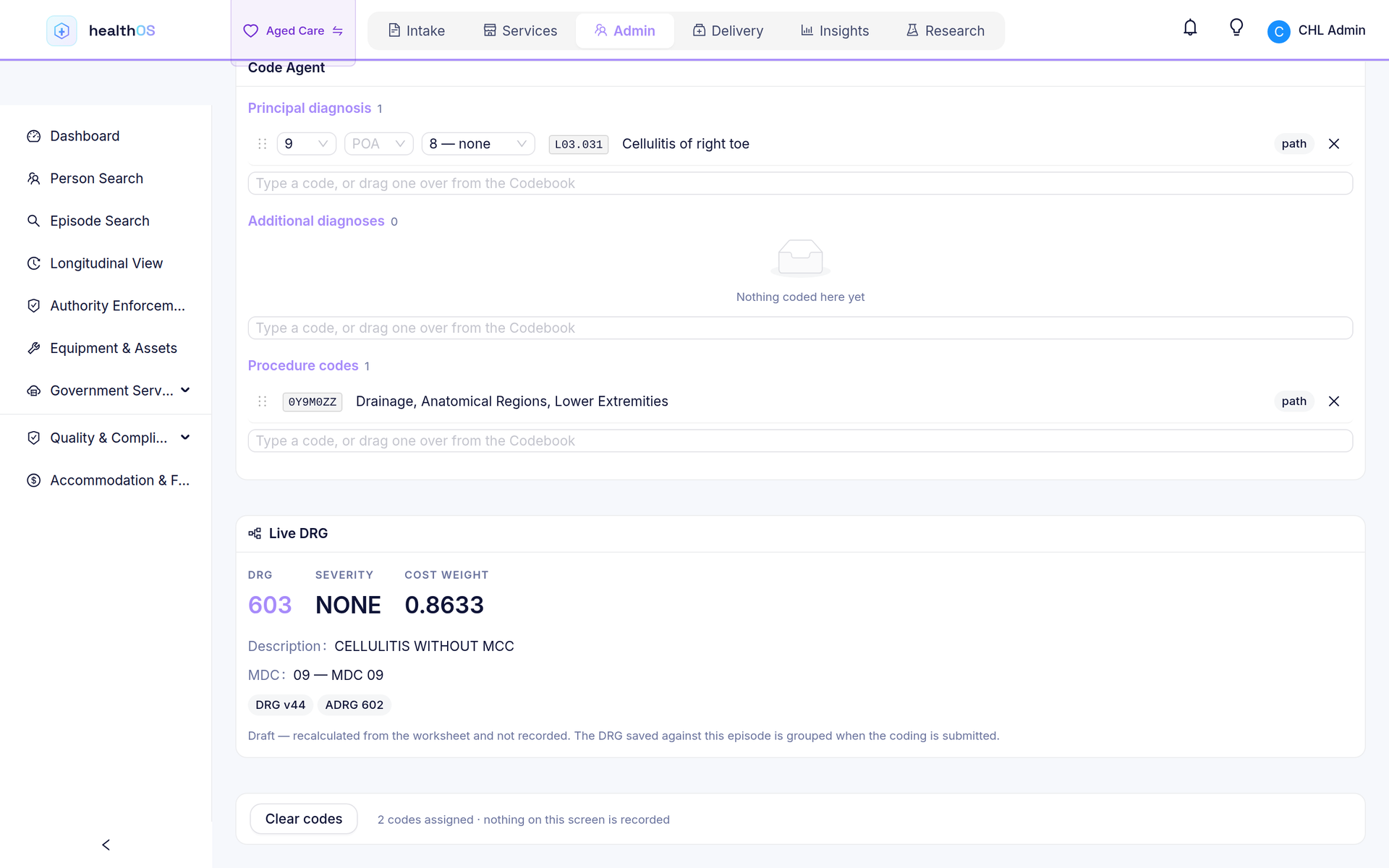
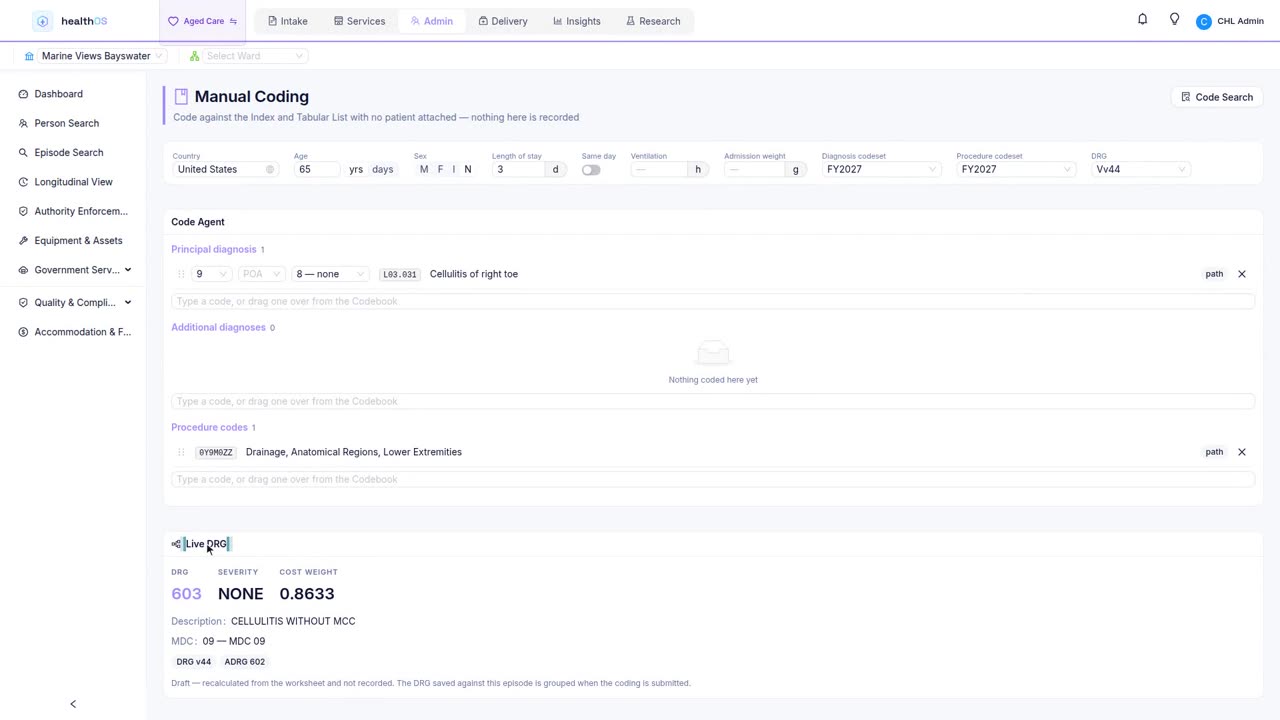
The grouper runs as codes are added, so a coding decision and its effect on the DRG are on screen together. A sandbox does the same with no patient attached: set the age, sex, length of stay, hours of ventilation and admission weight yourself and see what a code does to the grouping, without opening anybody's record to find out.
- The DRG and its cost weight beside the worksheet
- A sandbox for checking a code's effect on the grouping
What the codes you have taken still ask for
Beside the worksheet, the Navigator lists what the codes already taken still require. A "code first" instruction is shown as a warning, because it is not optional. A "use additional code" note is offered rather than demanded, because it applies only when it is clinically relevant. Where a code cites an Australian Coding Standard, the standard is a click away, along with the codes it directs you to assign.
- Outstanding "code first" and "use additional code" instructions
- The coding standards each code cites, in the edition that applies
- Codes a standard directs you to assign, with the sentence that directs it
An autocoder that codes the way a coder does
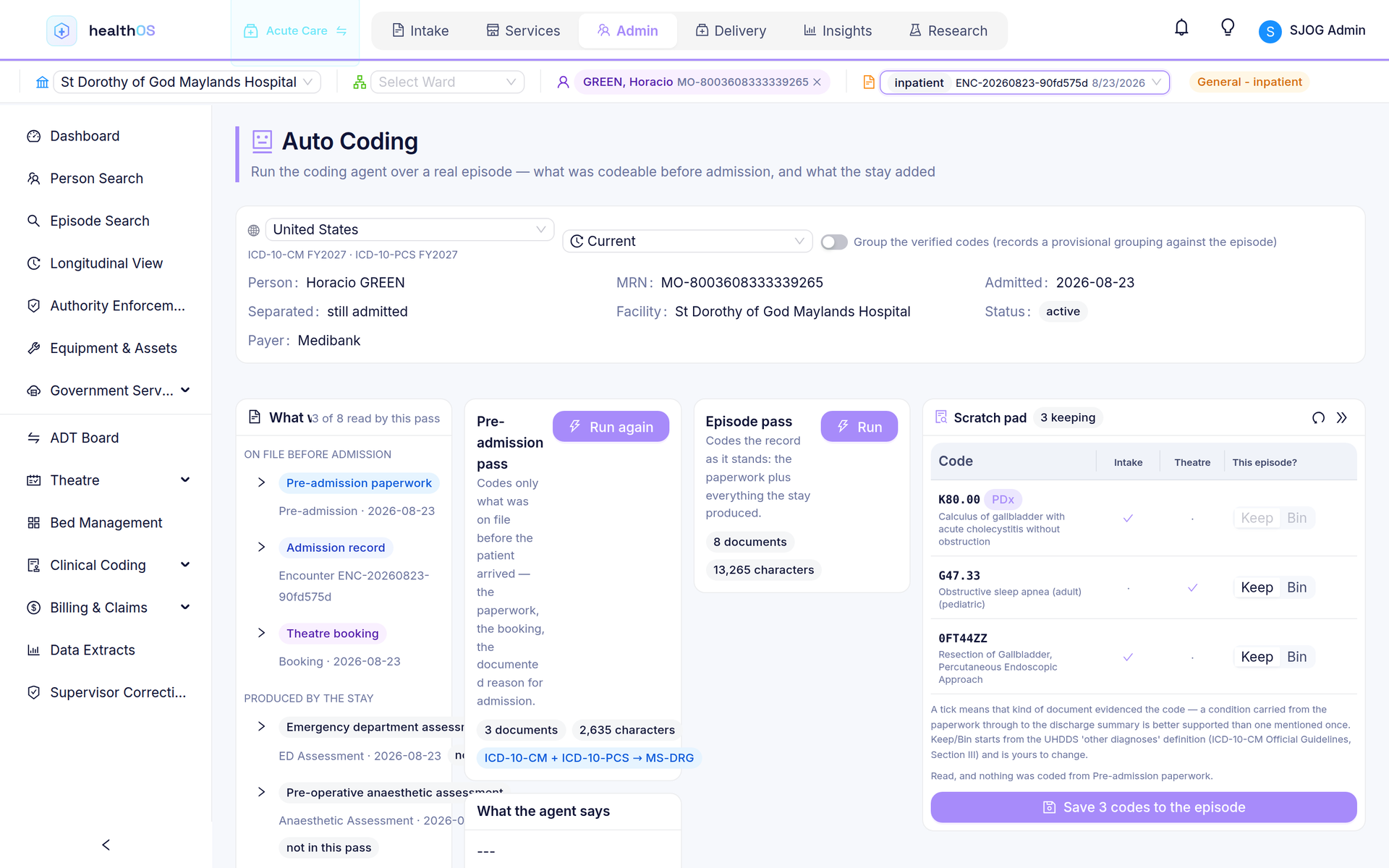
Give the autocoder an episode's documents and it reads them the way you would. For each condition or procedure it searches the index, follows every cross-reference and verifies the candidate in the tabular list. A code it cannot prove it navigated to is refused, and nothing is recalled from the model's memory. Each code it proposes shows the document, the sentence and the path through the classification behind it. Its output is a draft: you accept, change or reject each code, and the grouper re-runs on what you accepted. Every run is logged.
- Each code traced to its document, sentence and classification path
- Unprovable codes refused, not guessed
- The coder accepts, changes or rejects every code
- Every run logged: documents read, codes proposed, codes accepted
Patient details stay on your machine
When you upload a discharge summary or an operation report, your browser reads the PDF itself, using text recognition for scanned pages, and removes the patient's identifying details before you see a preview. Only the redacted text you approve is sent. The server checks it again and refuses it if an identifier has survived. Your coding is stored in Australia, in a tenancy that the database itself keeps apart from every other subscriber's.
- PDFs read and redacted in the browser, before anything is kept
- A second check on the server, which refuses text with an identifier in it
- Data stored in Australia
- Each subscriber isolated by row-level security in the database
Two ways to subscribe
Coder, at $79 per coder a month, is the manual coder: the Code Navigator, the worklist and the live DRG, with 20 autocoder runs a month to try it on your own records. Coder + AI, at $249, adds the autocoder with 200 runs per coder a month. Both start with seven days free, autocoder included. Teams of about twenty coders or more can buy on invoice. See pricing.
- Coder: Code Navigator, worklist, live DRG
- Coder + AI: all of that, plus the autocoder
- Prices in Australian dollars, excluding GST
The same coder, reading the whole record
HealthOS Coder is the coding screen on its own. HealthOS is the record that screen reads from. In a hospital running HealthOS, the coder works from the episode itself: the conditions the patient arrived with are frozen from the pre-admission record at admission, condition onset and hospital-acquired complications come from that comparison, and a finished code set goes on to the claim without being typed again. See clinical coding in HealthOS.
Before you ask
| Question | Answer |
|---|---|
| Who is it for? | Clinical coders, health information managers, contract coding services and coding auditors who want a better coding screen without changing the hospital's systems. |
| Do I need to install anything? | No. It runs in the browser, and there is nothing to connect to your patient administration system. |
| Which classifications are included? | ICD-10-AM and ACHI with AR-DRG grouping for Australian coding, and ICD-10-CM, ICD-10-PCS and MS-DRG for coding in the United States books. The Australian books open when IHACPA certification of the AR-DRG grouper completes, which is in its final step. |
| Where does my data go? | Your coding is stored in Microsoft Azure in Australia. When you use the autocoder, the redacted text you approved is sent to the AI model, which runs in Microsoft Azure outside Australia. Nothing that identifies the patient is sent. |
| What happens if I cancel? | Your access ends. The audit trail of your coding is kept for seven years and stays in your own tenancy. |
| Can I start today? | Self-serve signup opens with the hosted service. Until then, contact us and we will set your seven-day trial up. |
See it in action
 3:30
3:30Code your next episode in HealthOS Coder
Seven days free, autocoder included. Tell us what you code and in which books.