
HealthOS Care Minutes: from the roster to GPMS
Care minutes, 24/7 RN coverage and Quality Indicators, worked out from the shifts your staff actually worked and the residents actually in each home. Upload your roster export, see the quarter as it happens, and lodge your 24/7 RN report with the Department straight from HealthOS. No implementation project, and nothing to replace.
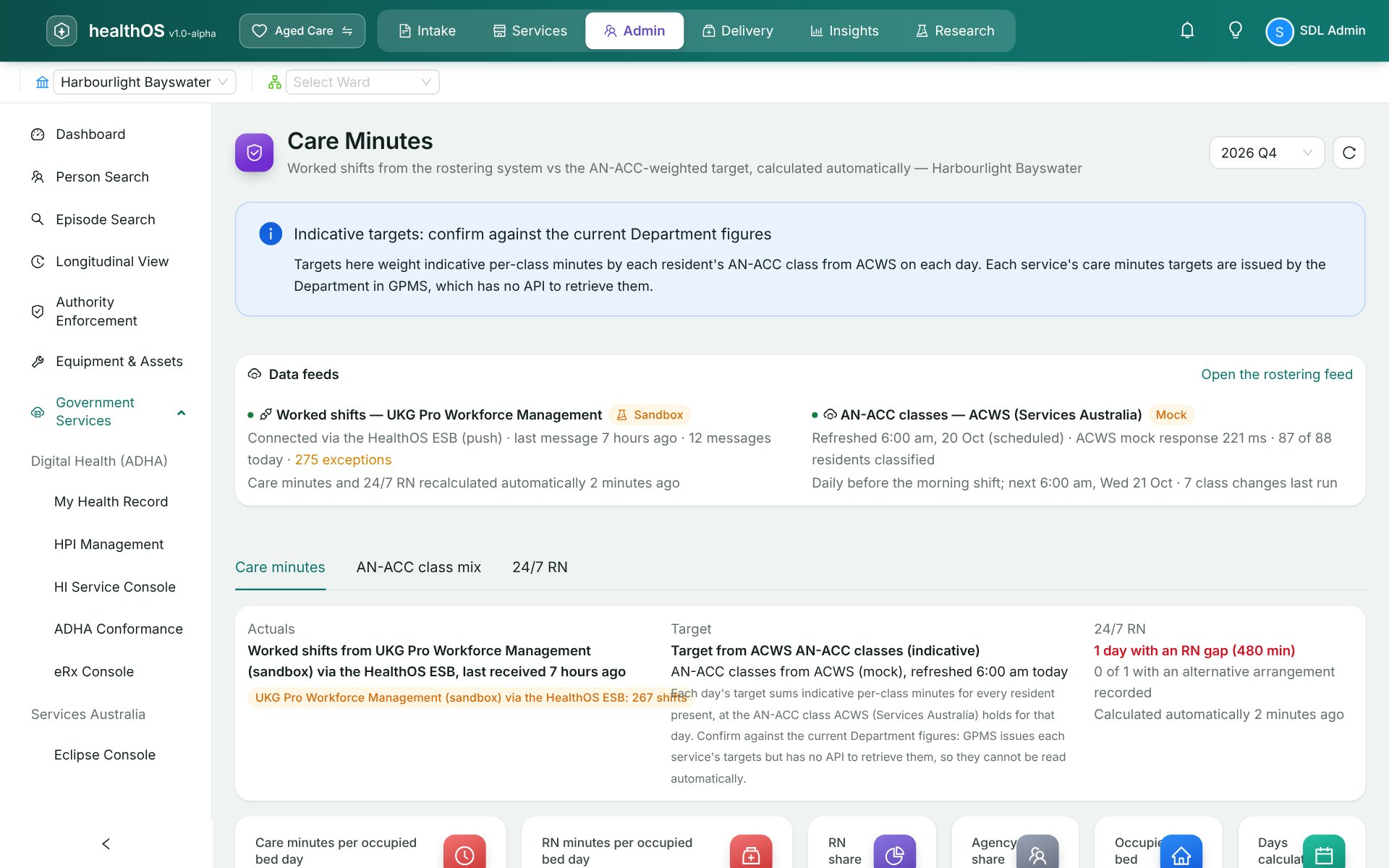
Quarter to date against the target for the residents in each home, with what is left to deliver.
Coverage from the roster, gaps flagged, the monthly report lodged through GPMS.
Captured by question and lodged through GPMS. Lodgement is coming next.
Prepared for keying into the GPMS portal, which has no lodgement API for them.
Built from what your staff actually worked
The spreadsheet at the end of the quarter
Care minutes and 24/7 RN coverage are worked out from the roster, and in most homes that means a payroll export, a spreadsheet and a few days at the end of every quarter. By the time the figure is known, the quarter is over and nothing can be done about it. HealthOS works it out every day from the shifts as they are worked, so a shortfall shows while there is still time to roster for it.
Upload the export you already have
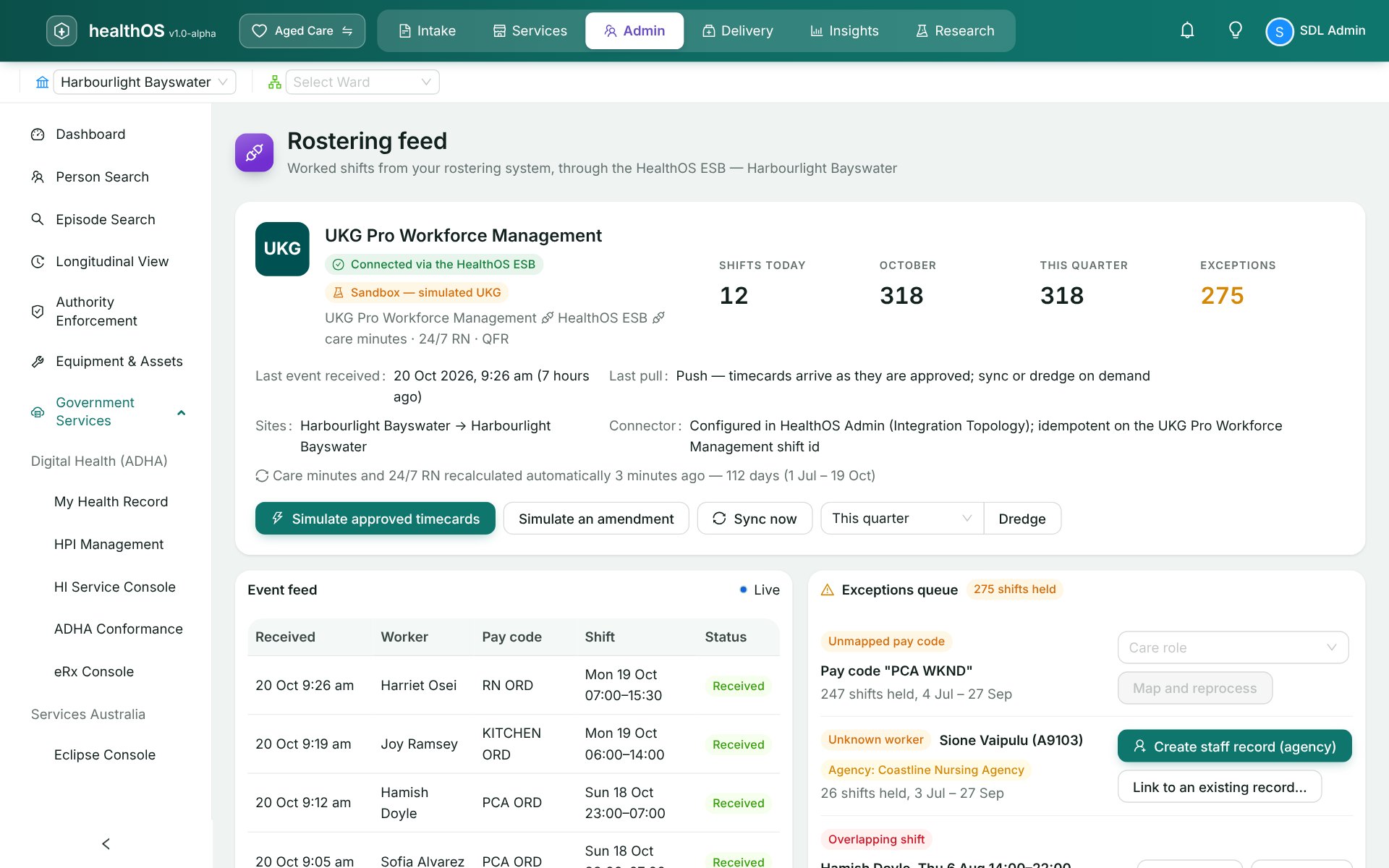
Upload the timesheet or roster export from your rostering or payroll system: Inerva, UKG, Deputy and Kronos exports are read as they come, and any other system can export to the HealthOS worked-shifts format. Each pay category is mapped once to a care role. Anything that cannot be placed is held for you rather than counted wrongly: an unmapped pay category, an unknown staff member, a duplicate line or an overlapping shift. For homes on UKG Pro, Humanforce or Dayforce, we can connect the rostering system so worked shifts arrive on their own.
- Inerva, UKG, Deputy and Kronos exports, or the HealthOS format
- Pay categories mapped once to RN, EN, personal care and allied roles
- Agency shifts counted and shown separately
- Exceptions held for a person to resolve
A census, without names
The target comes from the residents in each home on each day, at the AN-ACC class they held. Upload a census from your care or finance system: a resident reference, the dates they arrived and left, and their class. No names and no dates of birth are needed, so none are held. Refreshing classes from Services Australia, for providers with a PRODA connection, follows in a later release.
- Resident reference, admission and departure dates, AN-ACC class
- Class history kept, so a reassessment changes the target from the day it applied
- No resident names or dates of birth stored
Your 24/7 RN report, lodged from HealthOS
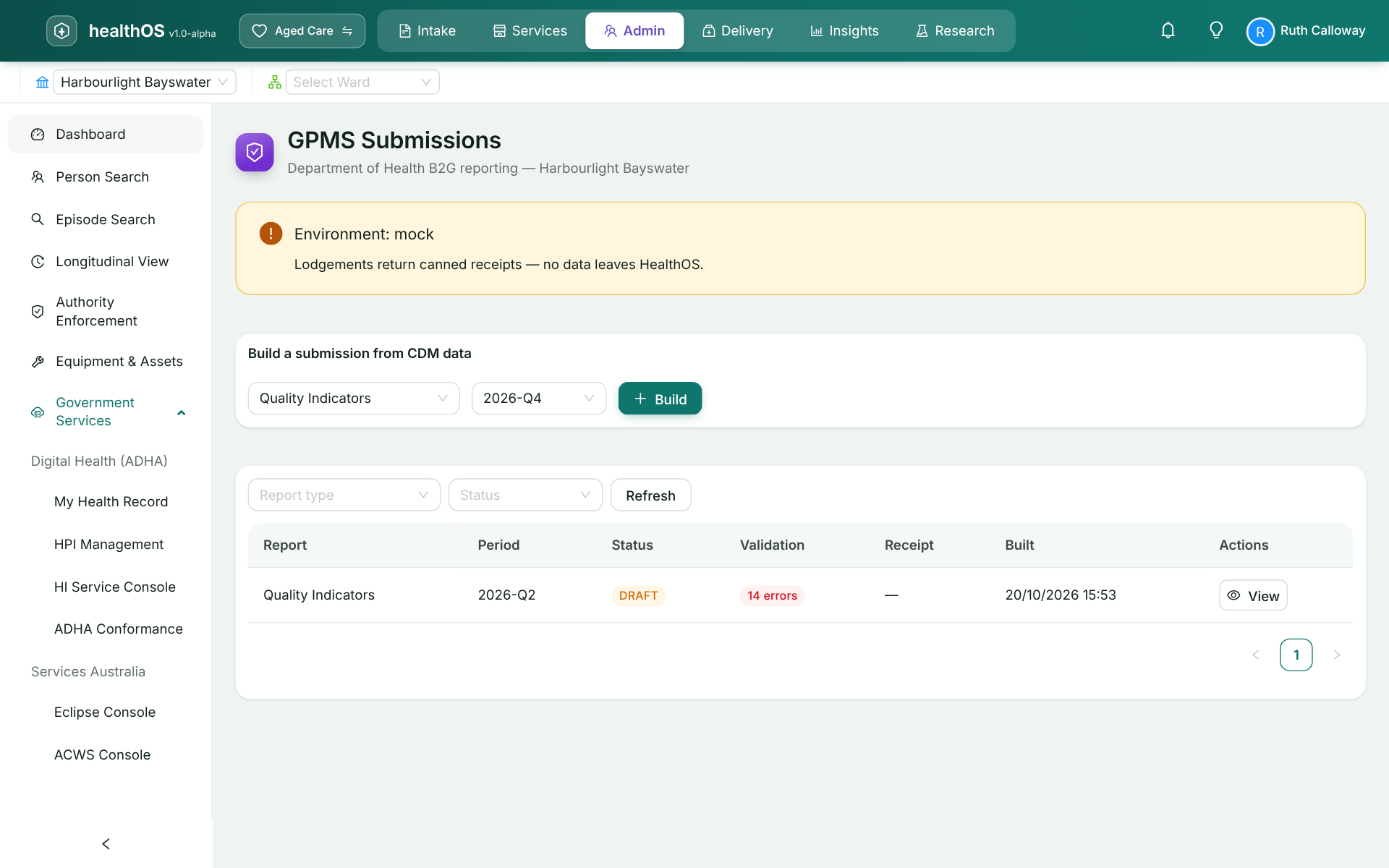
Each night's RN coverage comes from the roster, gaps are flagged by home and date, and alternative arrangements are recorded against them. At month end the report is signed off and lodged with the Department through GPMS, with its receipt kept. Quality Indicators are captured question by question, and their lodgement through GPMS follows in the next release. Care minutes and the Quarterly Financial Report have no lodgement interface, so HealthOS prepares the figures to key into the GPMS portal and says so.
- 24/7 RN reports lodged through GPMS, with the receipt
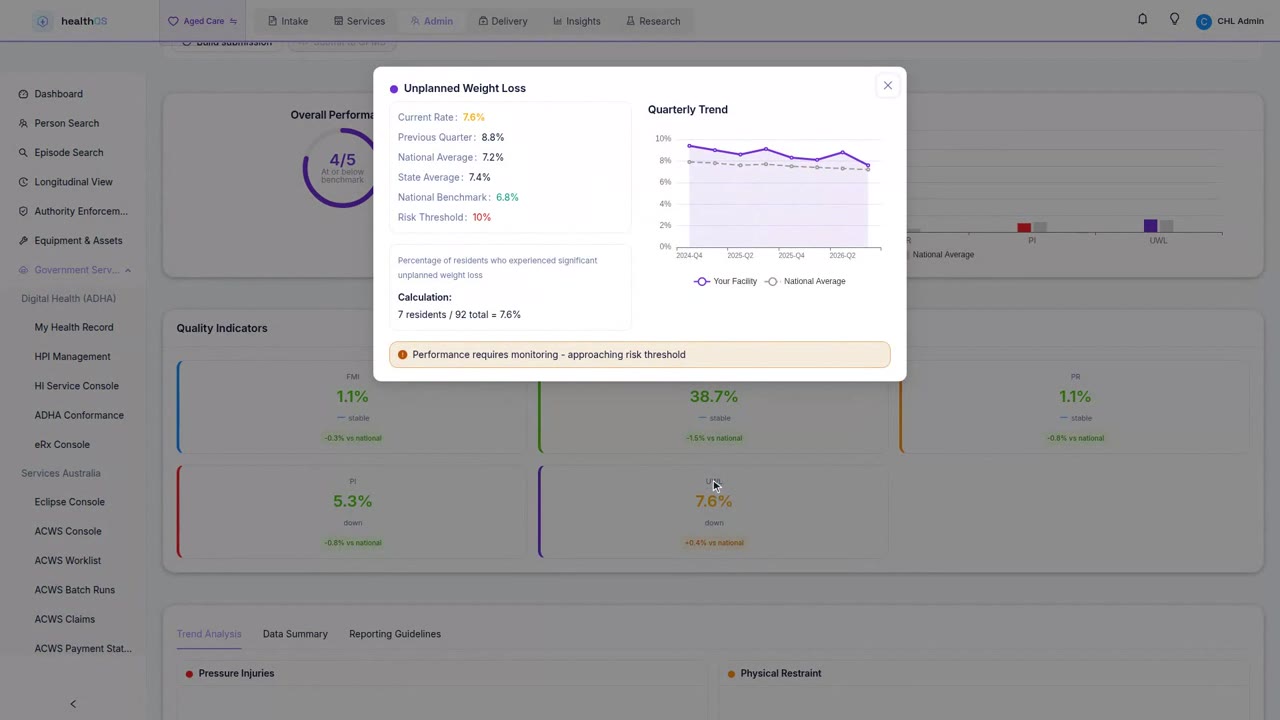
- Quality Indicator capture, with lodgement in the next release
- Care minutes and QFR figures prepared for the portal
Connected to GPMS in one sitting
A set-up guide walks you through it: your organisation's machine credential for GPMS and its ABN, registering HealthOS, matching each of your GPMS services to a home and its beds, and the GPMS identity of each person who will submit. It finishes with a test call to the Department, so you know it works before the month ends.
$129 per user a month, seven days free
One monthly subscription, priced per person who signs in, whatever the size of your homes: care managers, quality leads and workforce staff. Add or remove users as your team changes. There is no bed licence. A card is held at checkout and nothing is charged until the seven-day trial ends, and you can cancel inside it without being charged. Early access is open now.
Before you ask
| Question | Answer |
|---|---|
| Do I need to replace my care or rostering system? | No. HealthOS Care Minutes reads what those systems export, and nothing changes in them. |
| Are the targets the Department's? | The targets are worked out from each resident's AN-ACC class using the published care minutes per class. GPMS has no interface for reading your official targets, so confirm them against the Department's figures. |
| What can it lodge? | Your 24/7 RN report, through GPMS, today. Quality Indicators through GPMS in the next release. Care minutes and the QFR have no lodgement interface, so HealthOS prepares them for the GPMS portal. |
| What do I need to connect to GPMS? | Your organisation's machine credential for GPMS, registered against your ABN, and a GPMS identity for each person who will submit. The set-up guide covers each step. |
| Where is my data kept? | In Microsoft Azure in Australia, in a tenancy that the database itself keeps apart from every other subscriber's. Resident names are not needed and not stored. |
| Can I start today? | HealthOS Care Minutes is in early access. Contact us and we will set your seven-day trial up. |
See it in action
 3:01
3:01Know your care minutes before the quarter ends
Early access is open to residential aged care providers, at $129 per user a month with seven days free. Tell us how many homes you run, how many people will use it, and which rostering system you use.