
Residential aged care, without the silos
Clinicians see every resident whole, and the admin behind funding and compliance shrinks to a review. The new Aged Care Act reset the rules, and legacy systems were never built for it.
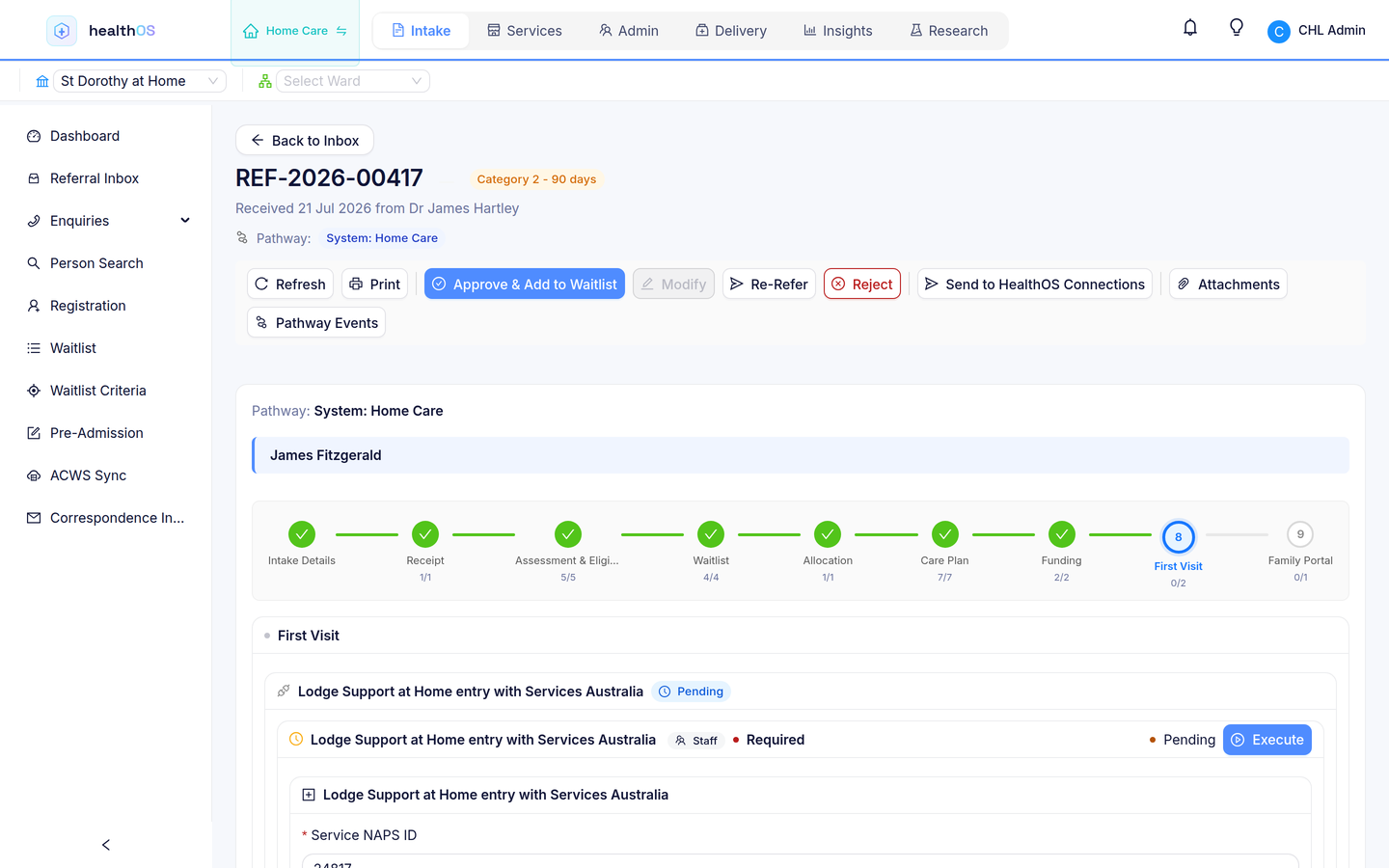
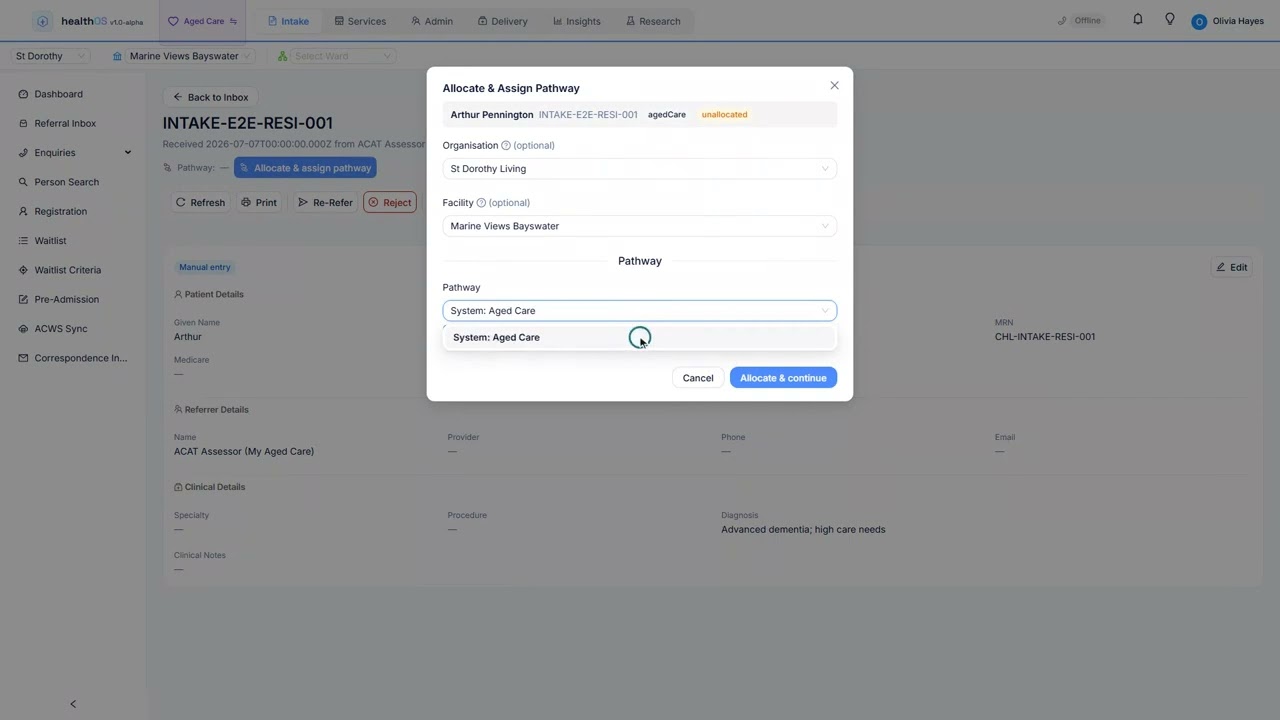
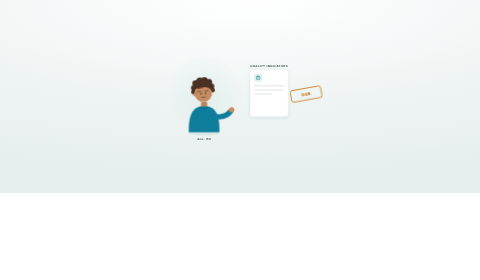
Follow one resident into a home, from the family's first enquiry to the month-end claim. Each step is a page: who takes part, what happens and what it hands to the next.
From referral to care plan, connected
One platform for administration and clinical teams
In many homes, intake sits in a spreadsheet, care plans in one system and billing in another, and staff move between five interfaces every shift. Funding classification (AN-ACC) assessments, Quality Indicator reporting and star ratings all need data pulled by hand from disconnected systems. Families want updates and staff want to give them, but the information lives in too many places. HealthOS brings intake, funding, clinical care and compliance together across every facility. And when your organisation follows care into the home under Support at Home, the sector's economical answer and its hardest setting to coordinate, the same record goes with it. See home care.
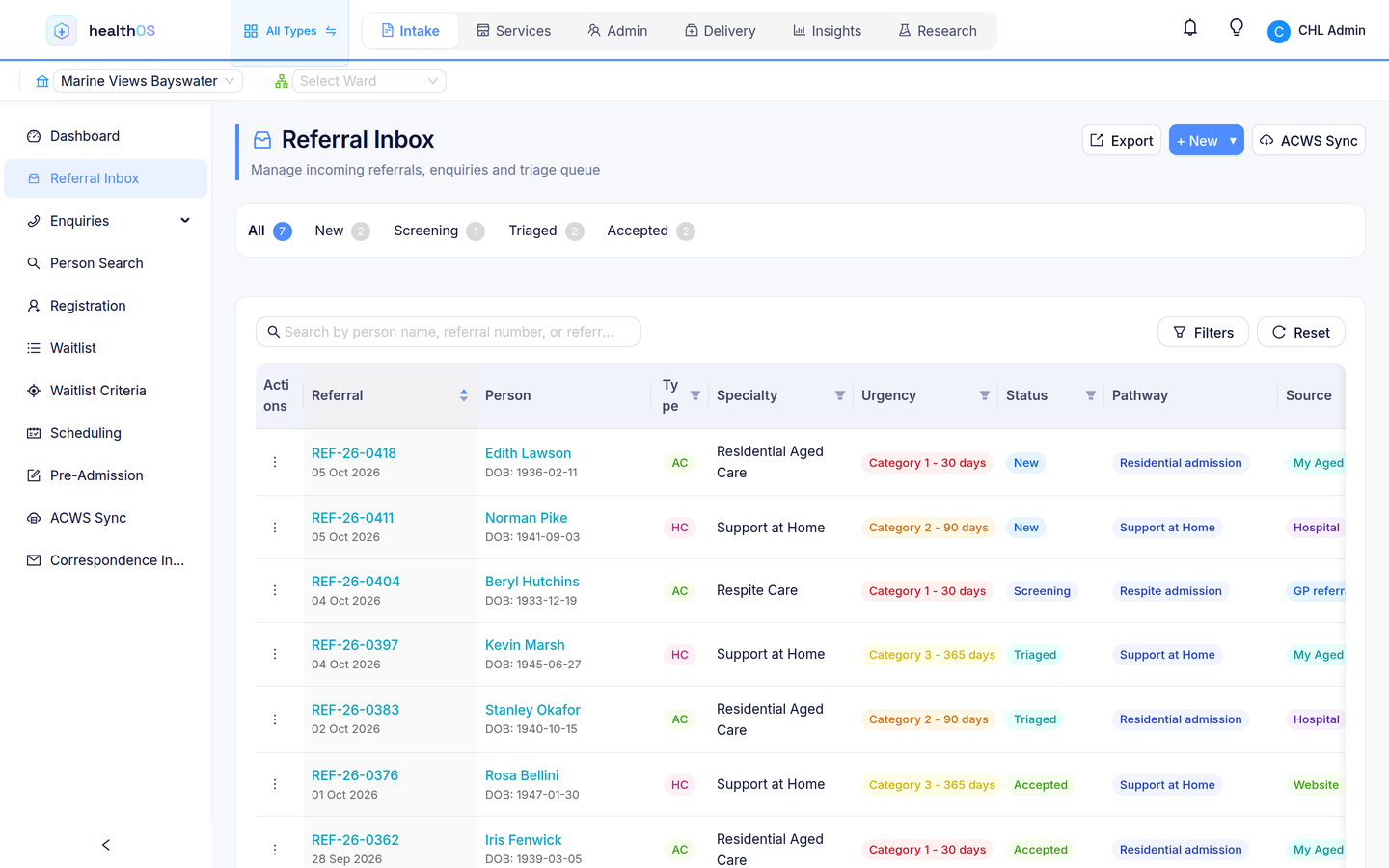
One intake pipeline
Referrals from My Aged Care, hospitals, families and GPs land in a single inbox. Your team triages, assesses and waitlists without re-keying.
- My Aged Care referral handling
- Hospital discharge coordination
- Family enquiry tracking
- Automated waitlist management
Funding, claiming and reporting, connected
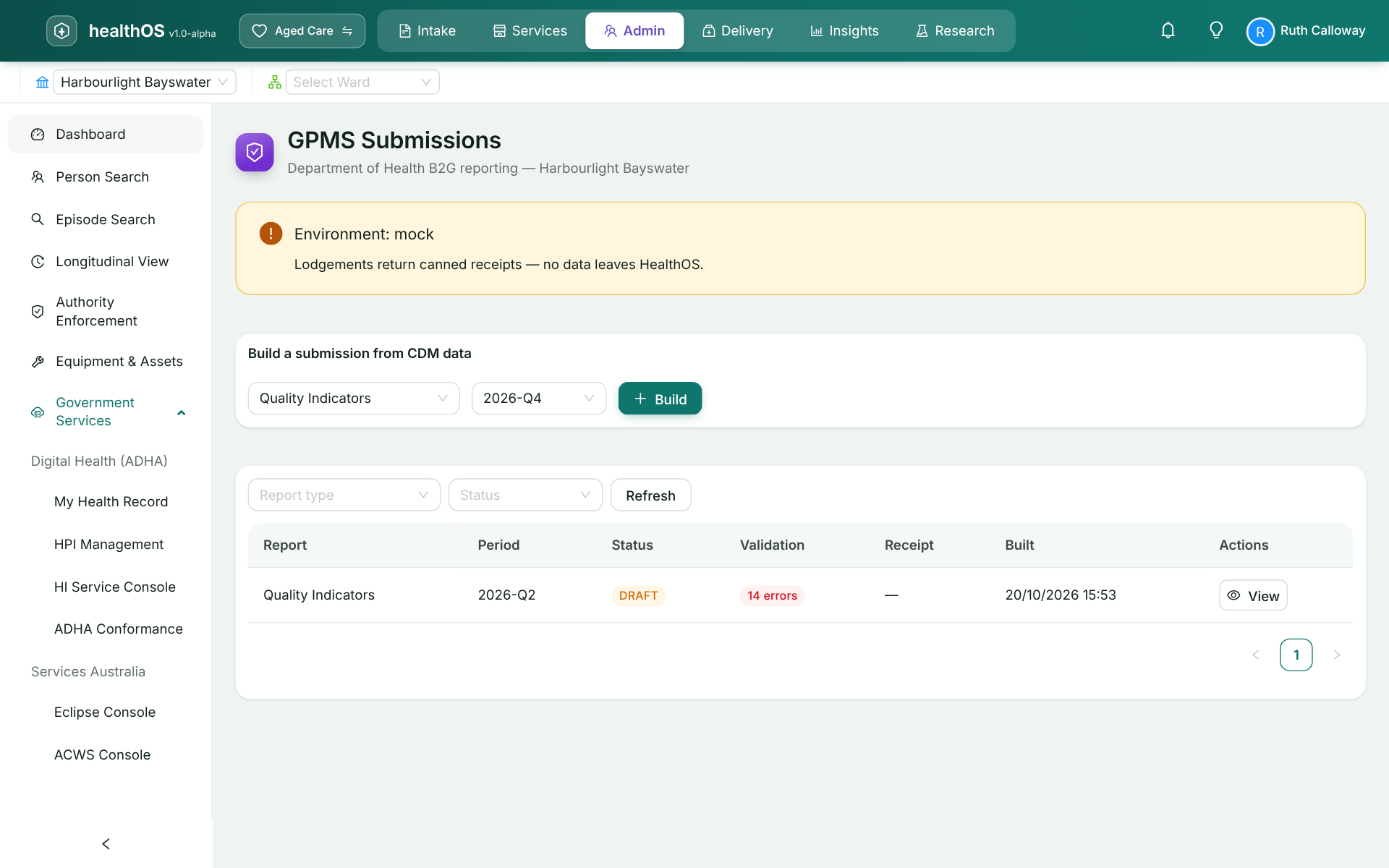
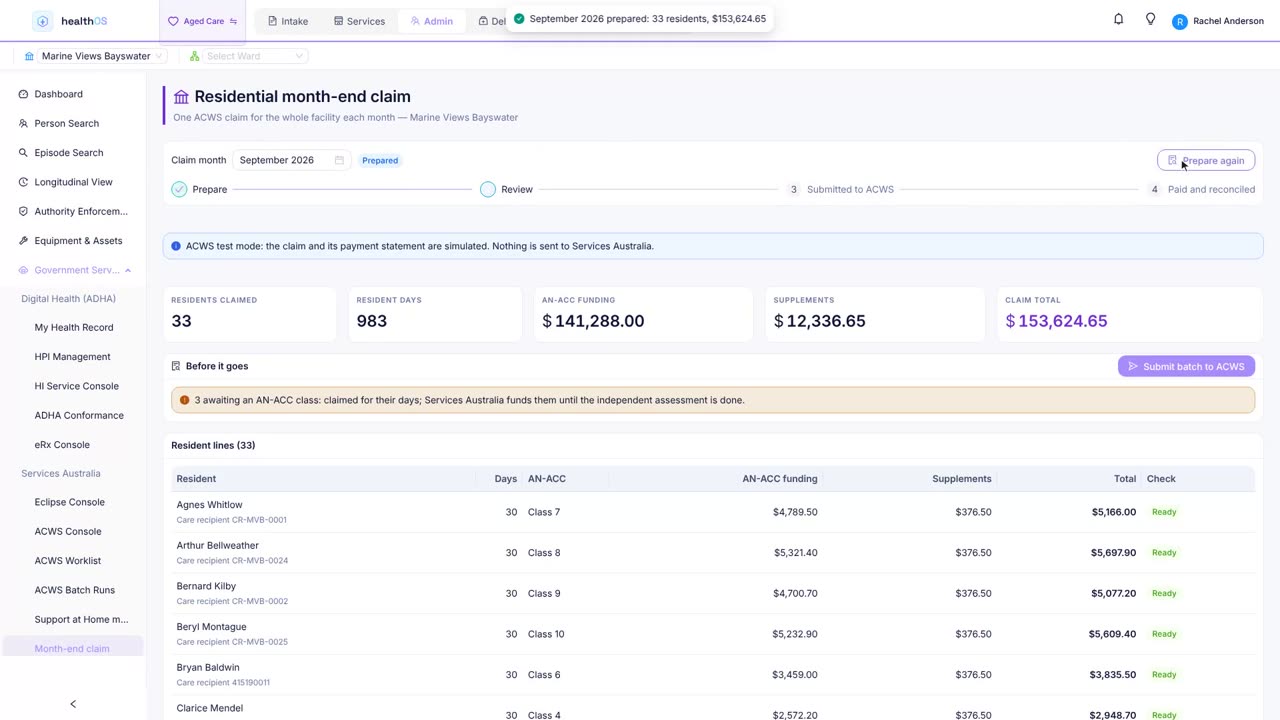
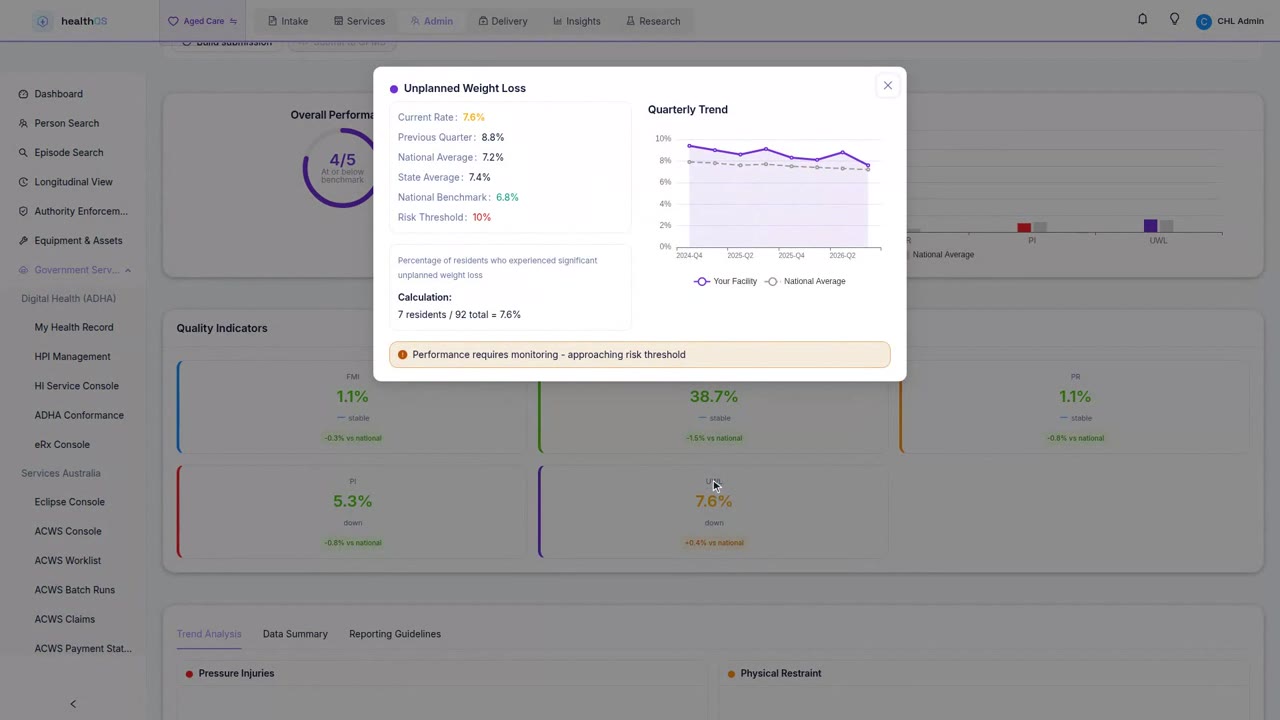
Service orders flow to your ERP, and claiming to Services Australia (ACWS) is built in. The mandatory reports, Quality Indicators and 24/7 Registered Nurse coverage, lodge to the Department of Health from the same record instead of a manual extract the night before a deadline.
- AN-ACC funding alignment and reconciliation against Services Australia
- Service orders to your ERP with real-time funding visibility
- Quality Indicator and 24/7 nurse reporting to the government gateway (GPMS), straight from the care record
- The data behind your Star Ratings, kept current as care is delivered
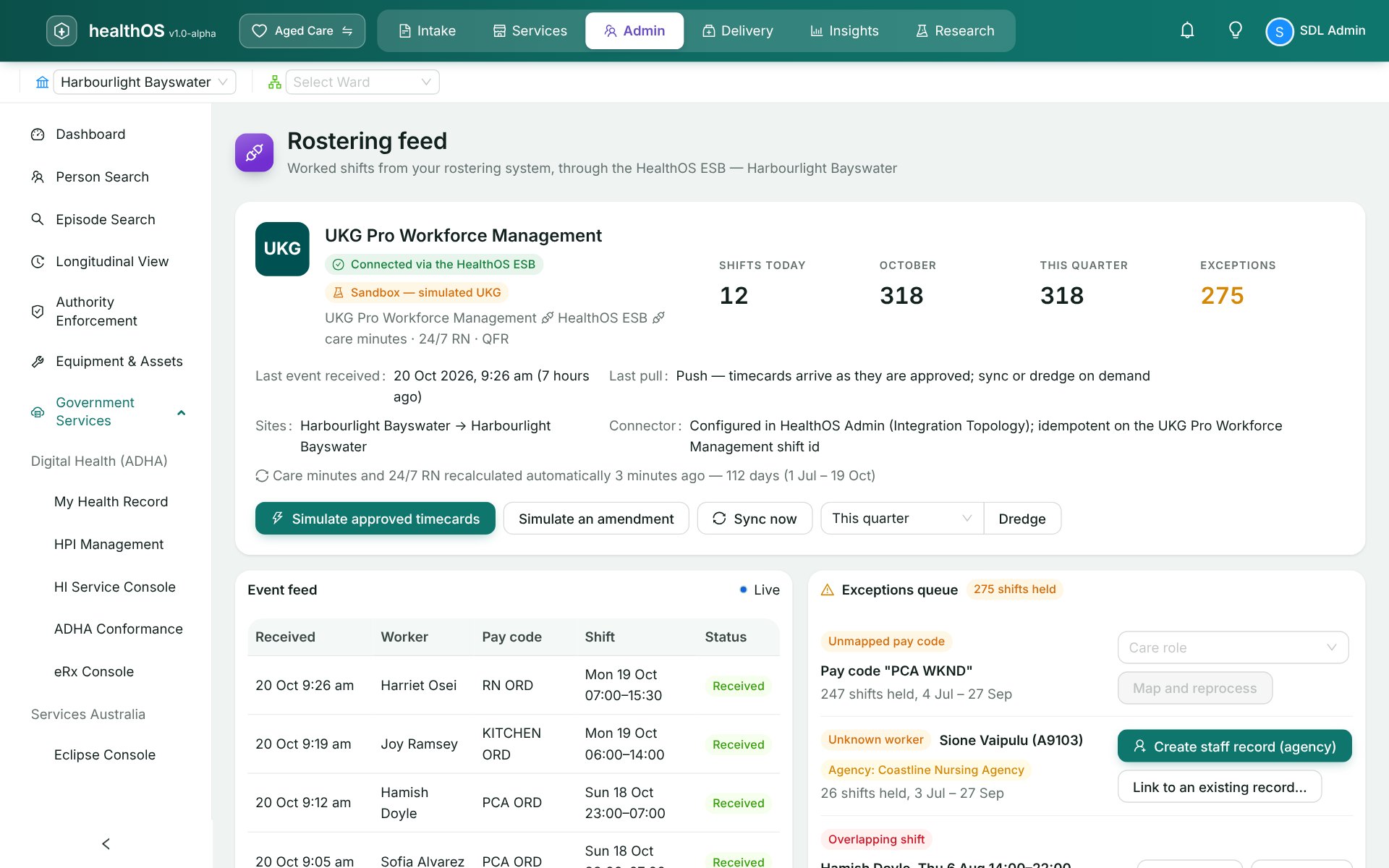
Care minutes and 24/7 RN from the roster you already run
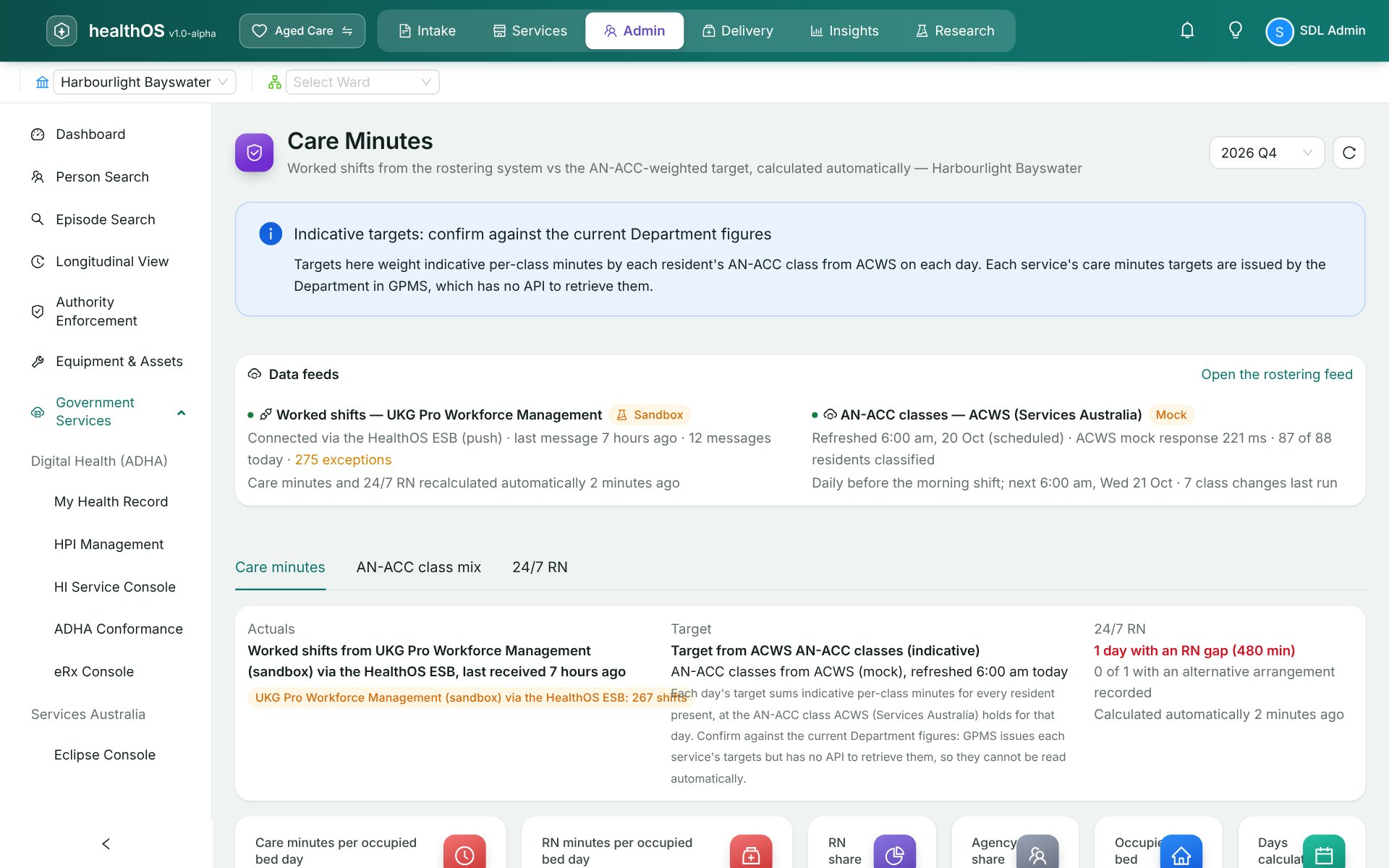
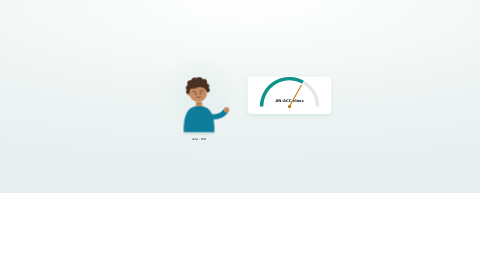
Nobody keys in hours. Worked shifts arrive from your rostering system as timecards are approved, through the HealthOS integration bus, and AN-ACC classes refresh from Services Australia every morning. Care minutes and registered nurse cover recalculate on their own, against targets worked out from each resident's class.
- Live connectors for UKG Pro Workforce Management, Humanforce and Dayforce, pushed or pulled
- Amended and cancelled shifts update in place, and nothing is counted twice
- Shifts it can't match, such as a new employee, wait in an exceptions queue and reprocess once fixed
- Every figure traces back to its timecard, the integration message that carried it and the ACWS class behind the target
- 24/7 RN gaps flagged by night, ready to explain before the monthly report
There is no government API for care minutes, so HealthOS prepares the figures for the GPMS portal. Targets use indicative minutes per AN-ACC class; the Department issues each service's targets in GPMS.
Government data comes in, it isn't typed in
What Services Australia already knows arrives through ACWS. A resident's care recipient record and approval come back from the My Aged Care lookup, their AN-ACC class is pulled after the independent assessment, and their means-tested care fee arrives from their means assessment, labelled with where it came from and when.
- Entry and departure events lodged with ACWS, with the deposit attached
- AN-ACC classes refreshed daily, with the date each took effect
- Means-tested care fee from the Care Recipient Fee Summary, filled into the agreement
- Your own room prices stay yours: the RAD and DAP come from your published prices
- One month-end claim for the whole facility, reconciled resident by resident against the payment statement
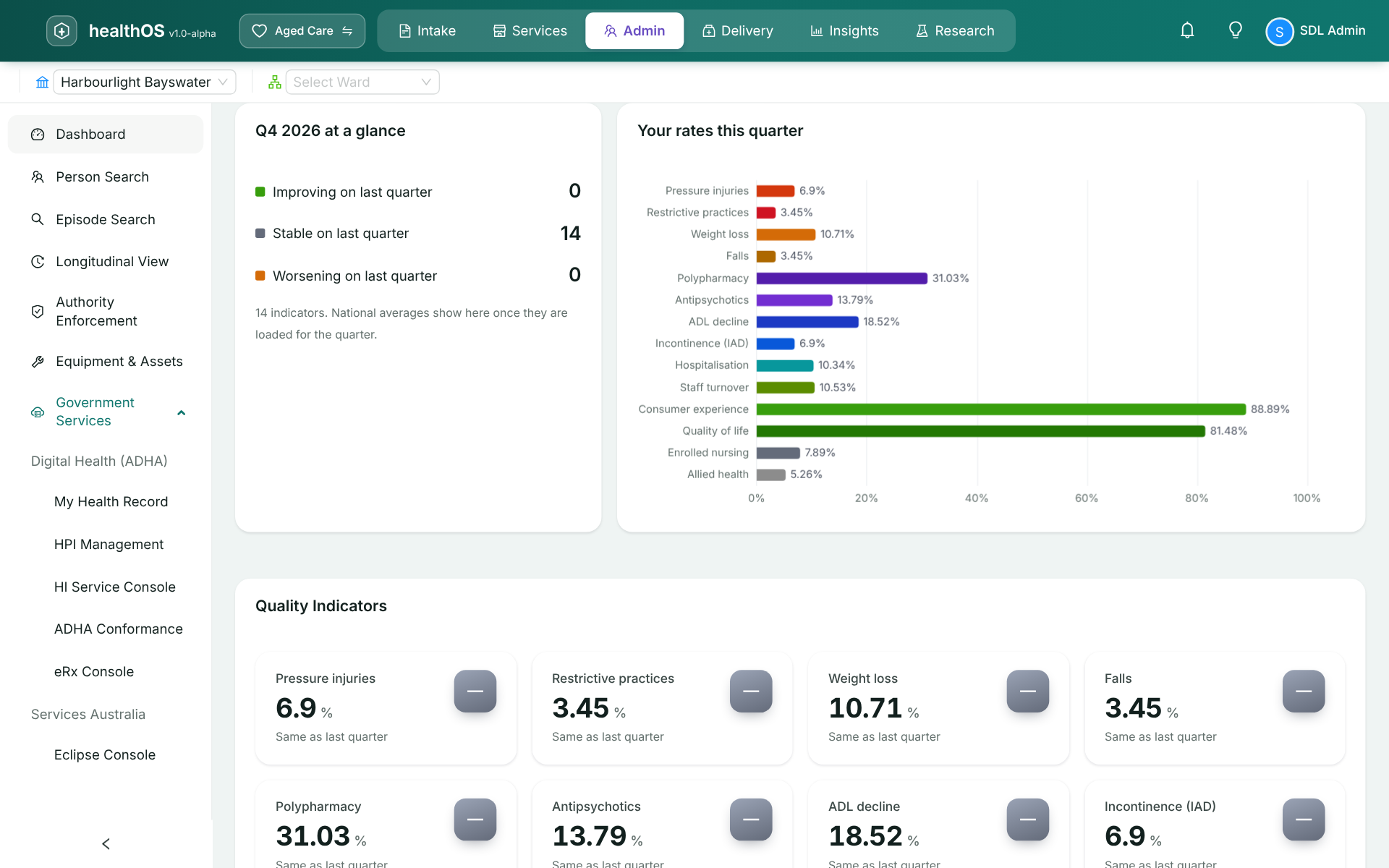
Quality Indicators from the care record
The Quality Indicator domains are tracked from care as it is recorded, so the report is ready to review when it is due. All fourteen mandatory indicators are on one page, each read the right way round: a falling pressure injury rate is good news, a falling quality of life score is not. The quarter is built and lodged to GPMS from the same page.
Clinical care, prevention and early detection
Fifteen clinical modules share one record. Chronic condition pathways build prevention screening into every touchpoint, and remote monitoring picks up deterioration between visits, before it becomes an emergency.
- Chronic condition care pathways (CVD, diabetes, CKD, COPD)
- Auto-syncing connected devices, no phone setup required
- Prevention screening at pathway entry and scheduled intervals
- HealthOS Connections for families and substitute decision-makers
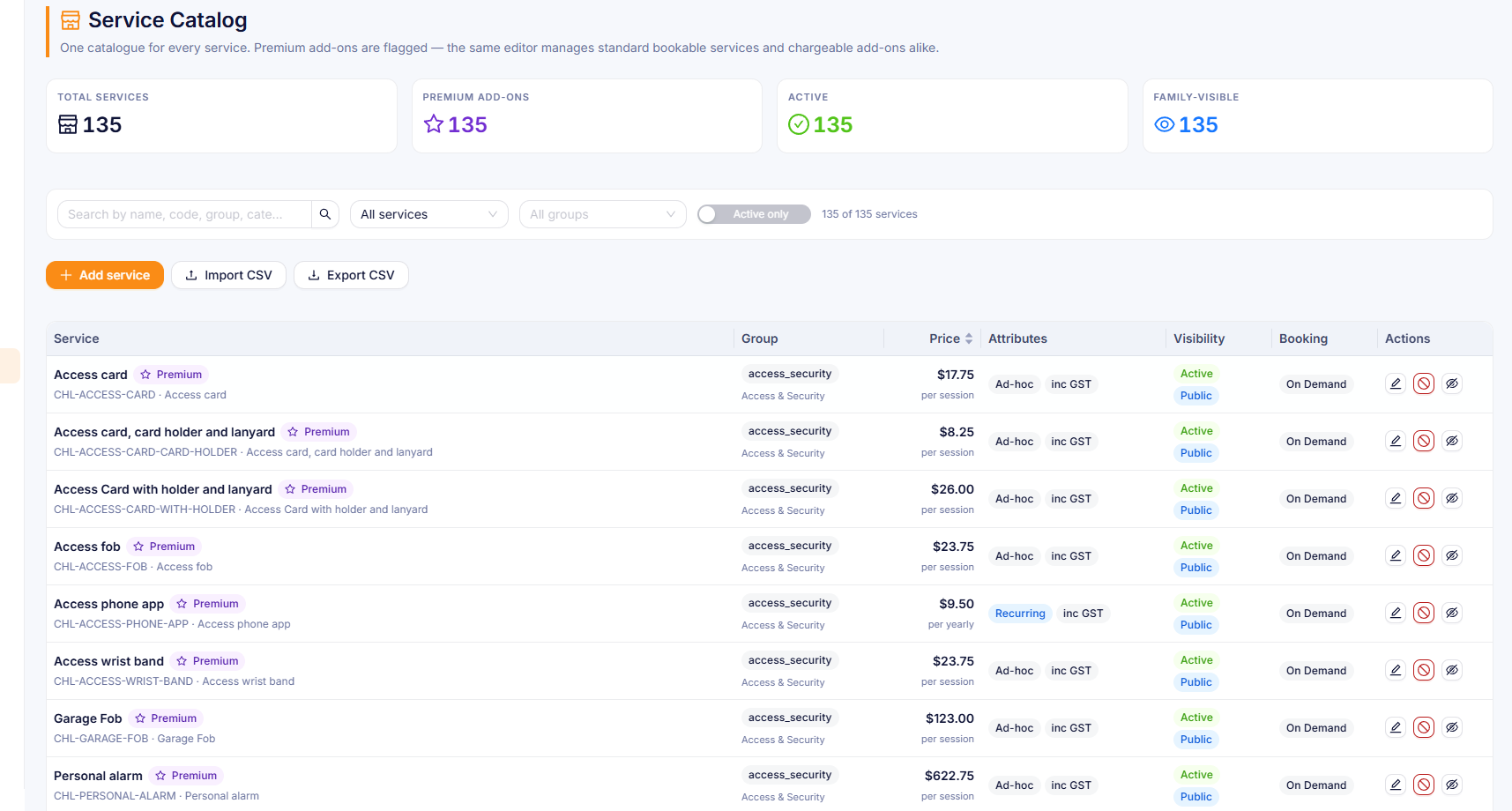
Premium services, from agreement to ERP
Residents sign a services agreement, then browse and order from a personalised catalogue. Orders flow straight through to your ERP with no re-keying and no paper trail.
Built-in connectors for aged care
Services Australia (ACWS), GPMS, your rostering system (UKG, Humanforce or Dayforce), your ERP, the HI Service, PRODA (the government login) and your clinical terminology server. See government services and connectors.
And the families? They can see
HealthOS Connections gives families a window into their person's week: visits, activity stories, photos and messages. It starts from a single emailed link, with no password to set up. Fewer calls to the nurses' station, and more trust in the home. See the family portal.
See it in action
Related
See HealthOS in your aged care setting
We will walk you through it on real data. Bring the hardest thing your current platform can't do.