
Care minutes and 24/7 RN from the shifts actually worked
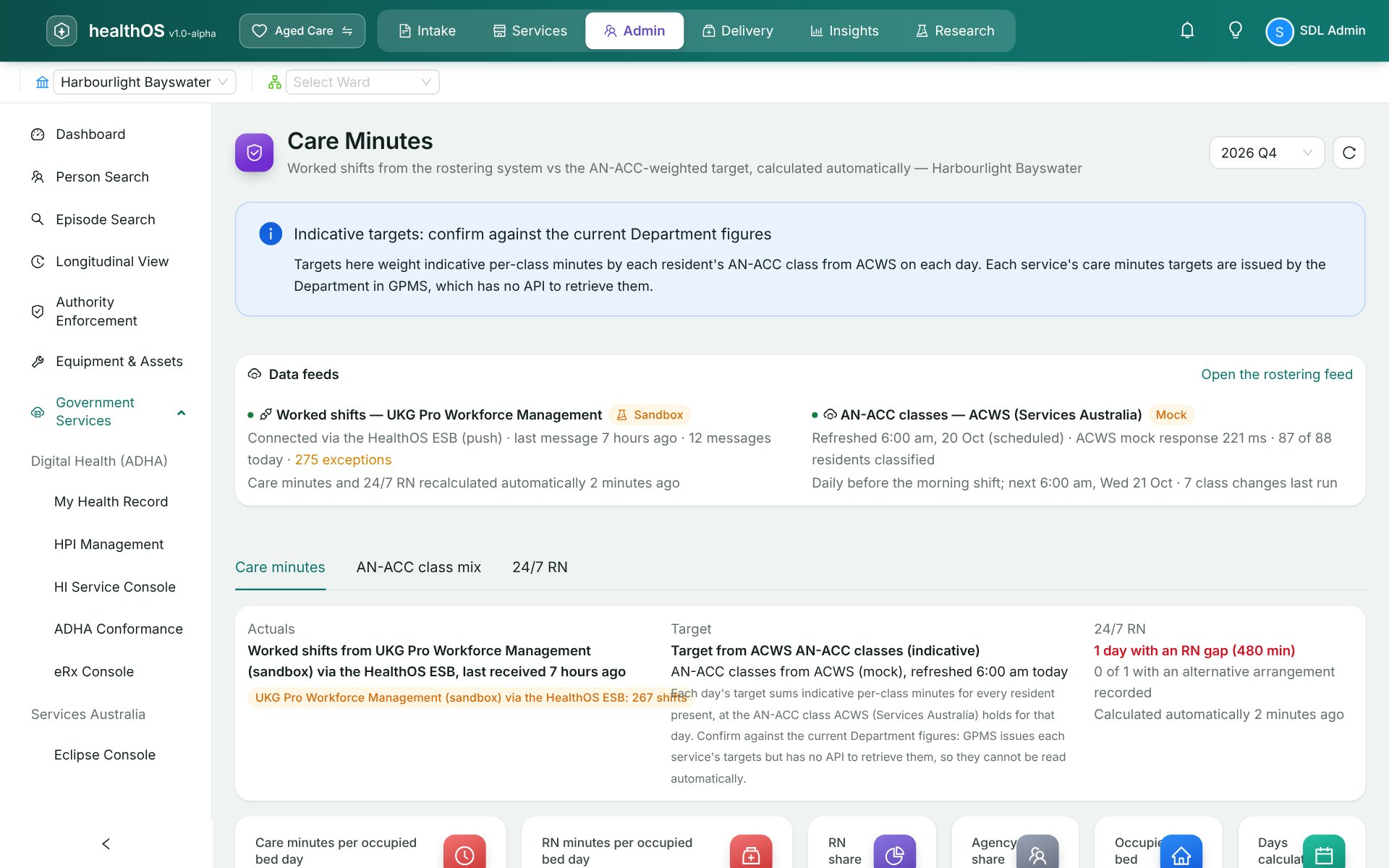
Worked shifts arrive from your rostering system as timecards are approved. Care minutes and registered nurse cover recalculate on their own, against targets from each resident's AN-ACC class.
The people at this step
Watches care minutes and 24/7 RN cover through the quarter, and explains any gap before the report is due.
Clears the exceptions queue: a pay category with no mapping, a new employee, an overlapping shift.
Reviews the fourteen mandatory Quality Indicators and lodges the quarter to GPMS from the same page.
Step by step
- Shifts arrive
Approved timecards come through the integration bus. Amended and cancelled shifts update in place, so nothing is counted twice.
- Exceptions wait
A shift HealthOS cannot match waits in an exceptions queue and reprocesses once it is fixed.
- Targets from each class
Targets use indicative minutes per AN-ACC class. The Department issues each service's own targets in GPMS.
- Gaps found by night
Nights without a registered nurse on site are flagged, ready to explain before the monthly report.
- Lodged to GPMS
Quality Indicators and 24/7 RN reports lodge to the Department from the record. There is no government API for care minutes, so HealthOS prepares those figures for the GPMS portal.
HealthOS Care Minutes covers this step on its own
Start with care minutes on their own. Upload your roster export and see the quarter's care minutes and 24/7 RN cover as it happens, with nothing to replace. When the rest of the home comes onto HealthOS, the same figures come from the live roster feed and the residents' record.
$129 per user a month, seven days free.
What the next step gets
Every figure traces back to its timecard and the ACWS class behind its target, which is what the monthly claim and the auditor both need.
See HealthOS in your aged care setting
We will walk you through it on real data. Bring the hardest thing your current platform can't do.