
HealthOS Support at Home Budget Calculator
The first question every family asks is what Support at Home will pay for, and what it will cost them. The Budget Calculator answers it on your own website: the person picks their classification and the services they want from your price list, and sees the quarterly budget, what the government pays, what they contribute and what is left. Coming soon, sold on its own.
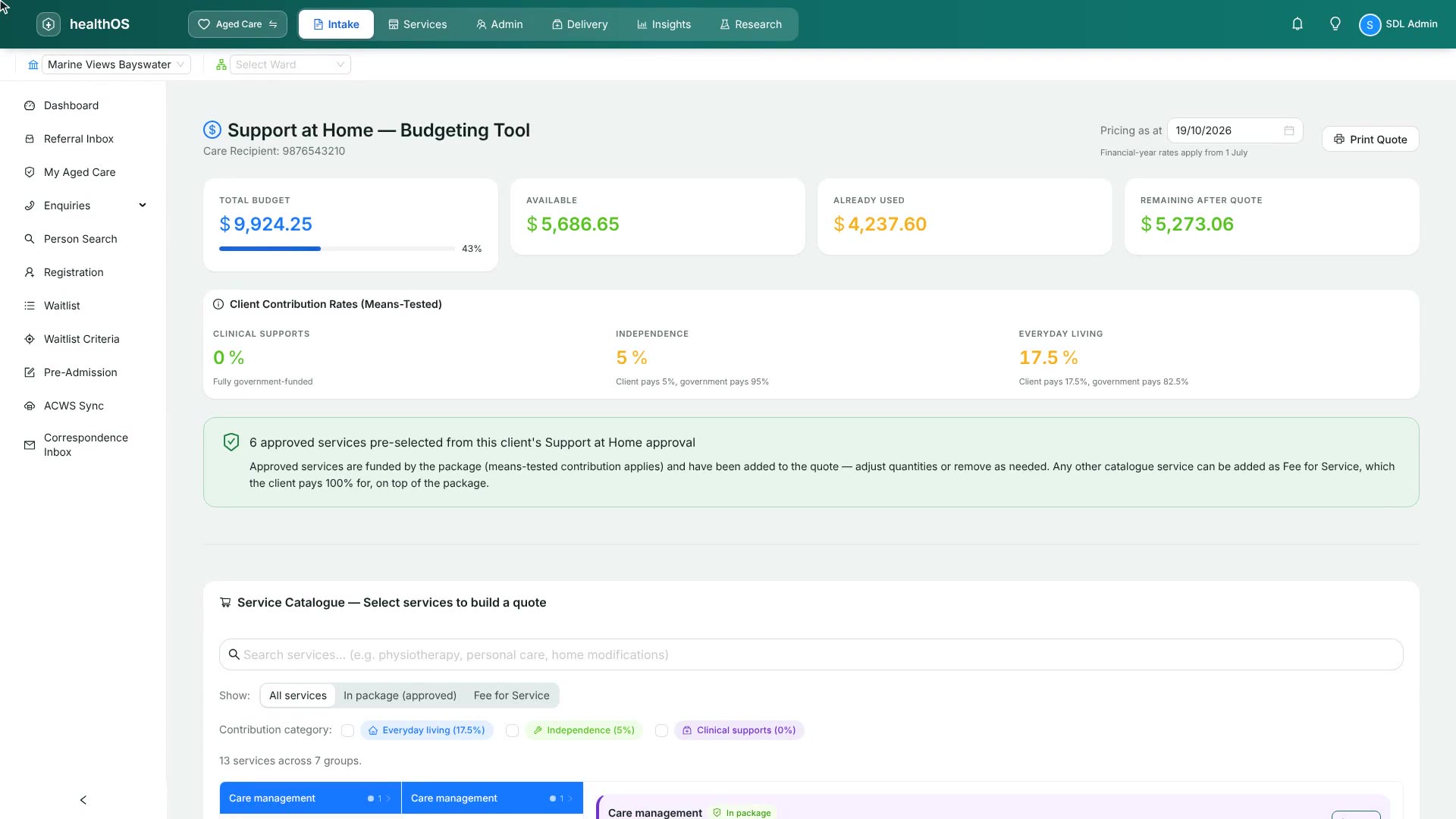
Classifications 1 to 8 at the published amounts, quartered, with the care management share taken out.
By category: clinical supports, independence and everyday living, at the person's rate.
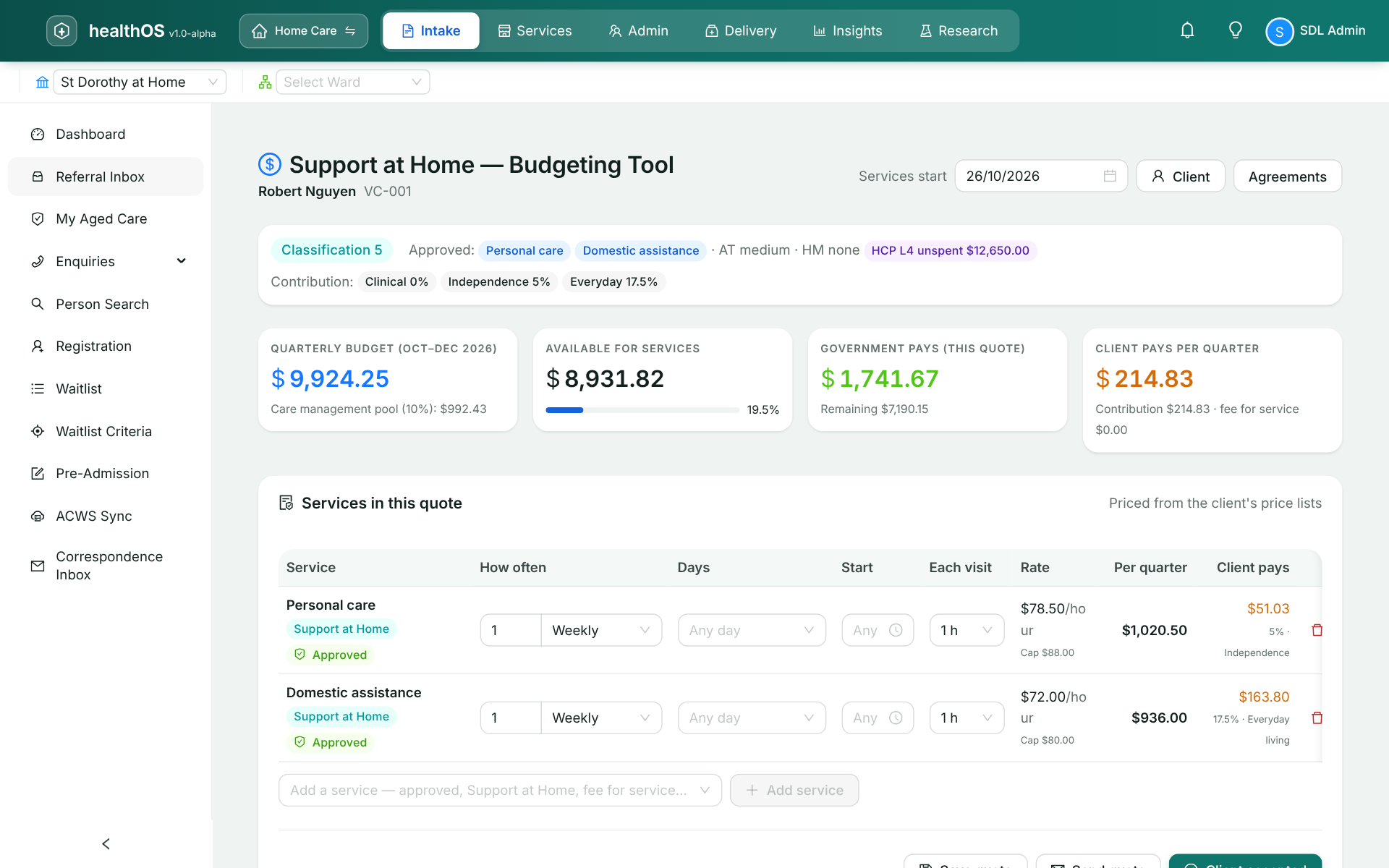
Priced from your own price list, so the quote is what you would charge.
The quote lands in your inbox with the person's details, ready to call back.
A real quote before the first phone call
Families shop on a phone, at night
Support at Home changed how budgets and contributions work, and most families meet it for the first time when a parent is approved. They want to know what the classification buys and what they will pay, and most provider websites answer with a phone number. A provider that shows a real figure, from its own prices, is the one that gets the call.
On your website, in your colours
A page with your name, logo and colours, opened from a link or placed on your own site. The person chooses their classification, or "not assessed yet" to see the range across all eight, says whether they receive a full pension, and picks services and hours from your price list. As they choose, it shows the quarterly budget, the care management share, what the government pays, what they contribute by category, and what is left.
- Classification budgets from $10,731 a year (Classification 1) to $78,106 (Classification 8)
- Care management at 10% of the budget
- Full pensioners: nothing for clinical supports, 5% for independence, 17.5% for everyday living
- Part pensioners and self-funded retirees: shown as a range until Services Australia assesses them
The enquiry arrives with the quote attached
When the person asks you to call, the enquiry lands in your intake inbox with the services and the figures they saw, so the first conversation starts from their quote rather than from scratch. Staff turn it into the formal quote, then the home care agreement, signed remotely or in person.
Card payment, and the monthly statement
Following the first release: taking what you ask for up front by card when the agreement is signed, through your own Stripe account, and later the monthly contribution statement with a link to pay it.
$79 per user a month, seven days free
One monthly subscription, priced per person who signs in, however many clients you support: intake coordinators and whoever looks after your quote page and price list. Add or remove users as your team changes. A card is held at checkout and nothing is charged until the seven-day trial ends, and you can cancel inside it without being charged.
Before you ask
| Question | Answer |
|---|---|
| Can I use it today? | Not on its own yet. The budgeting tool it is built from is in HealthOS today, reading the client's budget and contribution rates from Services Australia. Register interest and we will tell you when the Budget Calculator opens, with seven days free. |
| Is the figure exact? | For a full pensioner, yes: their contribution rates are fixed. For part pensioners and self-funded retirees, Services Australia's means assessment sets the rate, so the calculator shows a range until that assessment is known. |
| Where do the prices come from? | Your own price list, with each service's Support at Home service code and contribution category. |
| Do I need to replace my care management system? | No. The calculator and its enquiries stand on their own. |
| Where is the data kept? | In Microsoft Azure in Australia, in a tenancy that the database itself keeps apart from every other subscriber's. |
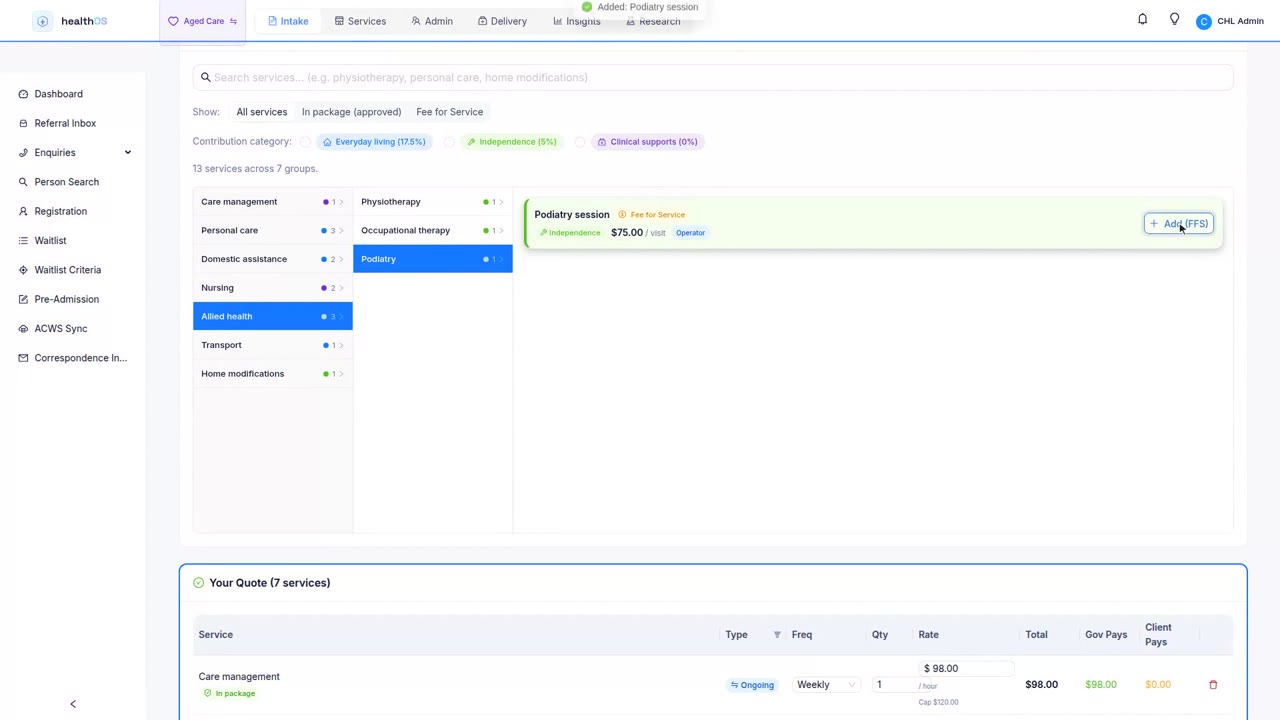
The budgeting tool in HealthOS today
 2:02
2:02Show families a real figure, from your own prices
Tell us how many clients you support and which care management system you use, and we will let you know when the Budget Calculator opens.