
Allied health, from booking to contractor pay
Physiotherapy, occupational therapy, podiatry, dietetics, speech pathology, exercise physiology and psychology, on the same record as the rest of your care. The front desk books the session, the practitioner writes the note, billing claims from the fund, and the contractor's timesheet builds itself.
Allied health in HealthOS is in development: what's described here is being built and tested with St Dorothy Living's demo centre, and may change before release.
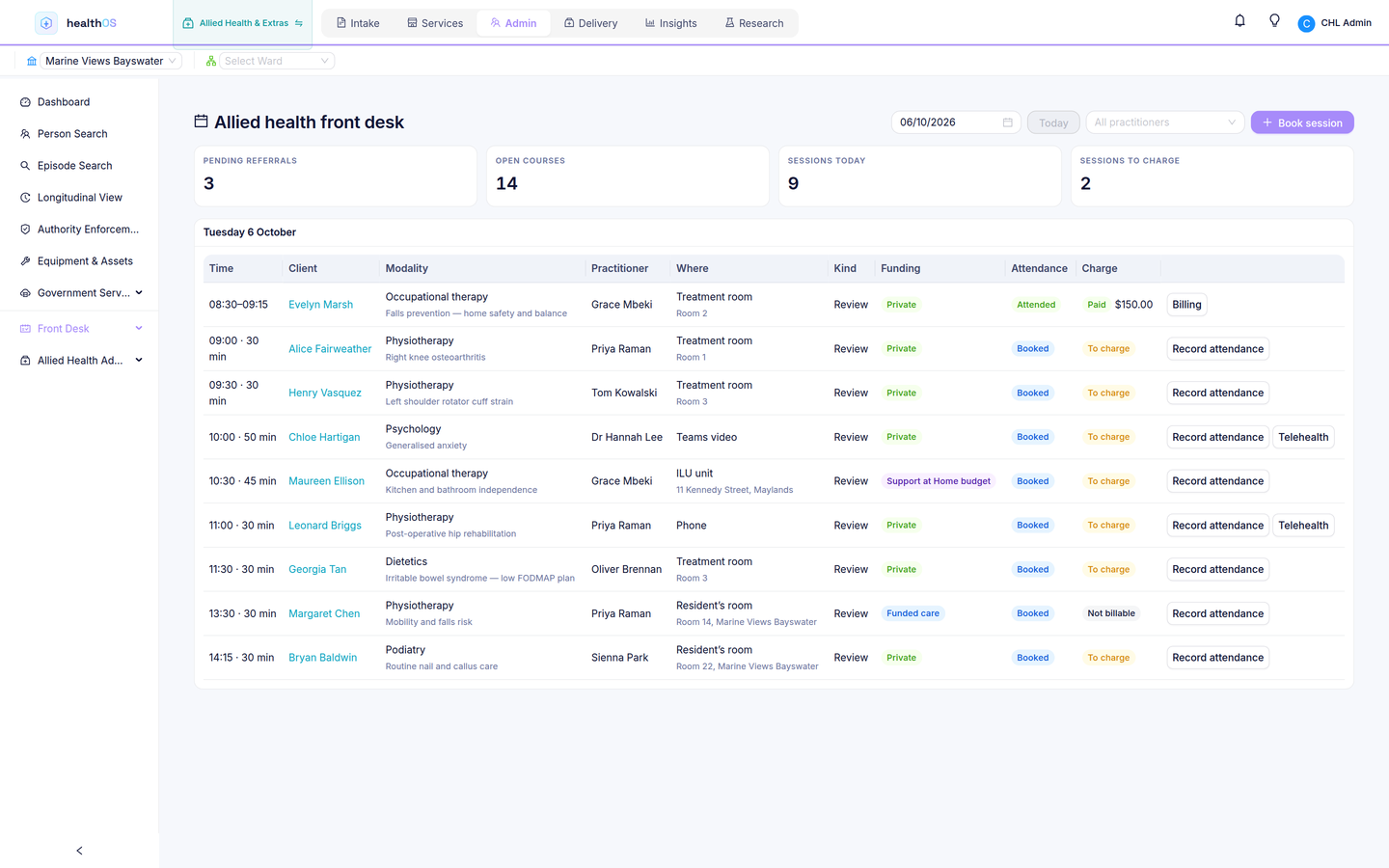
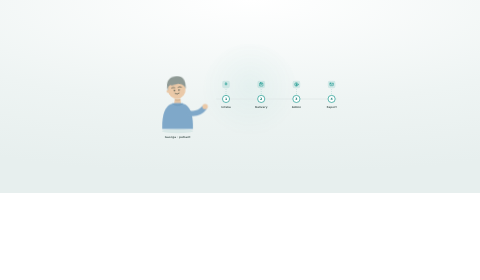
The day sheet, attendance, and who pays for each session.
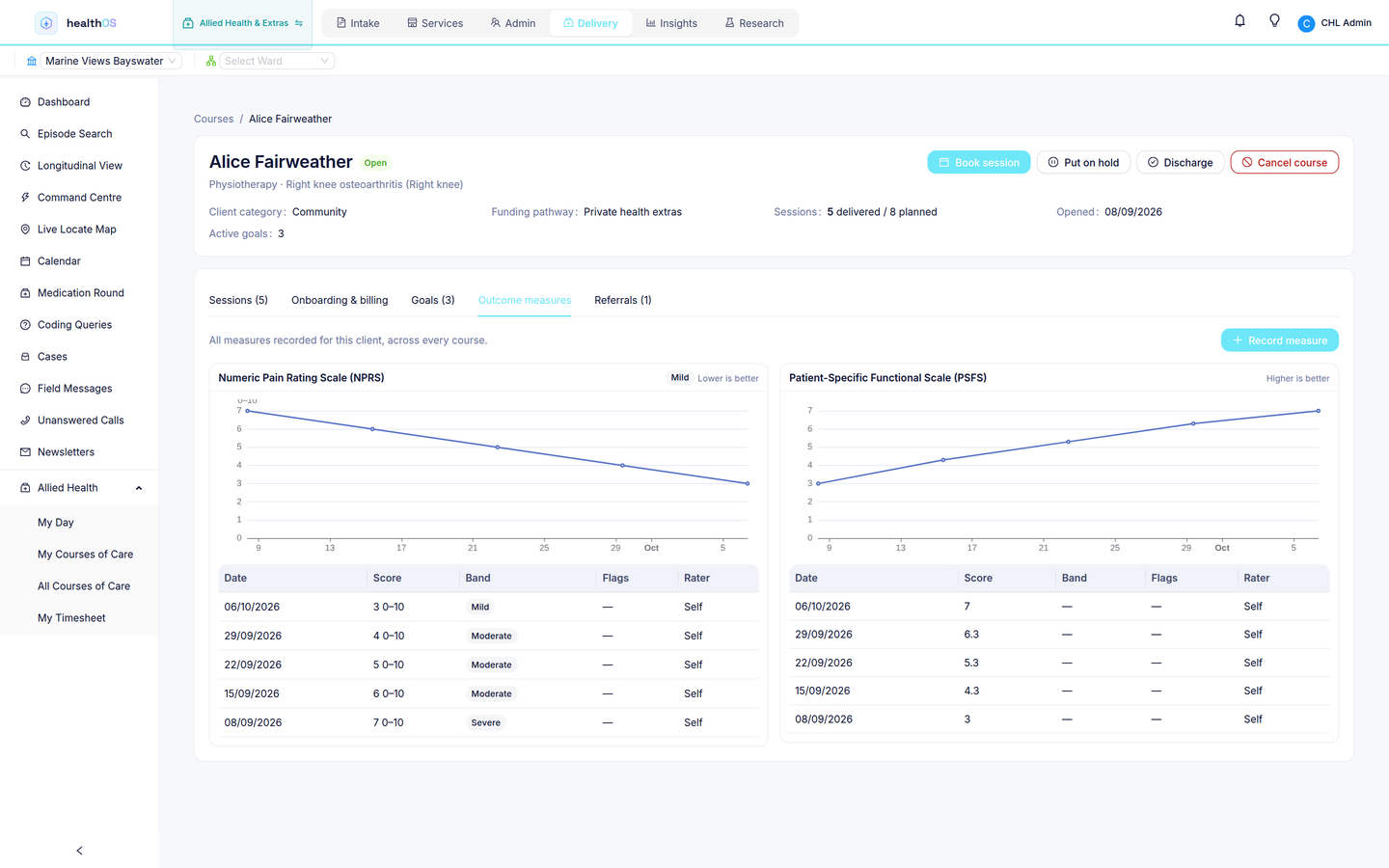
Their day, the course of care and the signed note.
Shifts, check-in and a timesheet built from the work.
One session, from the booking to the pay run
One centre, three ways to pay
An allied health centre run by an aged or home care provider sees residents, home care clients and private clients in the same day. A resident's physio is funded care and never billed. A Support at Home client pays from her budget. A private client claims from her health fund and pays the gap. Many of the practitioners are contractors. When the clinic runs on a separate practice system, the notes, the charge and the contractor's pay never meet the care record.
The front desk day sheet
Every session booked across the centre, with the practitioner, the room and who pays. Reception records attendance after the session, and attendance raises the charge, priced from the price list straight away.
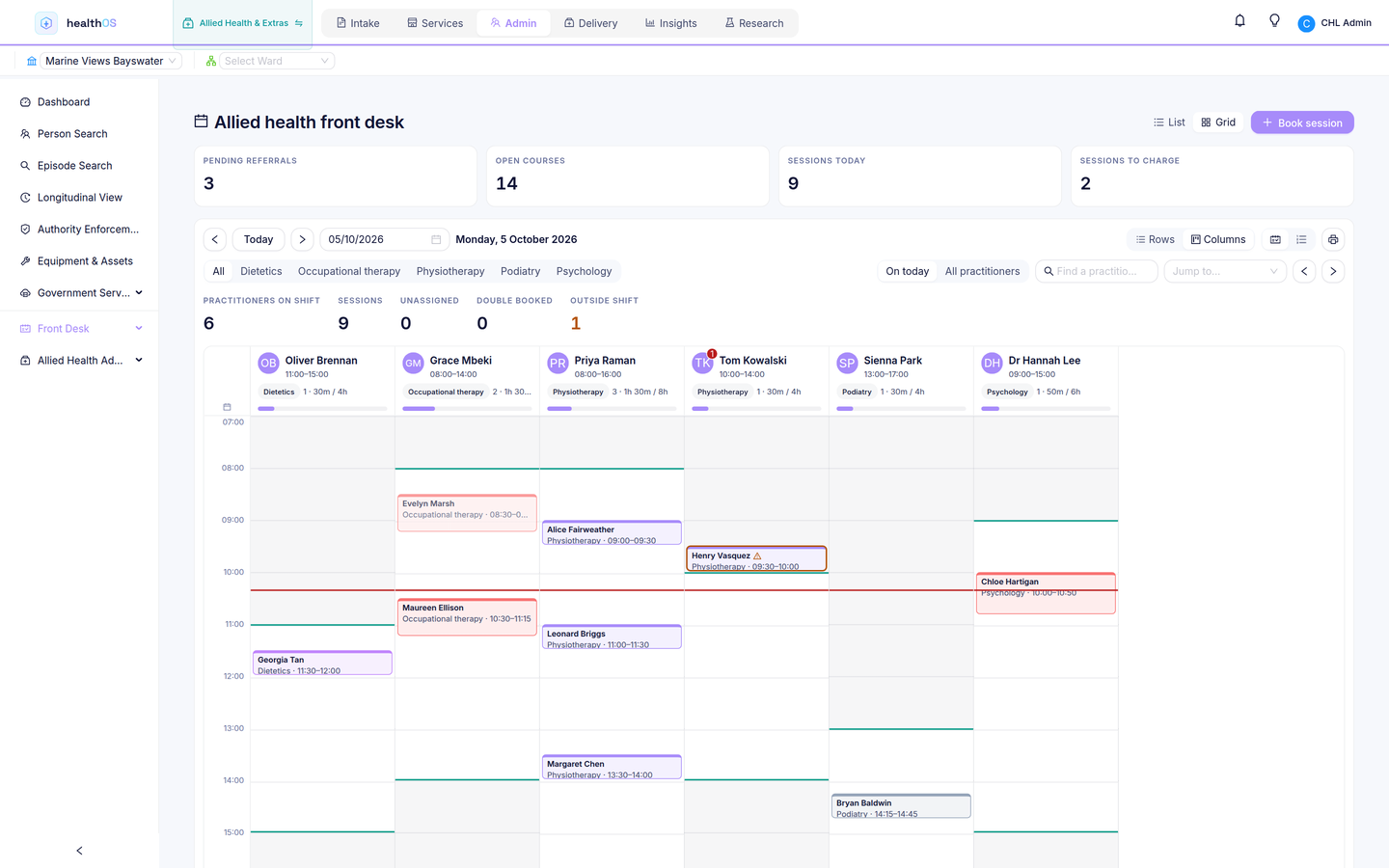
Switch the day sheet to a grid and each practitioner gets a lane, with their rostered shift behind it and sessions coloured by modality. Drag a session to another time or practitioner and give a reason. The move is checked again before it is saved: if the practitioner isn't engaged for that kind of session, or a new day would change who pays, it is refused and the reason is shown.
- The day's sessions for every practitioner, with the funding for each
- Attendance recorded with start and end times and a short treatment note
- Telehealth sessions alongside the ones in the treatment room
- A grid with a lane per practitioner, where a session is dragged to reschedule it and the reason is kept with the move
Courses of care with outcome measures
Each client's course of care holds the referral, the goals agreed at the initial consult, every session and the outcome measures. Scores are charted session by session, so the practitioner and the client can see pain coming down and function going up.
- Referrals, including from the client's GP
- Goals agreed with the client and reviewed through the course
- Outcome measures such as the Numeric Pain Rating Scale (NPRS) and the Patient-Specific Functional Scale (PSFS)
- The practitioner's own day list, and their courses of care
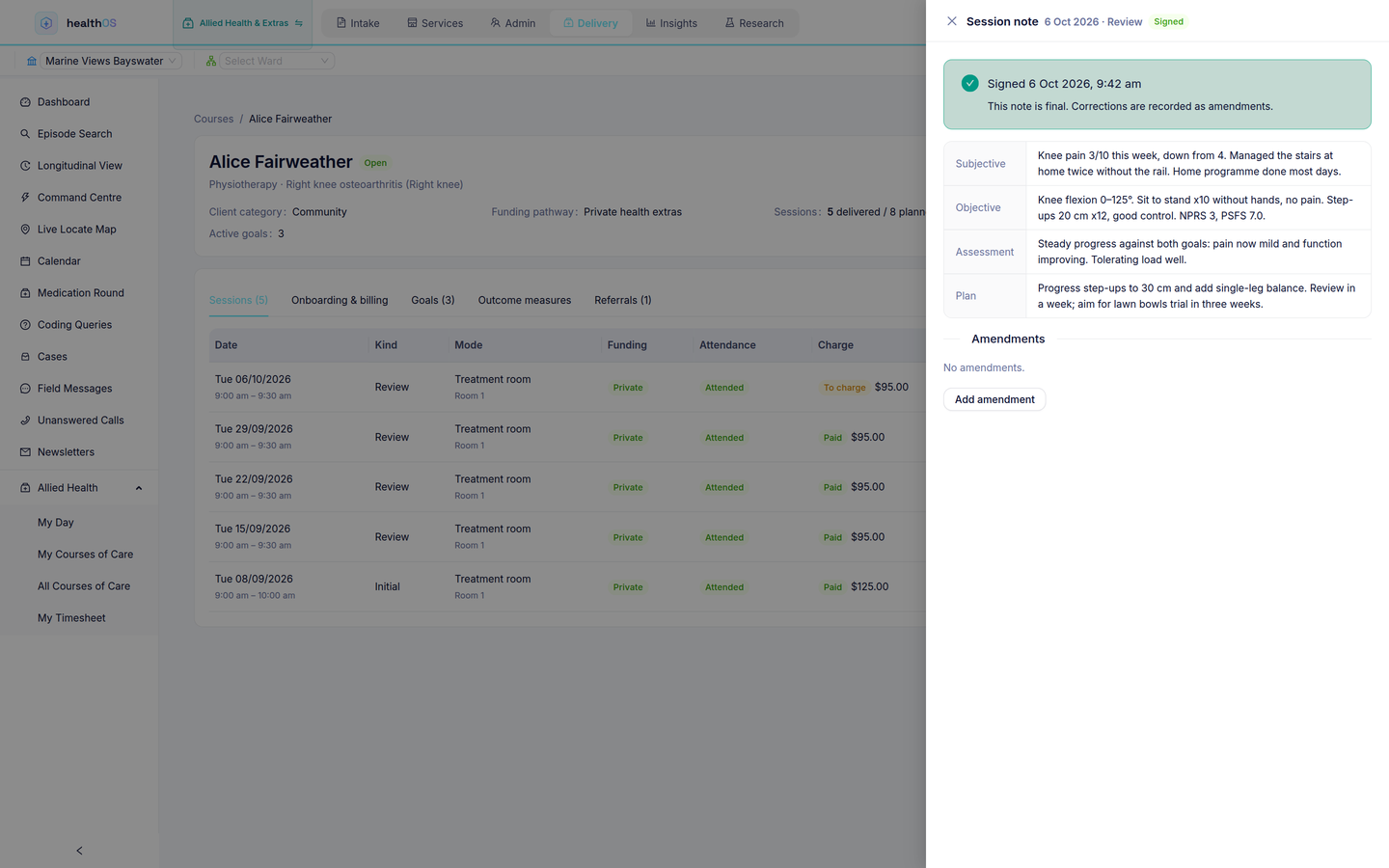
SOAP notes, signed by the practitioner
Each session note is written in SOAP form: subjective, objective, assessment and plan. The practitioner signs it. A signed note can't be edited, only amended, and every amendment is kept with the note.
- Subjective, objective, assessment and plan in one note per session
- Drafts saved until the practitioner signs
- Corrections recorded as amendments
The fund claim, then the gap
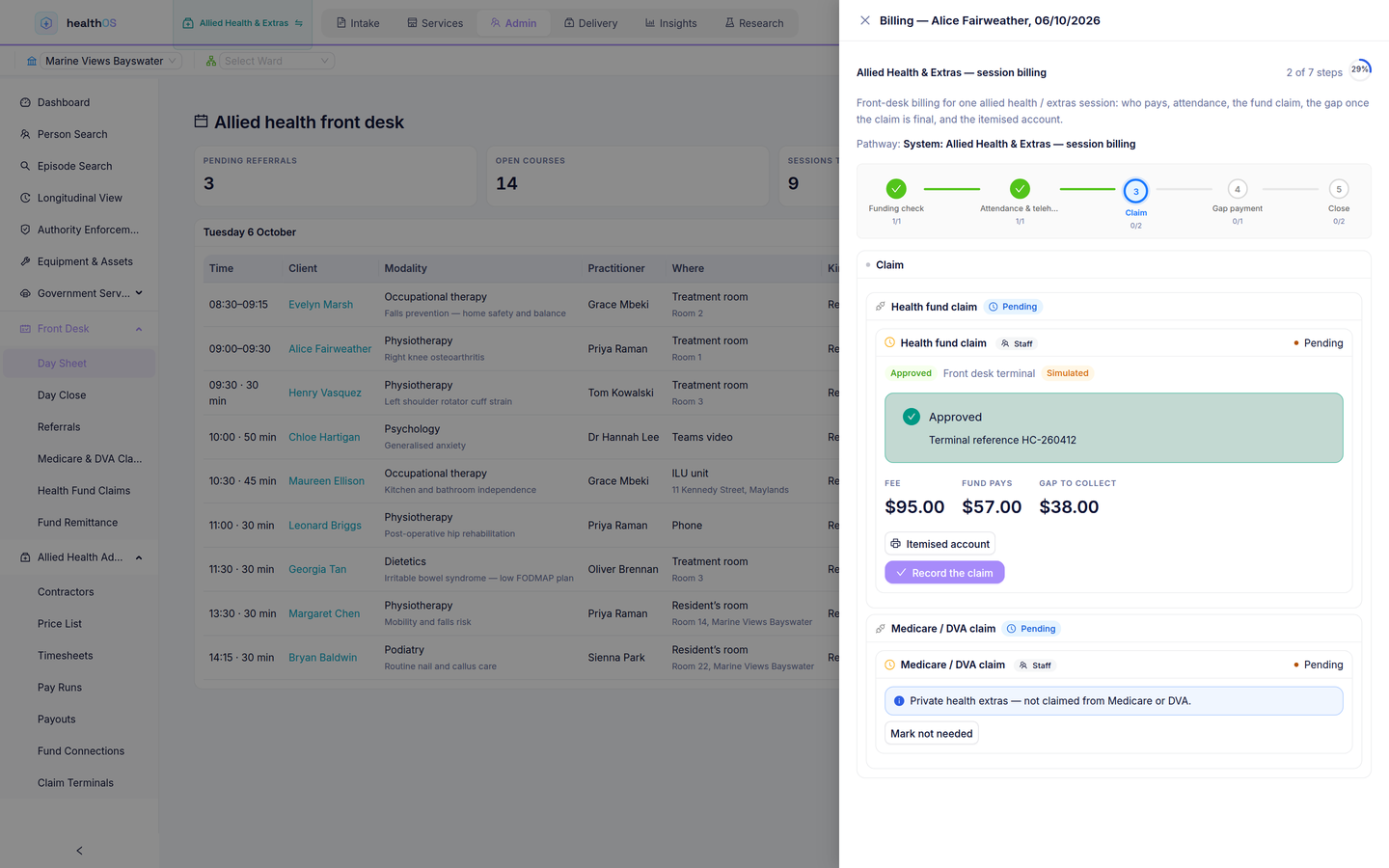
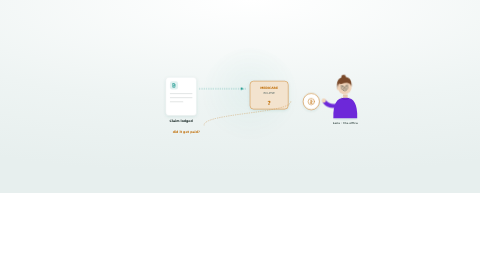
The fee comes from a dated price list that carries health fund, Medicare and DVA item numbers, with overrides for residents and concession holders. Billing opens the session's pathway at the claim. Only once the fund's answer is final does the gap step open, so the client pays exactly their share, charged to a card on file under a signed mandate.
- A dated price list: prices are never edited in place, a dated version replaces them
- Health fund claims with every state shown: approved, partly approved, declined, an itemised account, or an answer that never came back, which is checked and never sent twice
- Remittance matched automatically, leaving only the exceptions
- Medicare and DVA claims on the same pathway where they apply
Health fund claiming is in development. In the demo, the HICAPS terminal is simulated and card payments run in sandbox mode, so nothing is claimed or charged.
The contractor's day, and their pay
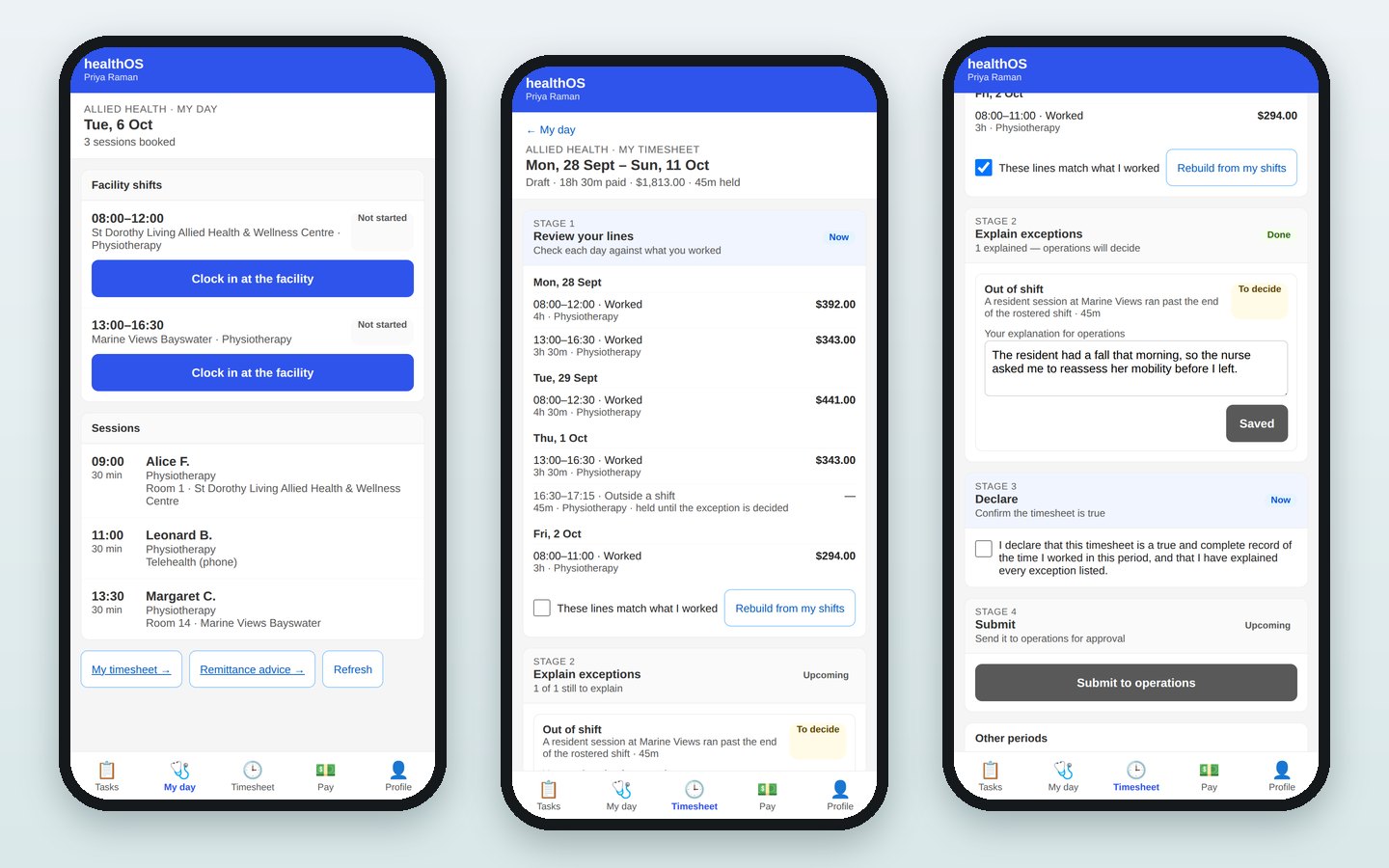
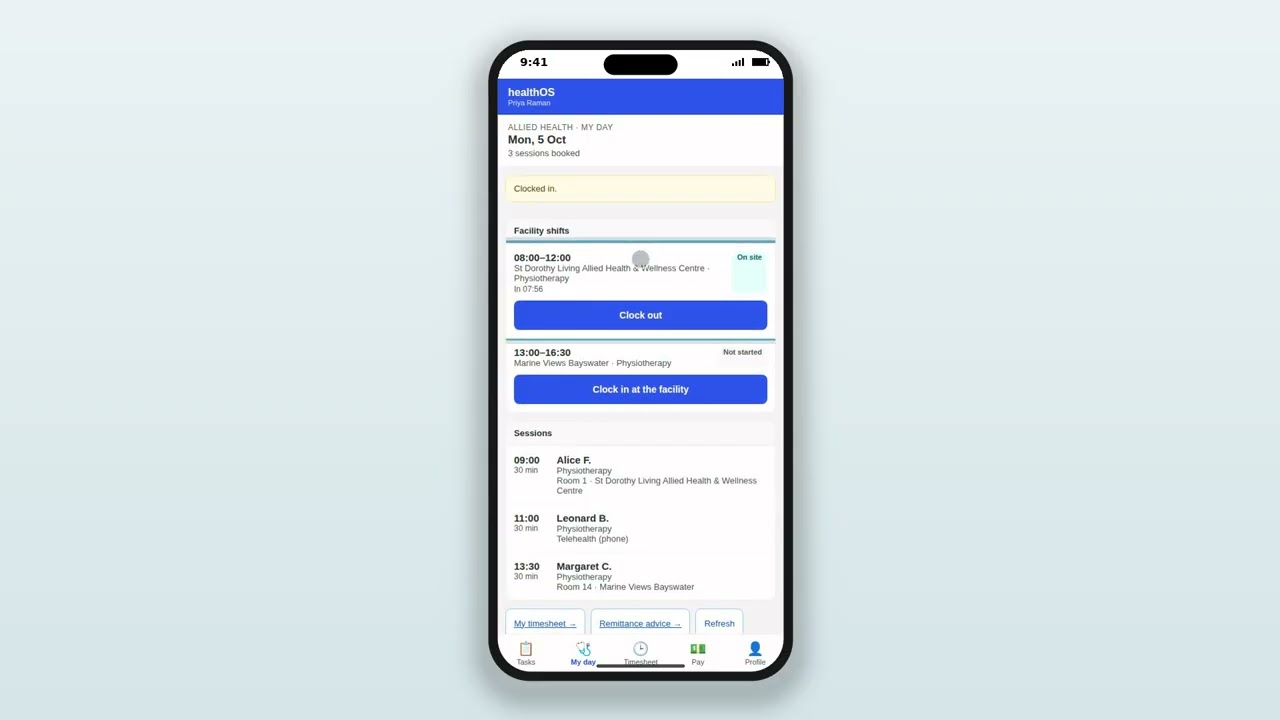
Contractors work from the HealthOS worker app on their phones. They see their facility shifts and their sessions, with clients shown by first name and initial only. They clock in when they arrive, and the location is recorded with the time.
- A timesheet built from the shifts and sessions they worked
- Exceptions explained by the contractor, then decided by operations
- A declaration before the timesheet goes for approval and the pay run
- Remittance advice with a recipient-created tax invoice for each payment
See it in action
 3:47
3:47
Related
See allied health in HealthOS
We will walk you through what is built so far, on the demo centre. Tell us how your clinic runs today.