In the server room. On the one record. Keep the systems you run, and carry less risk.
- Your cloud, your sign-in. HealthOS runs in your own cloud account in Australia, behind your identity provider.
- Independently penetration tested. It has passed a penetration test by Penti, with a certificate we’ll share with your team.
- ISO/IEC 27001 under way. We have started work towards ISO/IEC 27001 certification, the international standard for how an organisation manages information security.
- A way out of legacy systems. Each integration starts beside the source system and becomes the path to retire it, one workflow at a time. Records are matched so nobody is duplicated, and a parallel-run mode lets you migrate in stages.
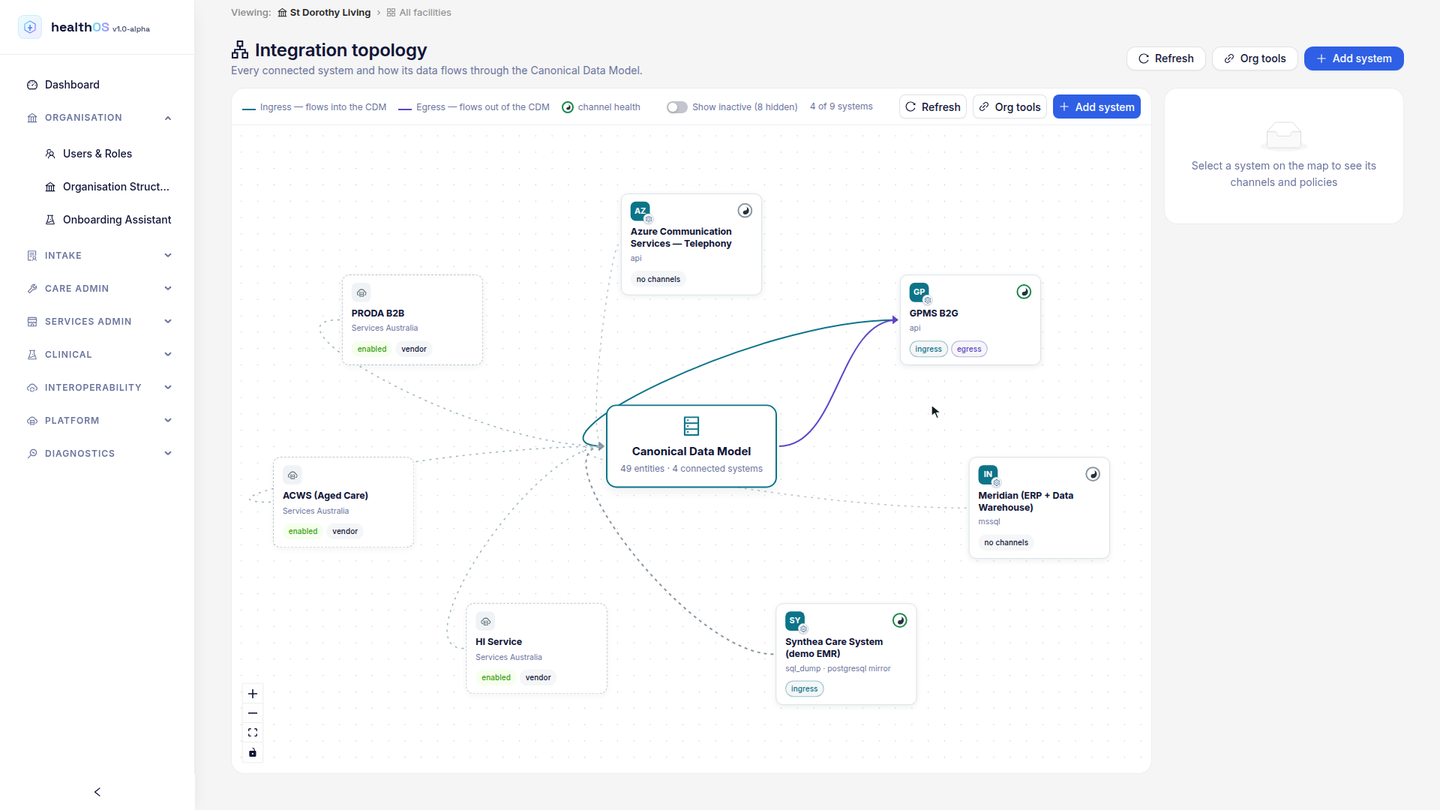
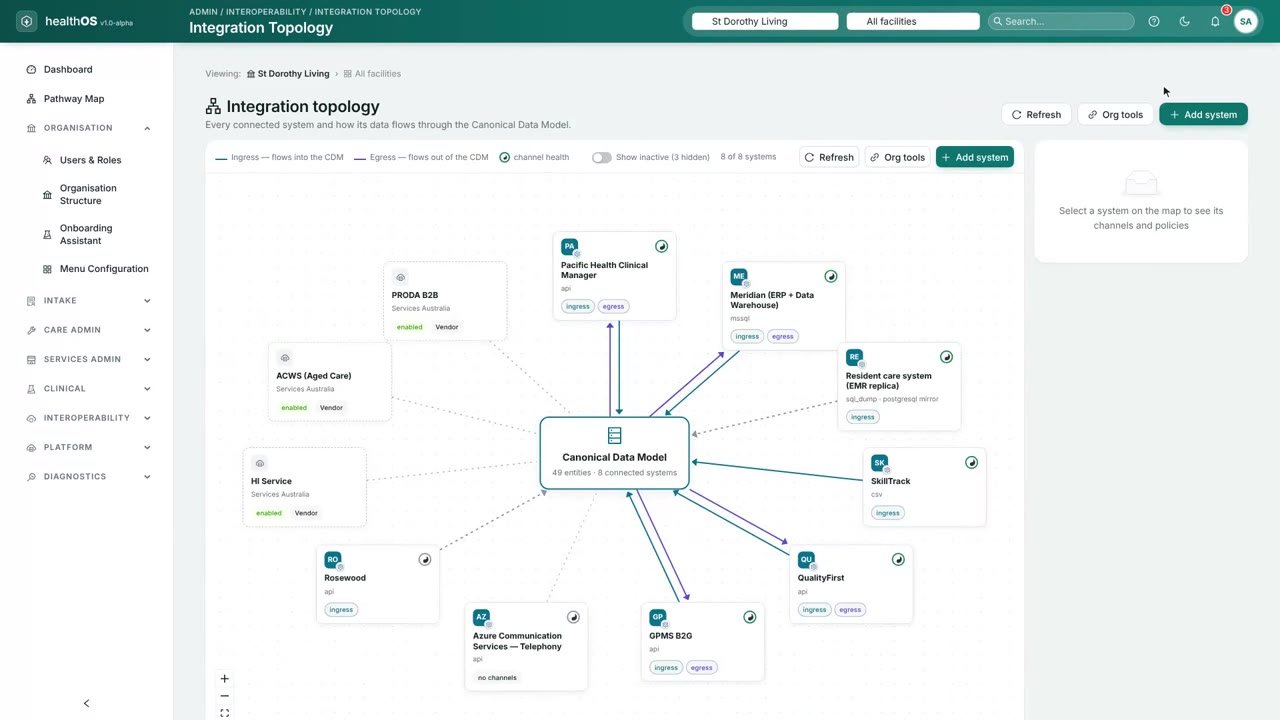
Aged Care Web Services, the Healthcare Identifiers Service and the government's provider system, over Provider Digital Access and the National Authentication Service for Health certificates. Medicare Online has passed its testing with Services Australia.
HL7 v2 in (the messages hospital systems already send), a FHIR R4 and AU Core API out (the health record standard, in its Australian profiles), with SMART on FHIR for apps that open inside the record.
CSV spreadsheets, SQL database queries, SFTP (secure file transfer) and staging tables from the databases you already run.
A worker app that installs from the browser, works offline and syncs when back in range.
One record, beside what you run
There’s no rip and replace. HealthOS connects the systems the front desk, the bedside and the back office already use to one care record, so each team keeps the tools it knows. The full technical picture is on For your IT team.
Integration without a consulting project
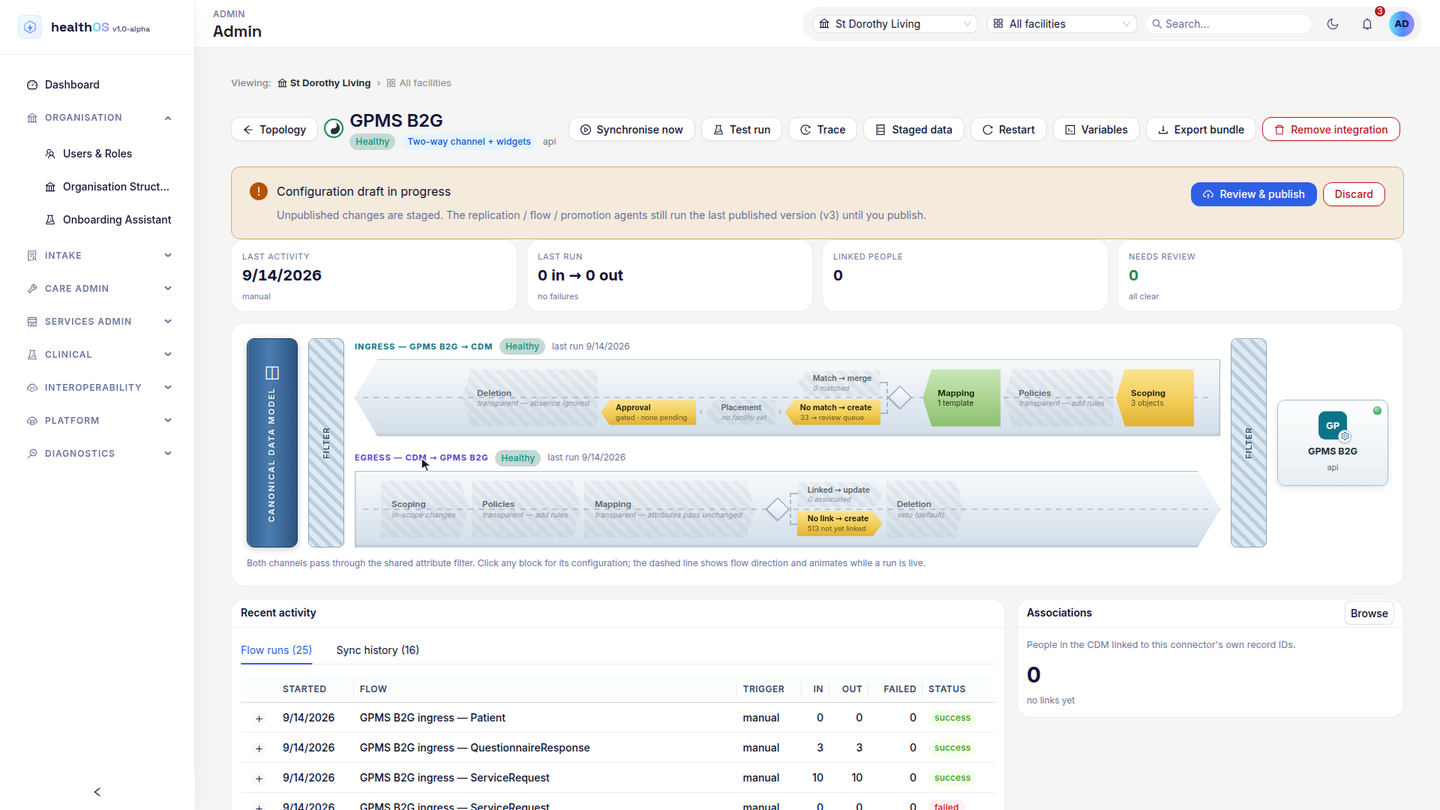
Build flows visually from source to transform to destination. Transforms can be written in Python and go through an approval step. Flows run on a schedule or a webhook, with connectors for SFTP, HTTP, document libraries, databases and object storage.
Migrate in stages, without duplicate people
Records are matched on Medicare, healthcare identifier, medical record number and Veterans’ Affairs numbers first, then on name and date of birth, with a confidence score and a review queue for anything uncertain. Write-back to source systems is two-way and loop-safe, and a parallel-run mode lets you migrate in stages.
One connection for several hospitals
HL7 v2 messages from a hospital’s existing systems are routed to the right facility by its receiving facility code, so one connection can serve several hospitals. Multifunction devices scan to a share HealthOS reads, and each scan is filed to the episode or encounter number in its filename, or held in a scan inbox for someone to file.
Set up in an afternoon
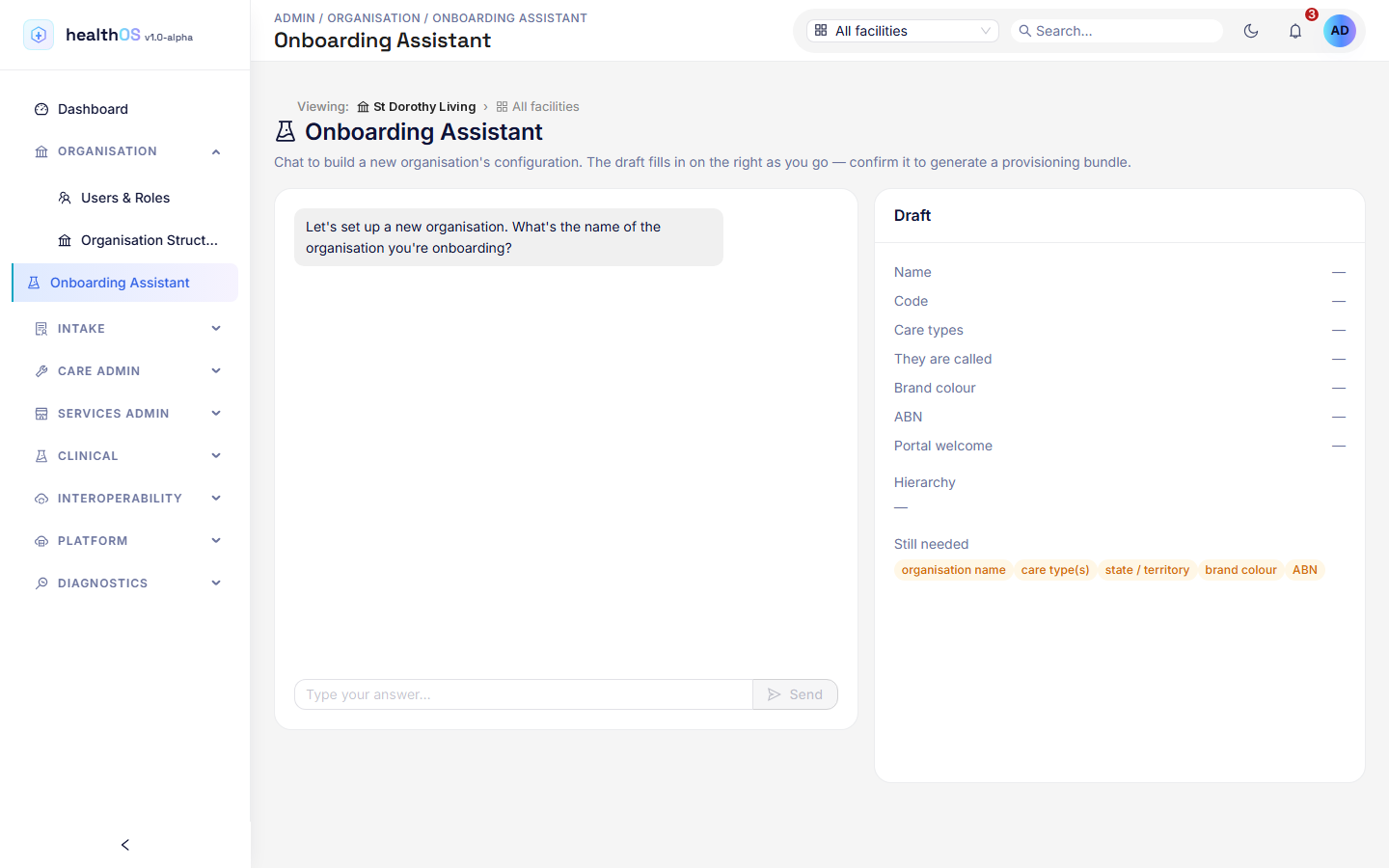
A guided assistant sets up your organisation, its sites and its structure. Roles and permissions follow the structure, so access matches who people work for.
Less risk to carry
Your data, your keys and your choice of AI model stay under your control.
Onshore, under your own keys
Each customer gets a single-tenant deployment in their own cloud account, onshore in Australia, with no co-tenancy. Data is encrypted at rest and in transit, stored credentials are encrypted again, and the keys sit in your own key vault.
- Sign-in through your identity provider, with multi-factor sign-in (MFA) for admins
- Row-level security on every query
- Daily backups with point-in-time recovery
AI that stays in your control
Choose the language model you want and run it in your own tenancy. Handovers, discharge summaries and coding have names and identifiers taken out before any model sees them, and every AI call is logged. We follow the Australian Privacy Principles and the Essential Eight. We are building toward ISO 27001 and are not certified yet.
See it in action
The rest of the care team
Also on the care team
Bring your architect
We’ll go through hosting, identity and the integration map with your team.