One client record. One care team. Budgets spent on care, and a month end you only have to check.
- Nothing typed twice. The service ordered, the visit, the invoice and the month-end claim share one record.
- More visits covered. When a worker calls in sick, the visit is moved on the day grid or offered as an open shift.
- No Provider Digital Access logins. Set up once, then HealthOS deals with Services Australia for you.
Follow one client from the first question about their budget to the month-end claim. Each step is a page: who takes part, what happens and what it hands to the next.
Nothing typed twice, from the budget to the month-end claim
Most providers juggle several programs, each with its own rules and reporting. Preparing a claim means pulling data out of several systems, which is where money gets left behind. On one client record, every step starts from the one before it.
- In separate systemsStaff memorise which funding line covers which serviceOn one client recordStaff only see the services a client’s funding covers
- In separate systemsA sick call is covered by ringing aroundOn one client recordThe visit moves on the day grid, or goes out as an open shift
- In separate systemsEach care worker sees only their own visitOn one client recordWorkers see what every other service did today and yesterday
- In separate systemsVisits are keyed in again for the invoice and the claimOn one client recordThe invoice and the claim both build from the delivery record
- In separate systemsFamilies phone the office to find out who cameOn one client recordFamilies see the schedule, who visited and the budget
Coordinators, care workers and families see the same client
Care at home is the hardest care to coordinate. Care workers are in the field, coordinators are in the office and families are at home. On one record, they work from the same information.
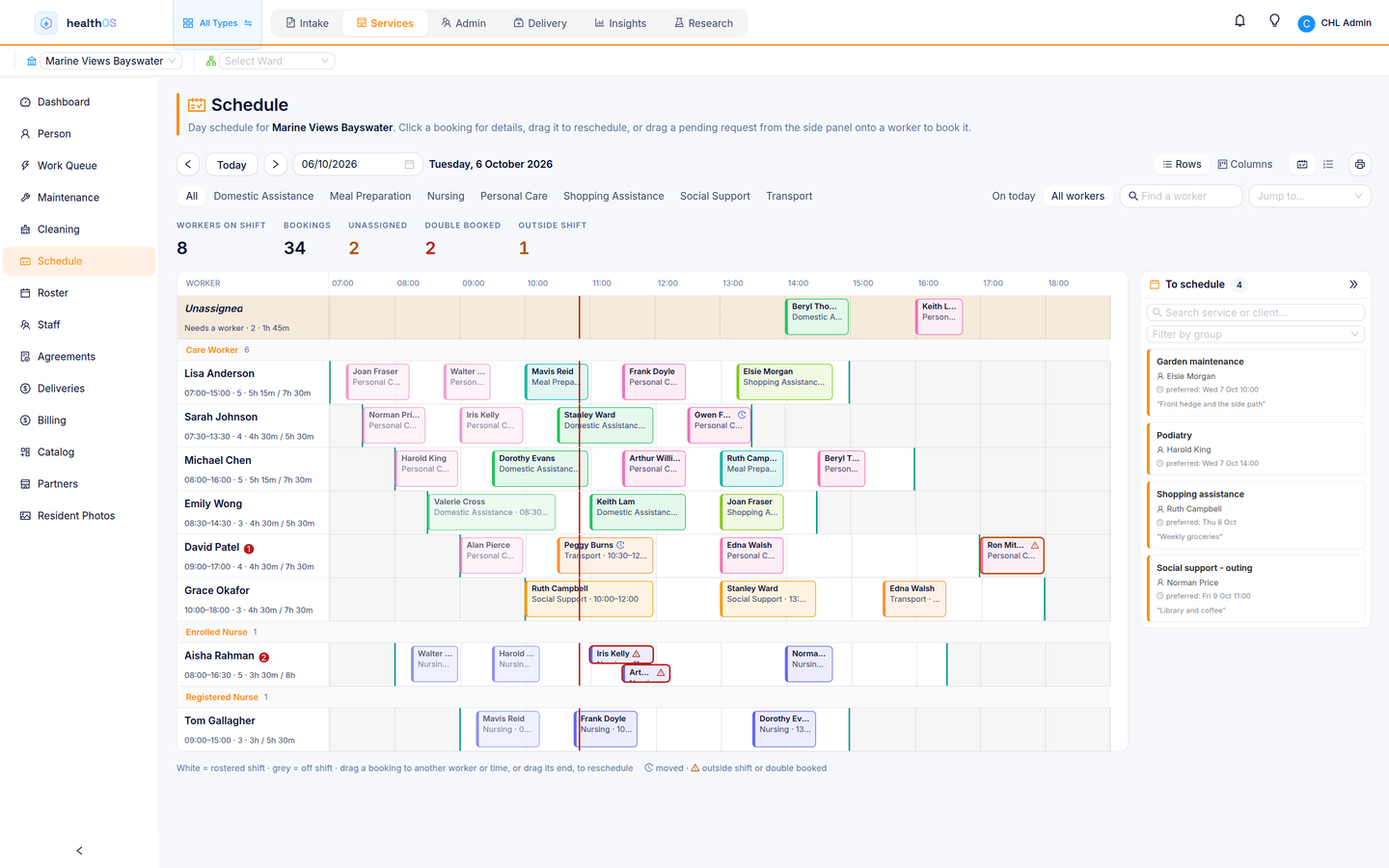
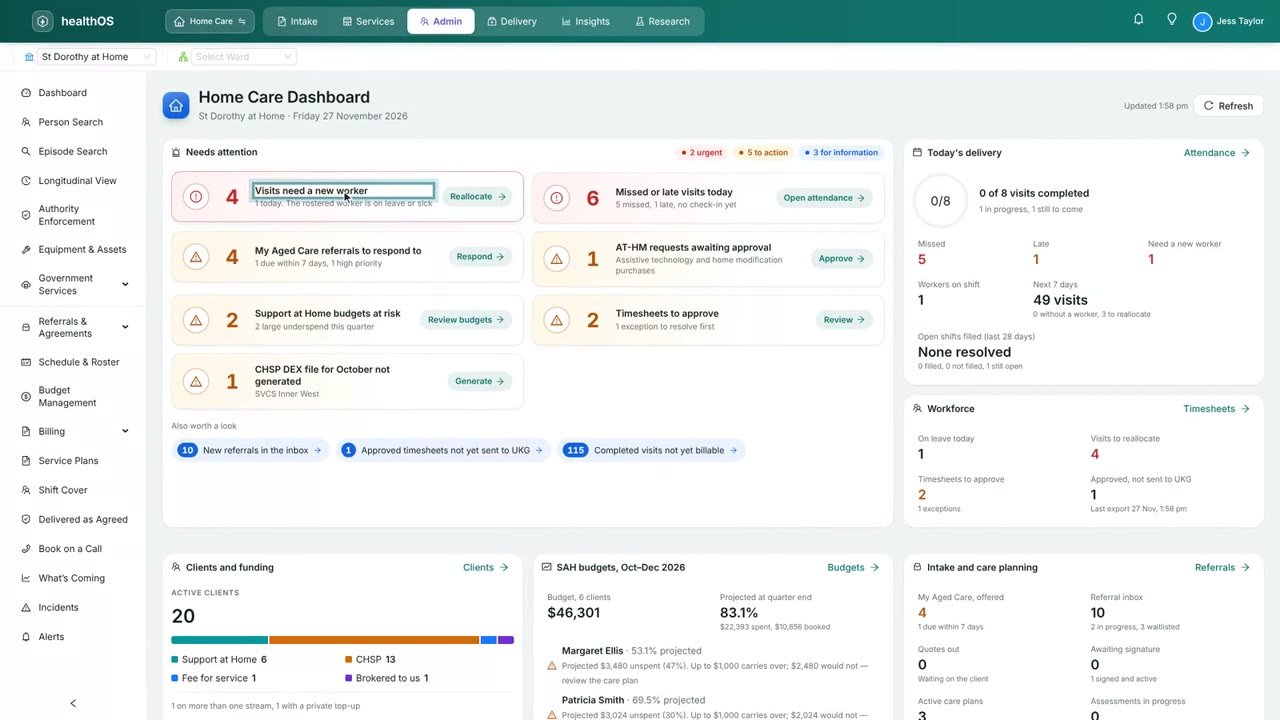
More visits covered when the day changes
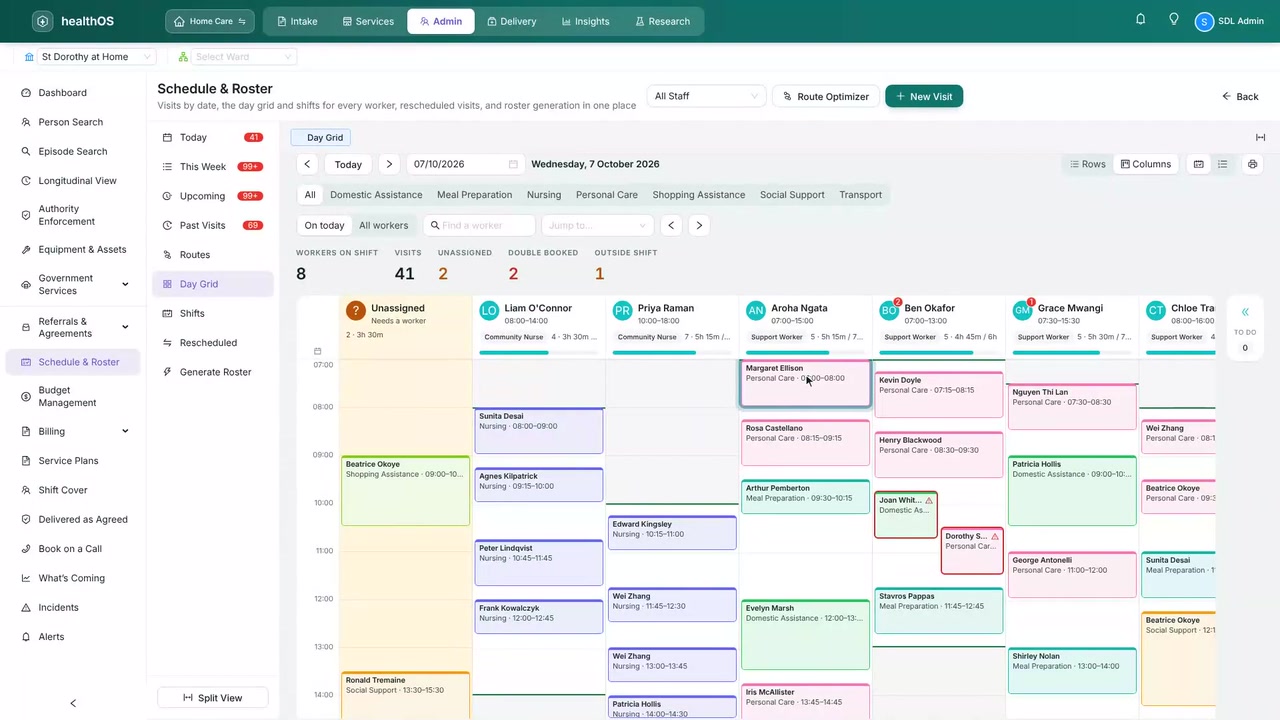
When a worker calls in sick, the coordinator moves the visit on the day grid by dragging it to another worker or time, and the reason is recorded with the move. A Rescheduled history shows what moved, why and by whom. One view covers Support at Home, the Commonwealth Home Support Programme and Veterans’ Affairs, so coordinators see budgets, schedule services and check Services Australia verification as it happens.
The worker a change affects hears about it straight away: a push alert on their phone, or a text when they have no alerts set up or the shift is within 24 hours, and the text never names the client. An uncovered visit goes out as an open shift to the workers who are eligible for it. A worker can give away or swap a visit from their phone, and before the office approves, HealthOS checks the colleague taking it holds the current credentials that service needs, giving every reason if they don’t.
- Open shifts offered to eligible workers, with the fill rate on the home care dashboard
- Swaps approved only when the colleague passes every check
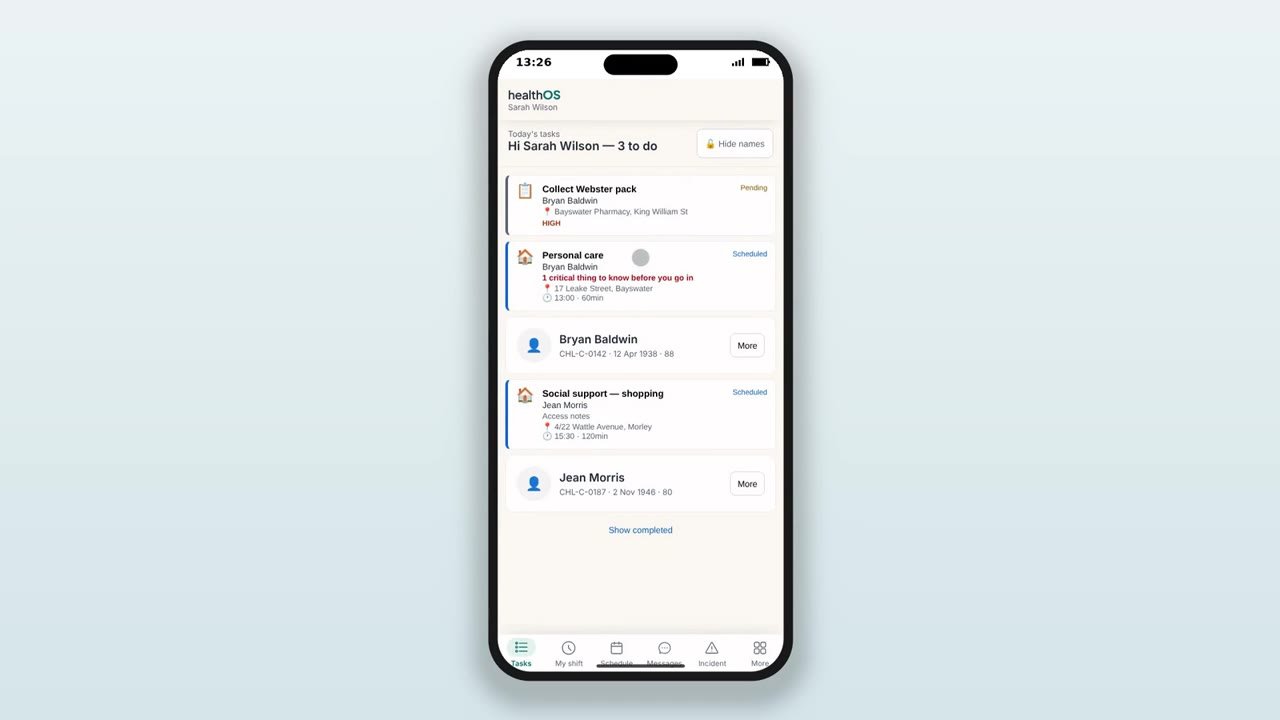
Care workers arrive informed
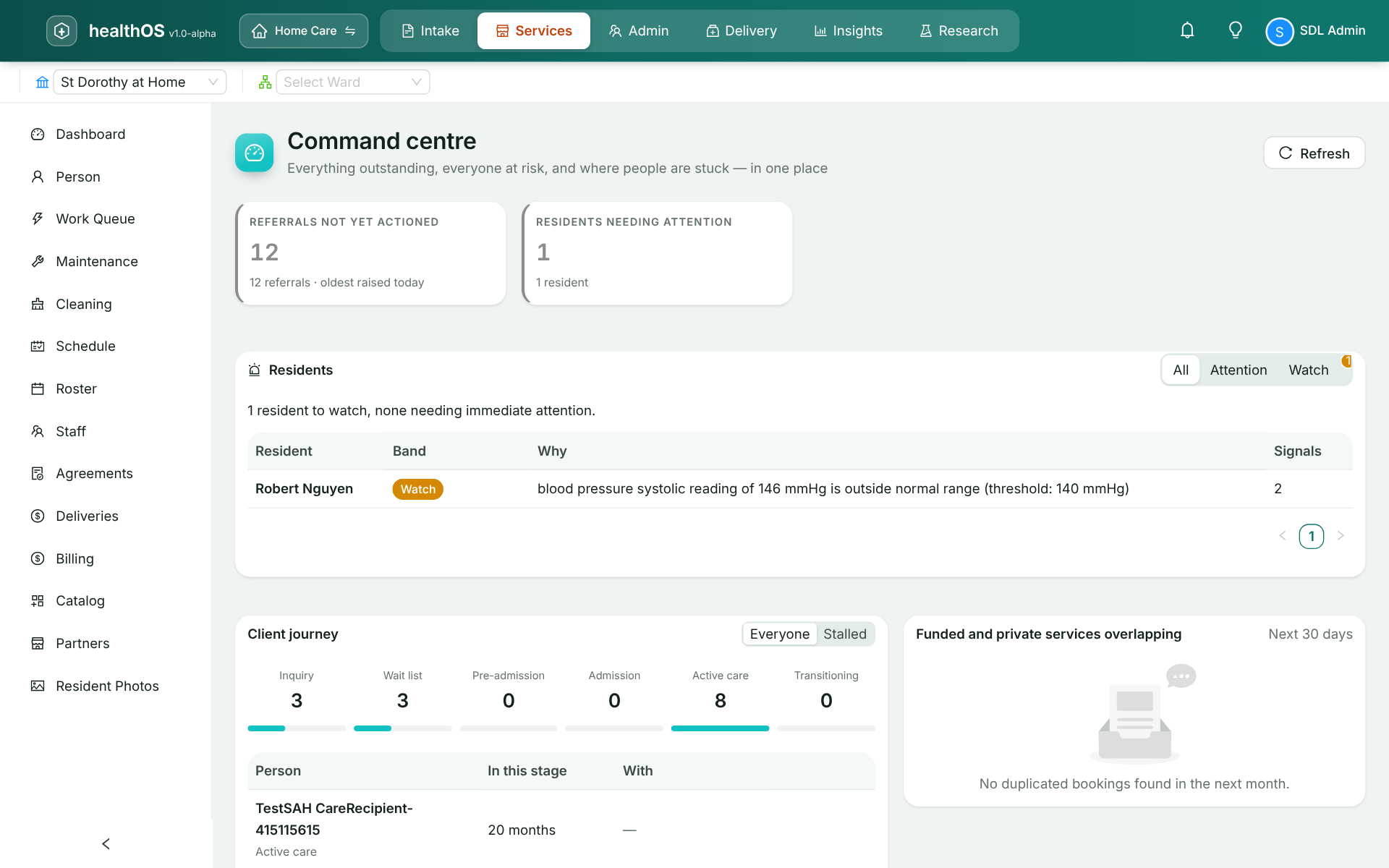
The care worker opens each visit knowing what has already been done for the client. Workers and the office message each other in the worker app, and replies written without signal send once it comes back.
- Care worker mobile access, with the visit’s care tasks to mark complete
- What every other service did for the client today and yesterday, on the visit screen
Never miss a Serious Incident Response Scheme deadline
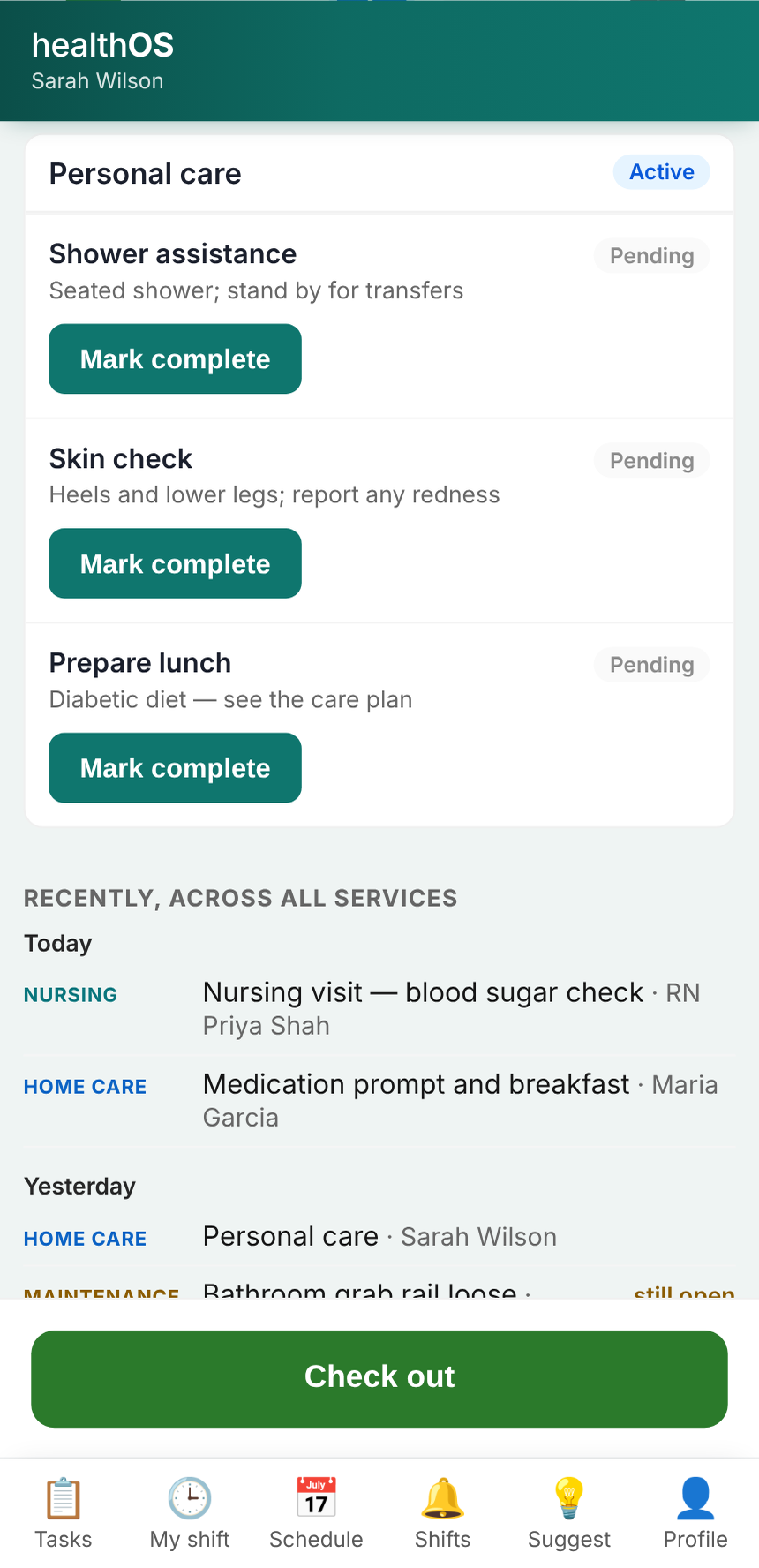
When a care worker’s answers suggest a reportable incident, HealthOS opens a draft Serious Incident Response Scheme notification linked to the report, alerts the client’s care coordinator and counts down to the time it is due. Nothing is sent until a person has checked it, and the Incidents page shows every report with its draft and the time left.
The care worker reports the incident from the visit on their phone, in plain words, and it works with no signal: the report waits on the phone and sends once it can, without ever arriving twice.
Catch a change before the next visit
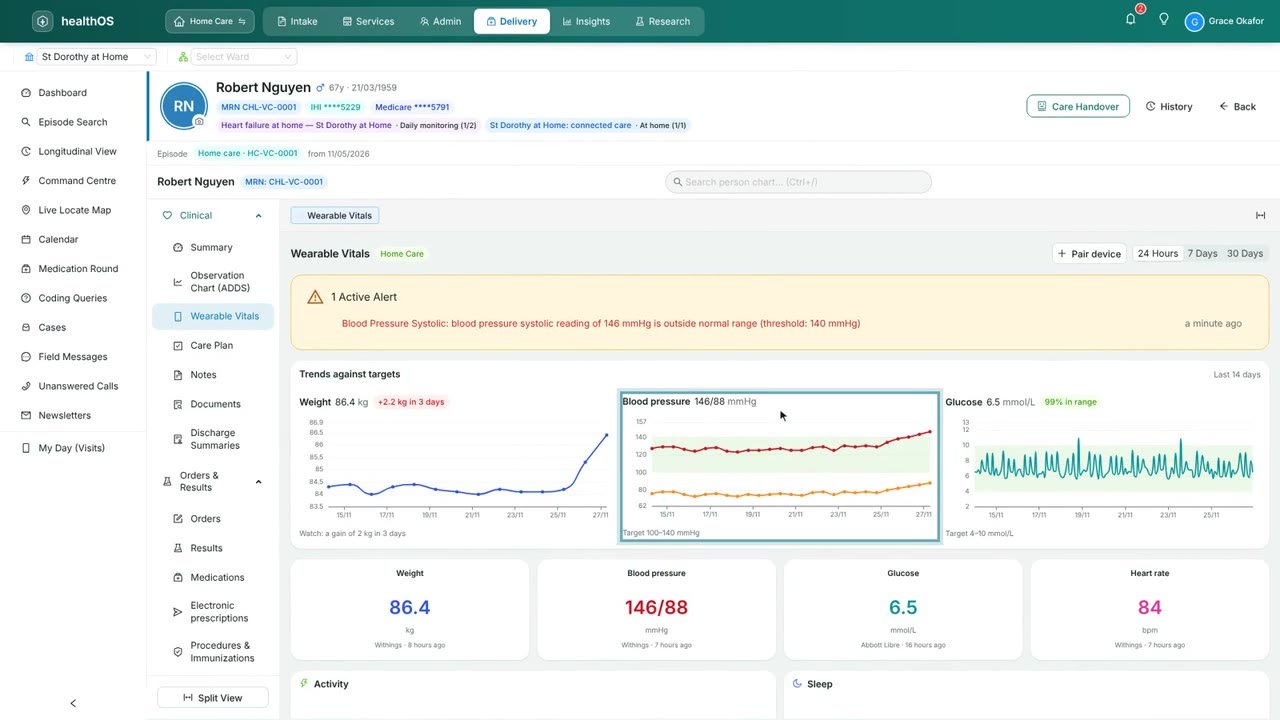
Clients living at home are most vulnerable between visits. Auto-syncing connected devices send vital signs to the clinical record, so deterioration can be picked up before the next scheduled visit. See wellness and monitoring.
- Remote monitoring with no phone setup required
- Clinical threshold alerting for chronic conditions
- Prevention screening built into care pathways
- HealthOS Connections visibility for carers and substitute decision-makers
Families see the care behind the front door
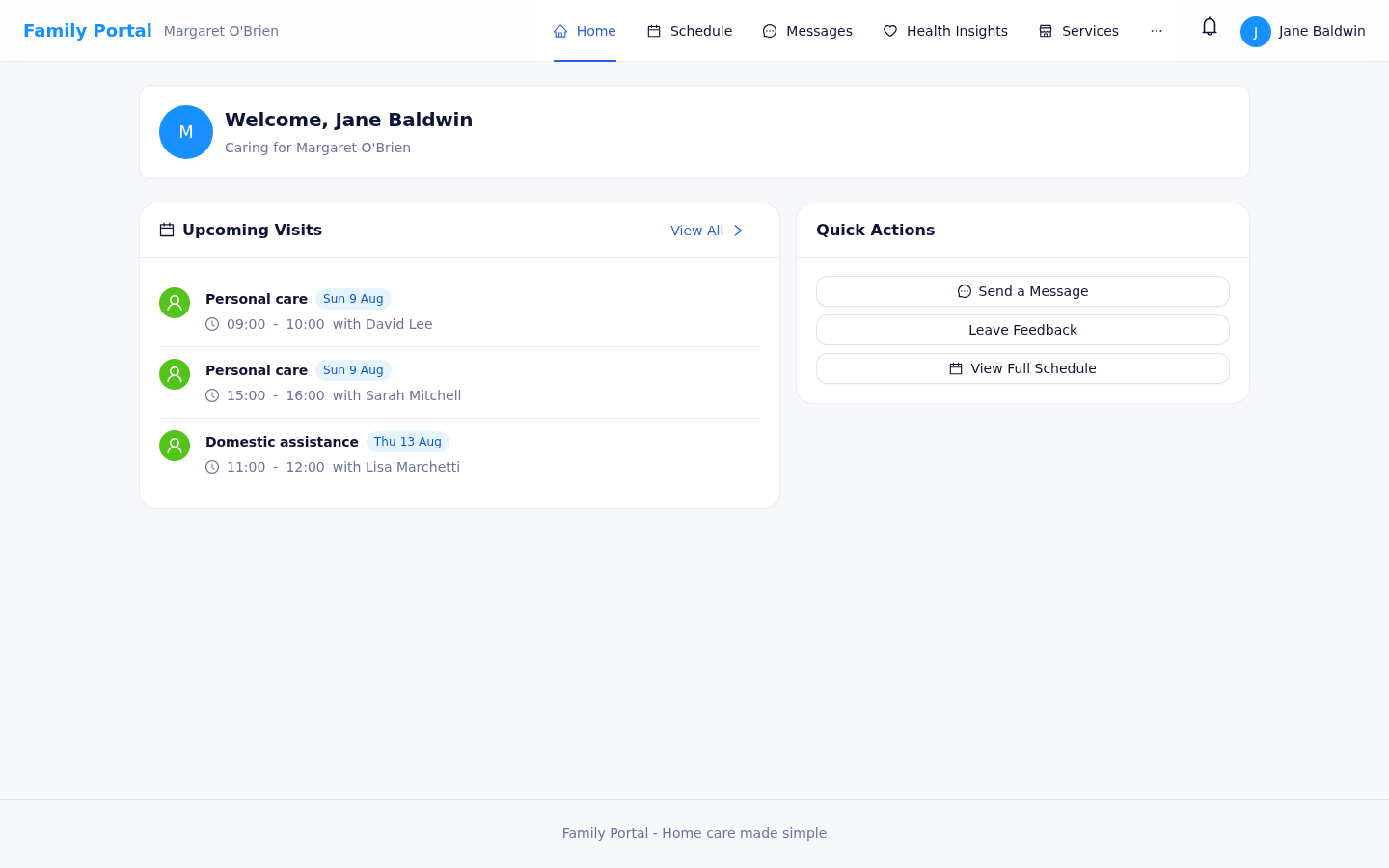
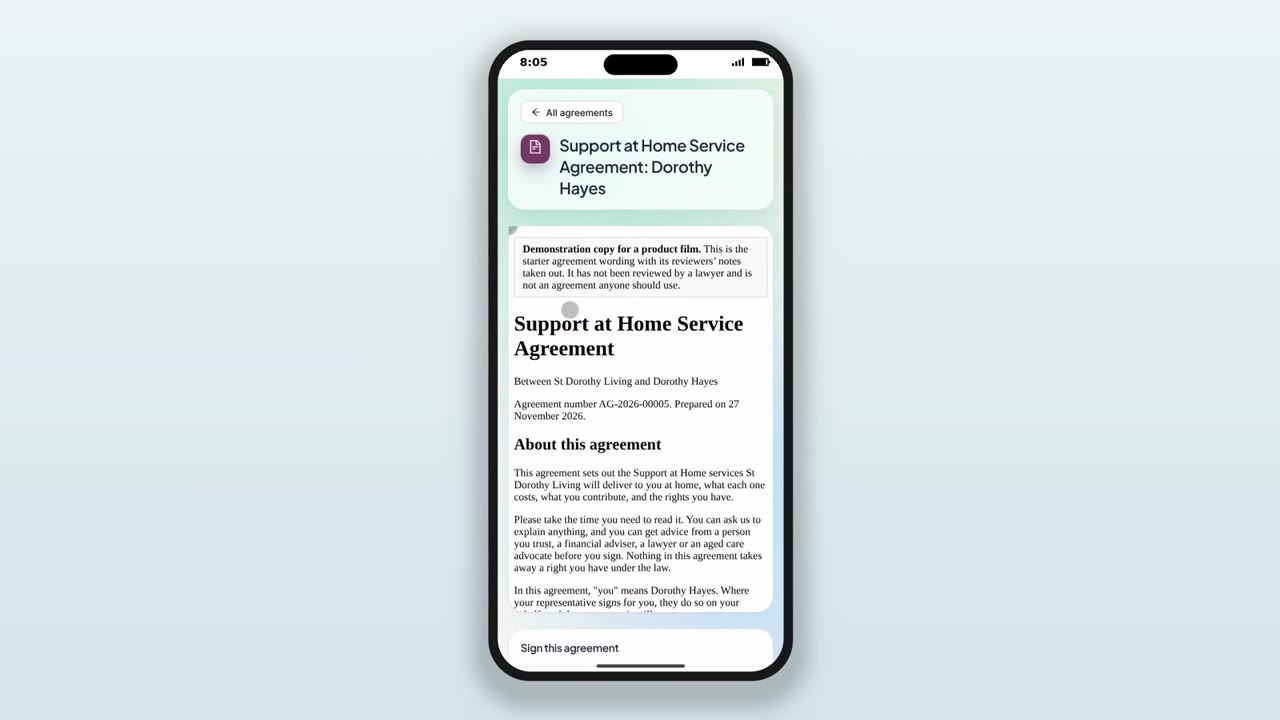
When care is delivered in hundreds of homes, nobody walks past a nurses’ station. HealthOS Connections shows clients and their families the schedule, who visited, what was done and what the budget is doing. It starts from one emailed link with no password required, so the phone stops being the only window. See the family portal.
Every visit billed, and month end a check
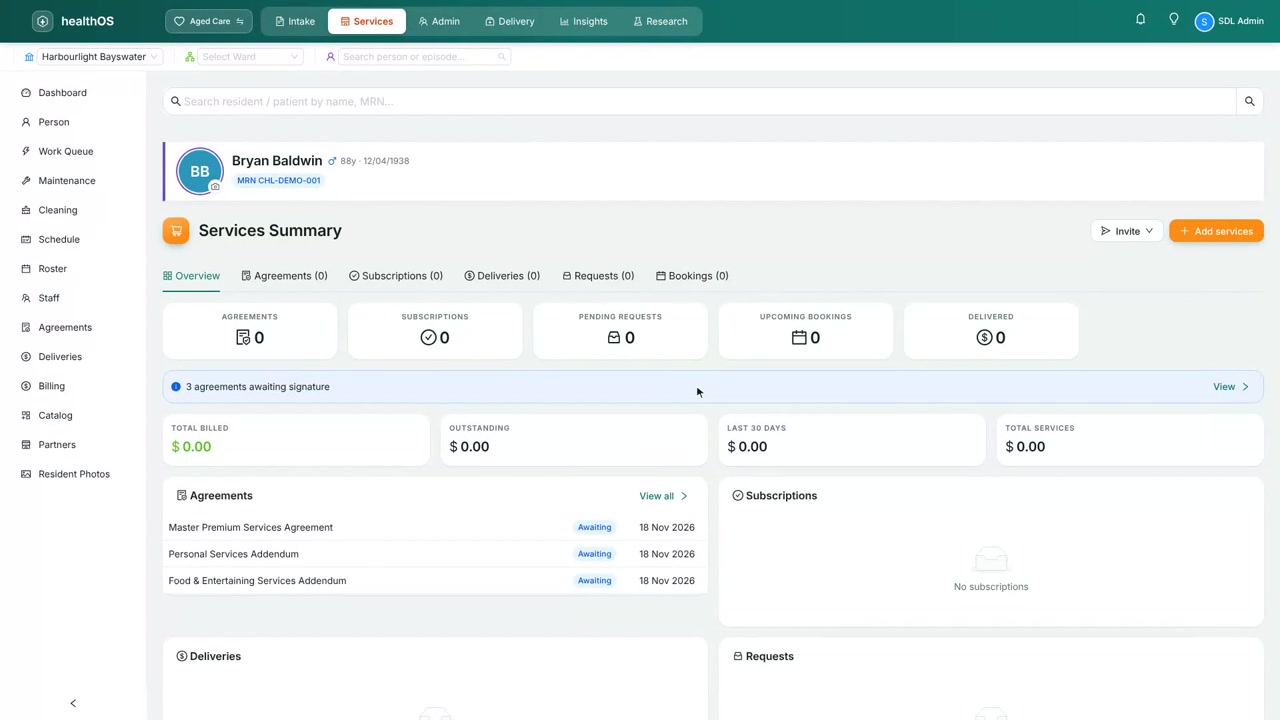
Support at Home replaced Home Care Packages overnight, with new claiming, budgets and agreements. HealthOS puts Support at Home, the Commonwealth Home Support Programme and Veterans’ Affairs on one service catalogue and one record, so the claim comes from the care that was delivered.
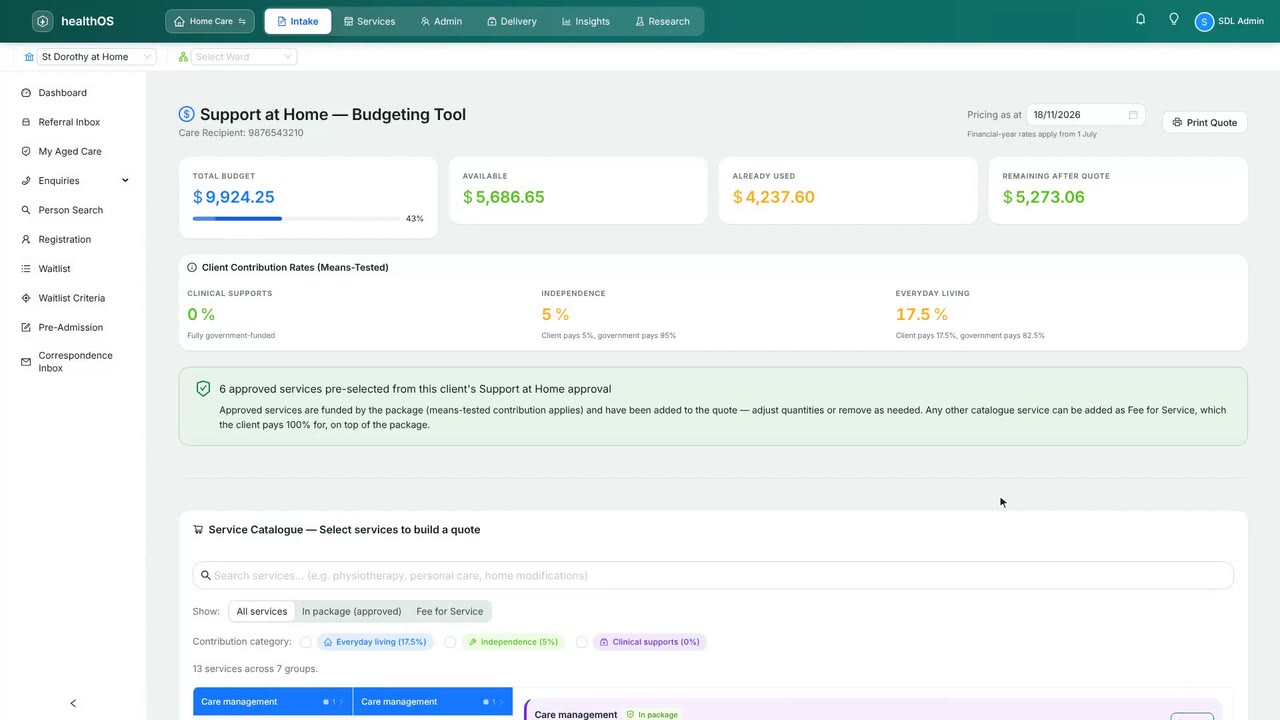
Budgets spent on care
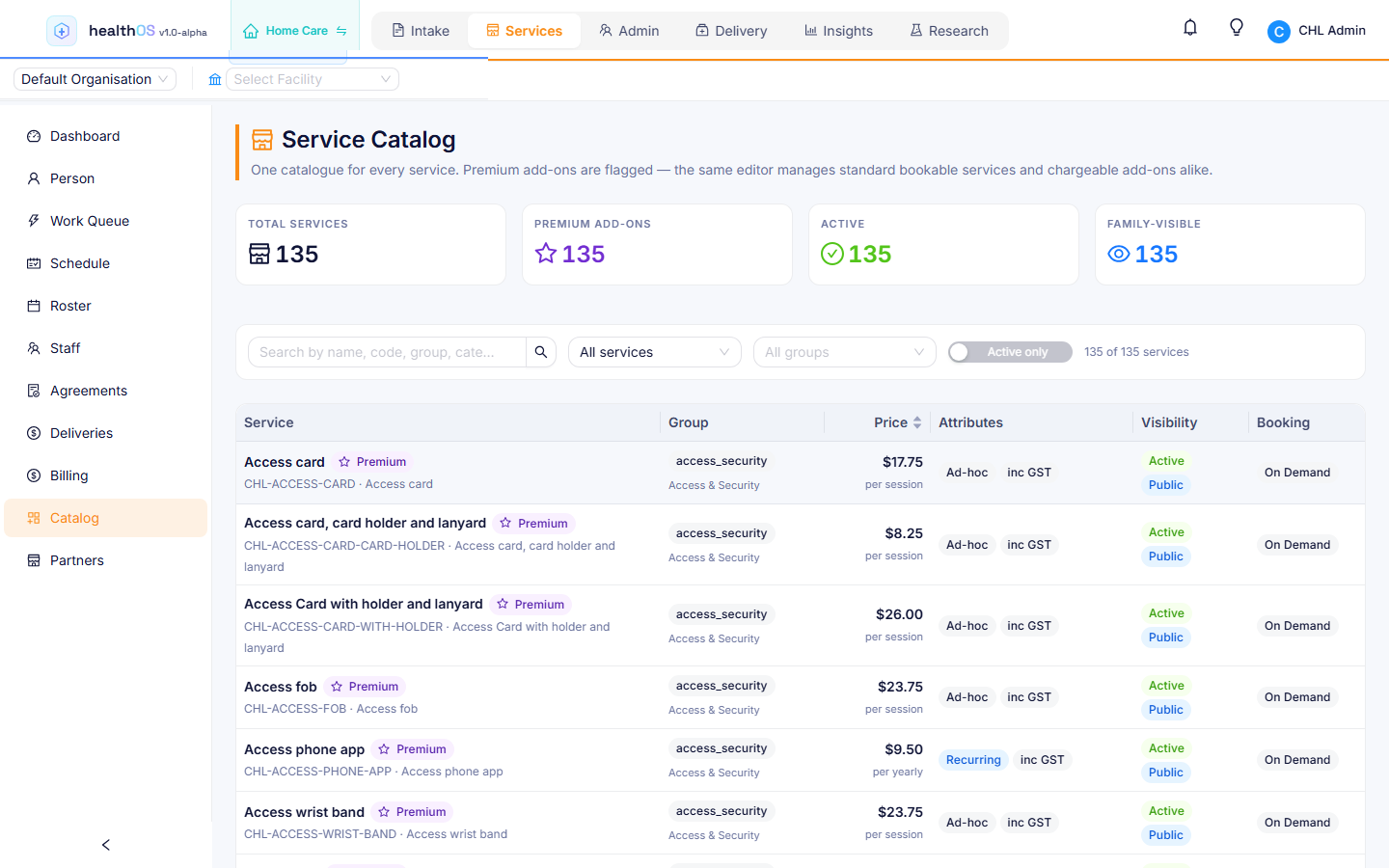
Each budget goes on the care it was meant for, so less of it is left unused. Every service is mapped to the funding line that covers it, with its program, price and claim. Staff only see the services a client’s funding covers, so they order care with confidence instead of memorising which rule applies to whom.
- Support at Home, the Commonwealth Home Support Programme and Veterans’ Affairs on one catalogue
- Each service auto-mapped to its funding line and price
- Eligible-catalogue filtering, so staff only see services the client's funding covers
- Price controls with reference-rate guardrails on above-benchmark pricing
Month-end claiming becomes a check
Finance reviews a claim that is already built. Support at Home claims and contributions are prepared from the delivery records care workers complete in the field, and lodge to Services Australia through Aged Care Web Services, with nothing re-keyed and no Provider Digital Access logins. The same records post straight to your finance system for invoicing.
- Real-time service delivery records
- Automated posting to your finance system
Bill the time you absorb
Travel and late cancellations are where home care quietly loses money. HealthOS charges the travel kilometres on a completed visit the way your funding settings say, split between the government and the client like the visit itself. A client who cancels inside your notice window is charged on your price list’s own terms, a percentage of the visit or a flat fee, and a cancellation by the provider is never charged.
A Billable vs Paid Hours report then sets each worker’s billed visit hours against the hours their timesheet pays, so you can see where paid time is not being billed.
Pay workers right under the award
Pay is worked out from the timesheet against a Social, Community, Home Care and Disability Services award rule set your own people fill in clause by clause, and someone other than the last editor marks it reviewed. Every paid minute is classified, from weekend and public holiday rates through to overtime and broken shifts, then priced from the worker’s own rate with their allowances. Pay is never calculated from a rule set nobody has reviewed, and the timesheet says what is missing.
Sending priced timesheets to your payroll system is built and being confirmed before its first live pay run, so payroll stops re-keying hours.
See it in action
 5:26
 5:21
 7:38
 2:44
 3:09
 2:08
 2:35
 2:03
Related
See what changes for your home care business
We will walk you through it on real data. Bring the hardest thing your current platform can't do.