
The coordinator's day and the worker's phone
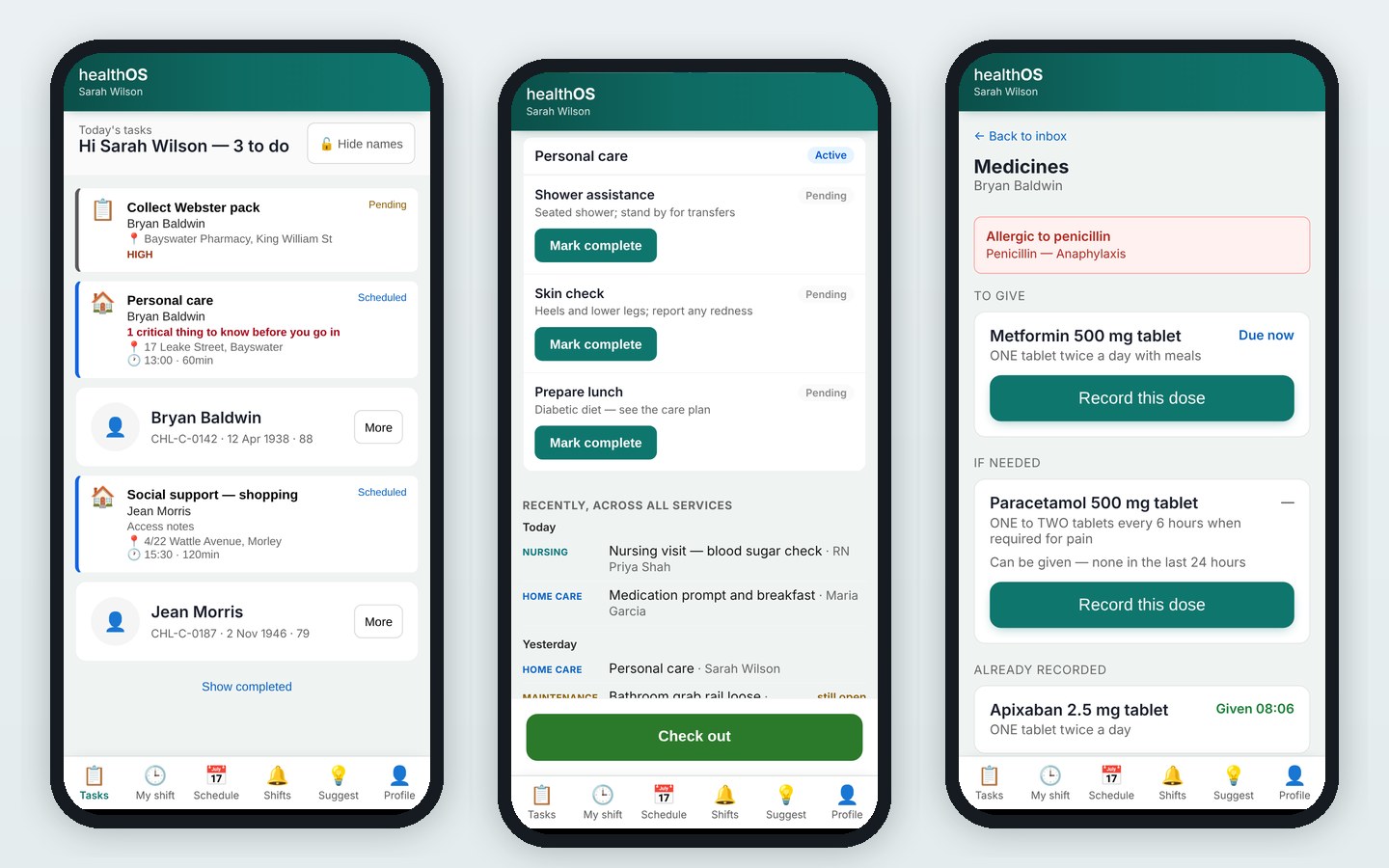
Coordinators schedule and move visits on one day grid. Care workers see their day on a phone, with the visit's tasks to mark complete and what other services did for the client.
The people at this step
Schedules visits on the day grid, drags one to another worker or time, and records why.
Works from the phone: the day, the visit's tasks, and what every other service did for the client today and yesterday.
See in Connections who visited and what was done.
Step by step
- The day grid
Visits sit on one grid across every funding stream, ready to be booked or moved.
- A move, with its reason
A rescheduled visit records why and by whom, in a history anyone can read.
- The visit itself
The worker marks each care task complete on the phone.
- Delivered, and recorded
The service delivery record is written as the visit ends, and posts to your ERP for invoicing.
What the next step gets
Between visits, the client is still watched over, and the month end builds from the visits that were delivered.
See HealthOS in your home care setting
We will walk you through it on real data. Bring the hardest thing your current platform can't do.